
Back to prompt library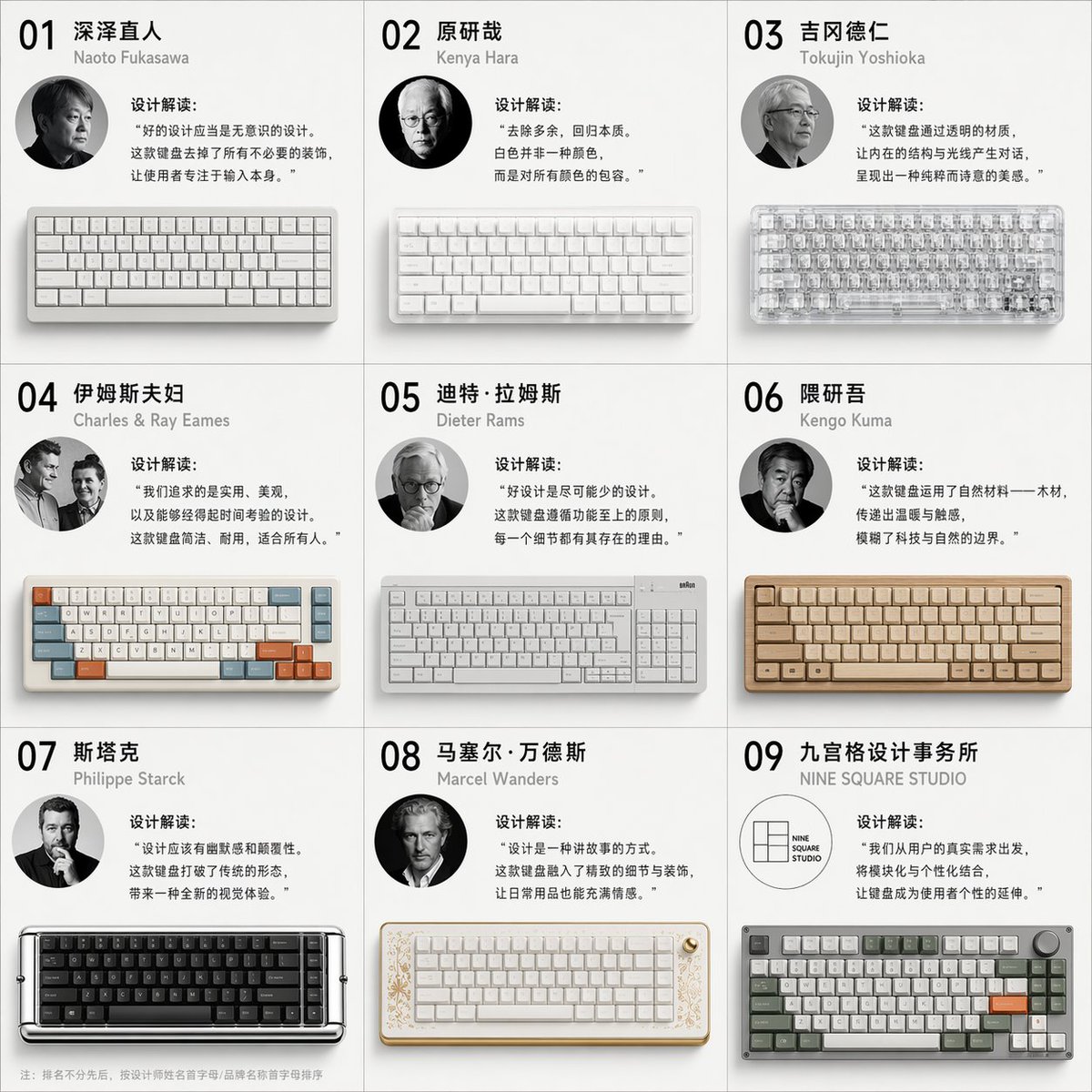


Prompt libraryImage Prompt
Mechanical Keyboard Design Variation Grid
Create a nine-panel product design grid that explores one mechanical keyboard across distinct material, layout, and visual directions.
Product designKeyboardVariation grid
Preview
Image Prompt
Recommended model
Flux 2 Pro
Output format
Image prompt template
Preview
Image Prompt
Preview for Mechanical Keyboard Design Variation Grid, focused on original product variation, consistent panel rules, readable labels, and manufacturable design logic.
Full prompt
Mechanical Keyboard Design Variation Grid
Nine-panel mechanical keyboard concept grid with product renders, material details, palettes, and short design rationales.
Recommended model: Flux 2 ProOutput format: Image prompt template
Full prompt
Image PromptCreate a square nine-panel product design variation grid for [MECHANICAL_KEYBOARD_CONCEPT]. Show the same keyboard family across nine original design directions while keeping consistent scale, camera angle, and presentation rules. Each panel should include a hero keyboard render, a small material or keycap detail, a short editable design rationale, and a compact color palette strip. Vary the concepts through form language, keycap profile, case material, accent color, knob or screen placement, artisan detail, cable routing, and desk context, but keep every version manufacturable and clearly related to the same product brief. Use clean industrial design layout, precise margins, neutral background, crisp product lighting, and readable short labels. Avoid naming real designers, copying famous keyboard brands, fake logos, impossible switch geometry, unreadable long text, inconsistent perspective, excessive gamer clutter, celebrity portraits, and any claim that the designs are endorsed by a known studio.
Usage notes
Replace the keyboard brief, target user, layout size, material list, panel labels, color palettes, and any manufacturing constraints before running.
Prompt FAQ
Before you use this prompt
Quick checks for inputs, model fit, and how to adapt the template without weakening the result.
Can I use this for products other than keyboards?
Yes. Keep the nine-panel variation structure, then replace the product family, detail callouts, materials, and label rules.
How do I avoid copying designer styles?
Describe functional directions, materials, and user segments instead of naming real designers, studios, brands, or signature products.
What should I check before using the output?
Review key layout consistency, switch and cap geometry, label readability, brand safety, and whether each variation still fits the same product brief.
More prompts in this mode