AI image
Generate product images, ads, and visual concepts
Browse 39 image model pages for product photos, ecommerce visuals, brand assets, editing, and reference-led work. Check availability, inputs, and credit notes before you generate.
Rivya Studio · 6 free credits
Compare image, video, audio, and chat models by current availability, task fit, inputs, and credit guidance where available. Generate with the right fit, then organize follow-up work in Rivya Studio.
Live proof from across Rivya
Start from the task you actually need
Rivya gives you four clear ways to start. Pick the output you need, review examples, and move straight into the matching task page or Studio.
AI image
Browse 39 image model pages for product photos, ecommerce visuals, brand assets, editing, and reference-led work. Check availability, inputs, and credit notes before you generate.
AI video
Browse 52 video model pages for product demos, ad clips, text-to-video, image-to-video, and motion control. Compare current availability and credit notes before a run.

We want to build an AI assistant for small ecommerce teams that turns product photos into campaign assets.
Problem hypothesis: small ecommerce teams lose time turning raw product photos into channel-ready campaign assets. Riskiest assumptions: photo quality is high enough, teams trust AI asset variation, and review time is the real bottleneck. Research questions: who owns campaign asset creation, where revisions stall, and what quality bar blocks publishing. Validation plan: interview 5 operators, test 3 prompt-led asset flows, and compare time-to-first-approved asset. Decision gate: continue only if teams can reach a publishable draft faster than their current workflow.
AI chat
Browse 36 chat model pages for research, writing, coding, analysis, and planning. Check current availability and model fit before starting a longer conversation.
Prompt library
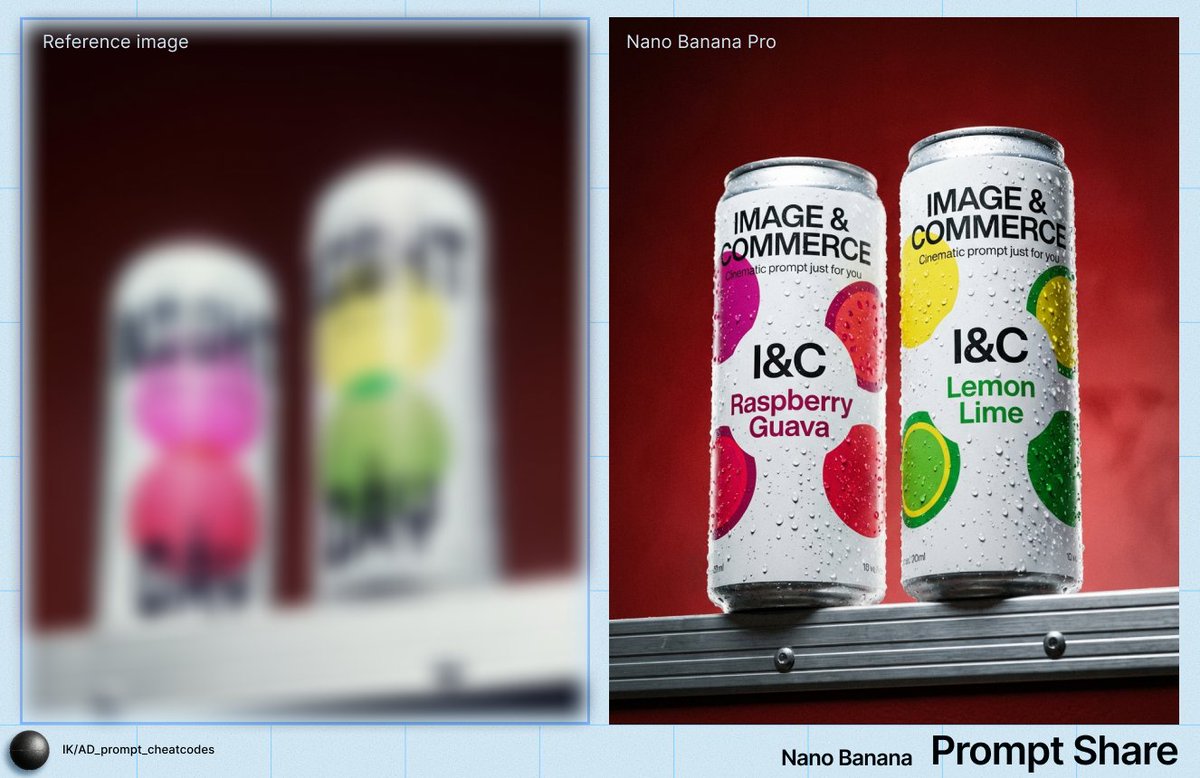
Rivya now surfaces reusable prompt templates across image, video, audio, and chat so teams can move from reference to execution faster.

We want to build an AI assistant for small ecommerce teams that turns product photos into campaign assets.
Structured research brief preview for a chat strategy workflow.
Chat Prompt
Turn a rough product idea into a strategy sprint prompt that produces goals, assumptions, risks, research questions, metrics, and next actions.
Usage and policy notes
The FAQ is the short version. These docs explain who owns what in Rivya, how commercial work fits the product, and where providers are part of the workflow.
Read the doc
See how Rivya handles prompts, uploads, outputs, and commercial work, plus the checks that still matter before publishing.
Read the doc
How prompts, uploads, outputs, and history move through Rivya, and where third-party providers are part of the workflow.
Questions people ask most often
Rivya uses credits for image, video, audio, and chat usage. Subscribe for recurring credits or buy a one-time credit pack, then track usage from one shared wallet instead of managing separate subscriptions for each tool.
As between you and Rivya, outputs generated through your account are yours to the extent permitted by law. Commercial use may be possible, but before publishing or delivering work you must review your input rights, the relevant model and provider terms, the output itself, and applicable law.
Rivya stores the prompts, uploads, outputs, history, and related records needed to operate your account. Generation and chat requests are routed through the third-party providers required for the workflow. Rivya does not make one blanket no-training or no-retention promise for every upstream provider, so review the relevant provider terms and avoid highly sensitive information when that guarantee matters.
Start with the task, input type, and finish level you need. Rivya model pages show current availability, supported inputs, credit guidance, best-fit tasks, and proof where available. Compare those signals before spending more credits on additional runs.
Usually, yes. You can manage subscriptions through the billing settings and available Stripe billing tools. The exact timing and effect of upgrades, downgrades, or cancellations depend on your current billing state and Stripe processing.
From one result to ongoing work
Pricing preview
4 paid plans, one shared credit wallet, and no per-tool billing. Start free, then move into a steadier monthly allowance when you're ready.
Plan preview
Get started with 6 free credits and see how Rivya fits your workflow.
Free credits to start
Plan preview
For creators who are ready to move beyond trial usage and keep a steady baseline each month.
300 credits / month
Most popular
For teams, operators, and heavy individual users running AI every day.
1,800 credits / month
Shared wallet logic
This preview shows the main choice. Open the pricing page for the full plan details, credit rules, and when each option makes sense.
AI audio
Browse 10 audio model pages for text to speech, dialogue, music, lyrics, sound generation, and paused cleanup references. Current availability is clear before you spend credits.