15.1 sec
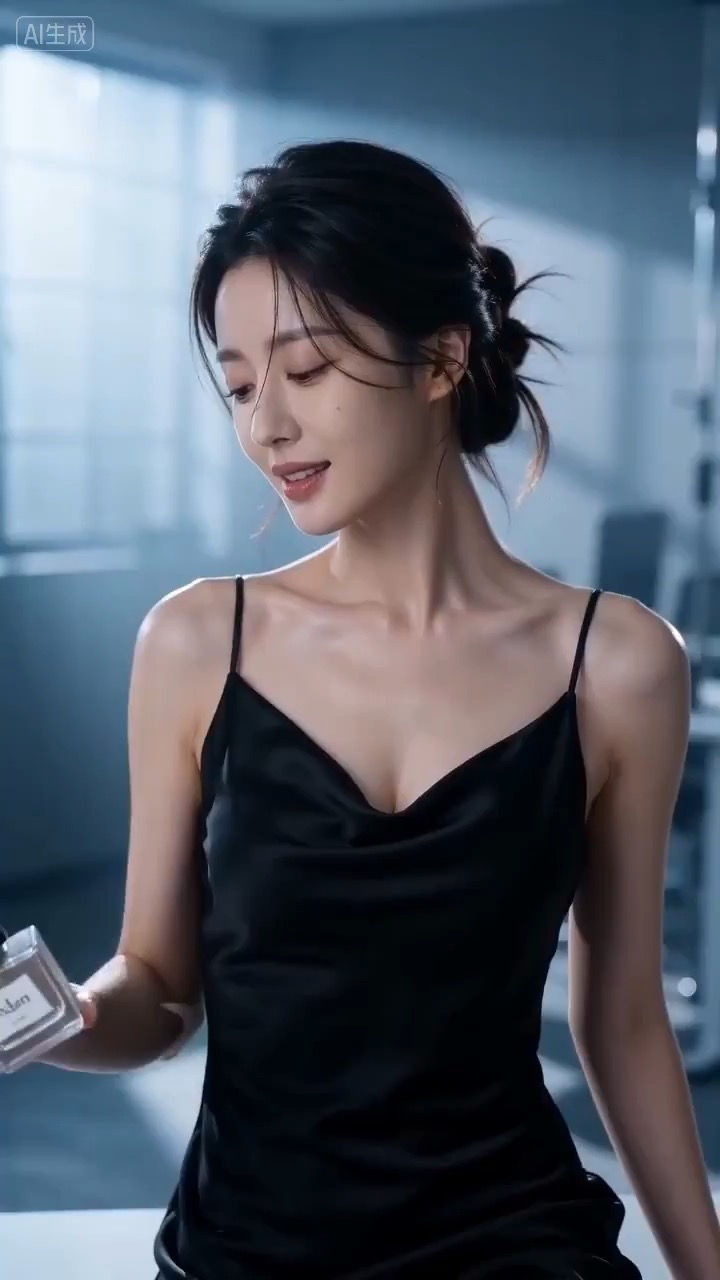
Cinematic perfume launch video preview showing product motion, light direction, camera path, and final frame.
Cinematic perfume launch video brief: setup / product reveal / camera path / continuity / clear final frame / review checks
A cinematic event-teaser prompt for Quanzhou heritage visuals, moving from ancient streets and maritime details into a clean editable invitation frame.
The recommended model and prompt are filled in. Choose your own inputs and generation settings.
Preview
Video Prompt
A cinematic Quanzhou heritage teaser moves through old streets and cultural details before landing on a clean invitation frame.
Quanzhou heritage event teaser with ancient-street atmosphere, maritime cultural details, natural crowd motion, and a clean editable invitation frame.
Generate an 8-10 second cinematic event teaser inspired by Quanzhou heritage. Open with warm evening light across old stone streets, rooflines, carved details, or maritime trade textures; glide into a second beat with lanterns, temple silhouettes, performers, or visitors moving naturally through the scene; end on a stable wide frame with clean editable space for an event title and date. Keep the teaser atmospheric, respectful, and non-official unless the user supplies verified event details. Use smooth camera movement, readable foreground layers, warm highlights, restrained motion blur, and consistent scale. Avoid fake government or UNESCO logos, invented official claims, unreadable signs, crowded chaotic motion, overdone ancient-China stereotypes, religious disrespect, warped faces or hands, and unrelated modern brand placement.
Usage notes
Replace the event name, date, venue cue, heritage details, camera path, crowd density, subtitle area, and any verified organizer mark before running.
Prompt FAQ
Replace the event name, date, venue cue, heritage details, camera path, crowd density, subtitle area, and any verified organizer mark.
Check that heritage details stay respectful, people move naturally, the camera path is readable, the final title space is clean, and no fake official logos or claims appear.
Yes. Keep the beat structure and constraints, then adjust detail density, aspect ratio, and duration for the model you choose in Rivya.
More prompts in this mode