
Back to prompt library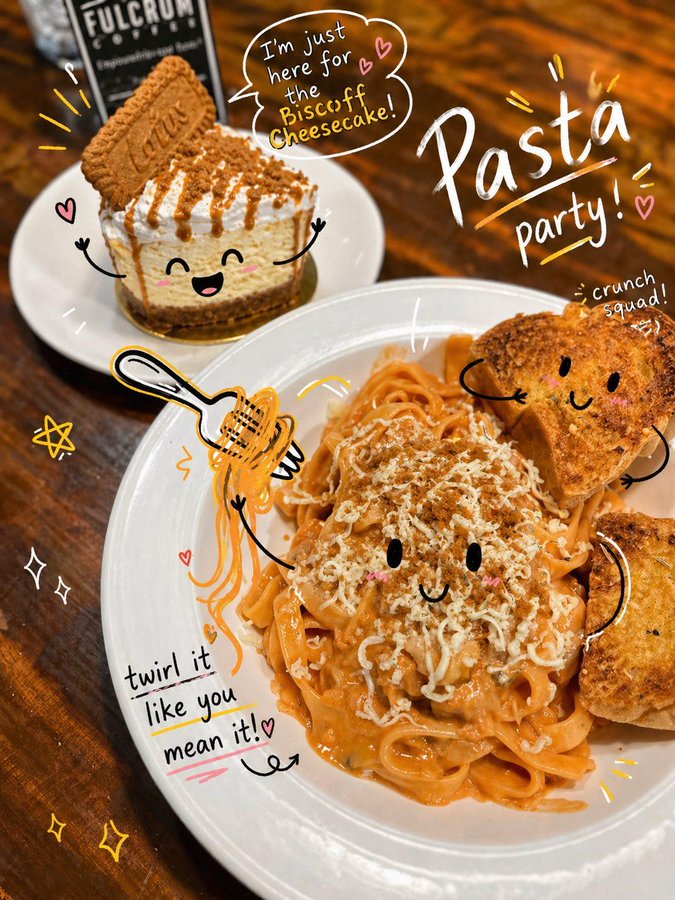


Prompt libraryImage Prompt
Playful Doodle Photo Annotation
Turn a photo or social image into a playful annotated key visual with hand-drawn arrows, circles, doodle marks, editable note areas, and a clean delivery crop.
AnnotationDoodleSocial
Preview
Image Prompt
Recommended model
Seedream 5.0 Lite
Output format
Image prompt template
Preview
Image Prompt
Photo annotation preview focused on clear subject focus, playful doodle marks, readable notes, editable text areas, and safe social cropping.
Full prompt
Playful Doodle Photo Annotation
Doodle photo annotation prompt with editable photo subject, hand-drawn arrows, circles, note areas, social crop, and brand-safe review checks.
Recommended model: Seedream 5.0 LiteOutput format: Image prompt template
Full prompt
Image PromptDesign a production-ready image prompt for Playful Doodle Photo Annotation. Define the editable photo subject, setting, supporting props, doodle marks, annotation labels, composition, camera angle, lighting direction, color palette, aspect ratio, and intended delivery use. Build the image as a social-ready photo with hand-drawn arrows, circles, underlines, stickers, and margin notes that point to the subject without covering key details. Keep all notes, icons, and marks editable, leave readable negative space for captions, and preserve room for brand adaptation. Avoid distorted handwriting, fixed logos, real brand names, celebrity likenesses, protected characters, unsupported claims, cluttered backgrounds, mismatched doodles, and marks unrelated to the photo subject.
Usage notes
Replace the photo subject, scene, doodle style, annotation labels, palette, camera angle, aspect ratio, and final social or delivery use.
Prompt FAQ
Before you use this prompt
Quick checks for inputs, model fit, and how to adapt the template without weakening the result.
What should I customize in Playful Doodle Photo Annotation?
Replace the photo subject, scene, supporting props, doodle style, annotation labels, palette, camera angle, aspect ratio, and final social or delivery use.
How should I review the image output?
Check photo clarity, doodle placement, annotation readability, editable text and marks, crop safety, brand safety, and whether unwanted logos, distorted handwriting, or unsupported claims appeared.
Can I adapt this for another campaign?
Yes. Keep the photo-plus-doodle annotation structure and review checks, then swap the subject, scene, palette, annotation tone, and delivery format for the campaign you are building.
More prompts in this mode