
Back to prompt library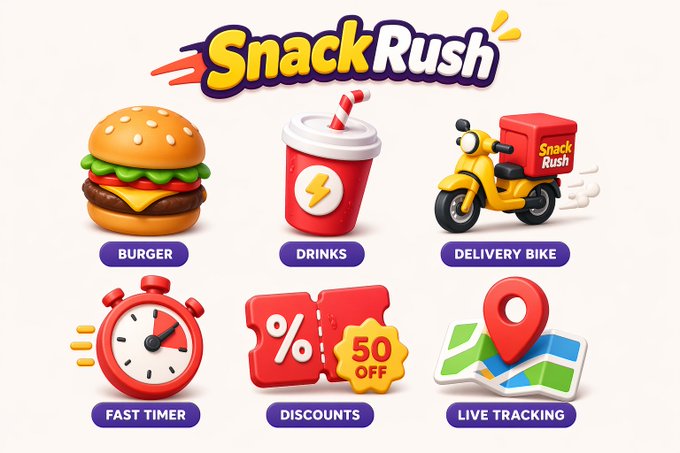


Prompt libraryImage Prompt
Playful Brand Icon System
Design a cohesive icon set for a brand or product family with shared geometry, stroke logic, color rules, and export spacing.
IconsBrandIdentity
Preview
Image Prompt
Recommended model
Grok Imagine
Output format
Image prompt template
Preview
Image Prompt
Icon board focused on shared geometry, stroke consistency, variants, and export-ready spacing.
Full prompt
Playful Brand Icon System
Brand icon prompt: icon grid, shared geometry, stroke rules, color system, variants, and export spacing.
Recommended model: Grok ImagineOutput format: Image prompt template
Full prompt
Image PromptCreate a playful but professional brand icon system for [PRODUCT OR BRAND FAMILY]. Show 8 to 12 icons on one clean grid, each built from the same geometry, corner radius, stroke weight, and color rules. Include a small usage row showing filled, outline, and monochrome variants if space allows. The icons should feel friendly and modern without becoming childish. Use simple shapes, clear silhouettes, and enough spacing for export. Avoid inconsistent line weights, overly complex details, copied app icons, unreadable micro-symbols, and random color changes.
Usage notes
Replace the brand category, icon list, stroke style, color palette, variant needs, and export size.
Prompt FAQ
Before you use this prompt
Quick checks for inputs, model fit, and how to adapt the template without weakening the result.
What should I customize in Playful Brand Icon System?
Replace the brand category, icon list, stroke style, color palette, variant needs, and export size.
How should I review the image output?
Check grid alignment, consistent stroke weight and corner radius, clear silhouettes, variant logic, export spacing, and whether any copied app icons, tiny unreadable symbols, or random colors slipped in.
Can I use this prompt with another model?
Yes. Keep the icon-system brief, geometry rules, variant row, and export spacing, then adjust detail level, aspect ratio, and constraints for the model you choose in Rivya.
More prompts in this mode