
Back to prompt library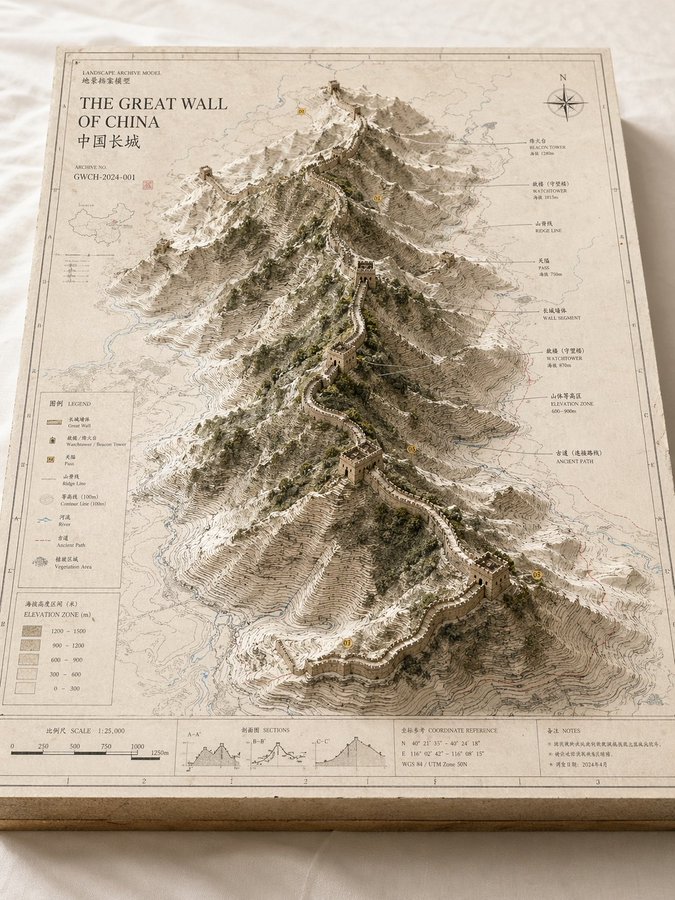


Prompt libraryImage Prompt
Landscape Archive Sandbox Model
Create a museum-like landform or city model that combines 2D map layers, raised terrain, labels, and restrained archival styling.
MapModelArchitecture
Preview
Image Prompt
Recommended model
Midjourney
Output format
Image prompt template
Preview
Image Prompt
Model board focused on terrain structure, map layers, restrained labels, and exhibit texture.
Full prompt
Landscape Archive Sandbox Model
Landscape model prompt: map board, contour lines, raised terrain, labels, material palette, and exhibit feel.
Recommended model: MidjourneyOutput format: Image prompt template
Full prompt
Image PromptCreate a high-finish landscape archive model for [PLACE OR WORLD]. Show a rectangular model board on a clean table, with 2D map layers, contour lines, routes, water systems, district boundaries, and a raised central terrain or city form. The model should feel like a geographic research exhibit, urban planning sandbox, or worldbuilding reference. Use restrained materials such as off-white board, pale gray, sand, moss green, and fine black annotation lines. Keep labels sparse and legible. Avoid fantasy clutter, random icons, exaggerated height, messy text, and decorative map noise.
Usage notes
Replace the place, terrain type, focus layer, annotation language, palette, and aspect ratio.
Prompt FAQ
Before you use this prompt
Quick checks for inputs, model fit, and how to adapt the template without weakening the result.
What should I customize in Landscape Archive Sandbox Model?
Replace the place, terrain type, focus layer, annotation language, palette, and aspect ratio.
How should I review the image output?
Check composition, lighting, crop, subject accuracy, readable text, and any claims or labels that need manual cleanup.
Can I use this prompt with another model?
Yes. Keep the core structure, then adjust detail level, aspect ratio, and constraints for the model you choose in Rivya.
More prompts in this mode