
Back to prompt library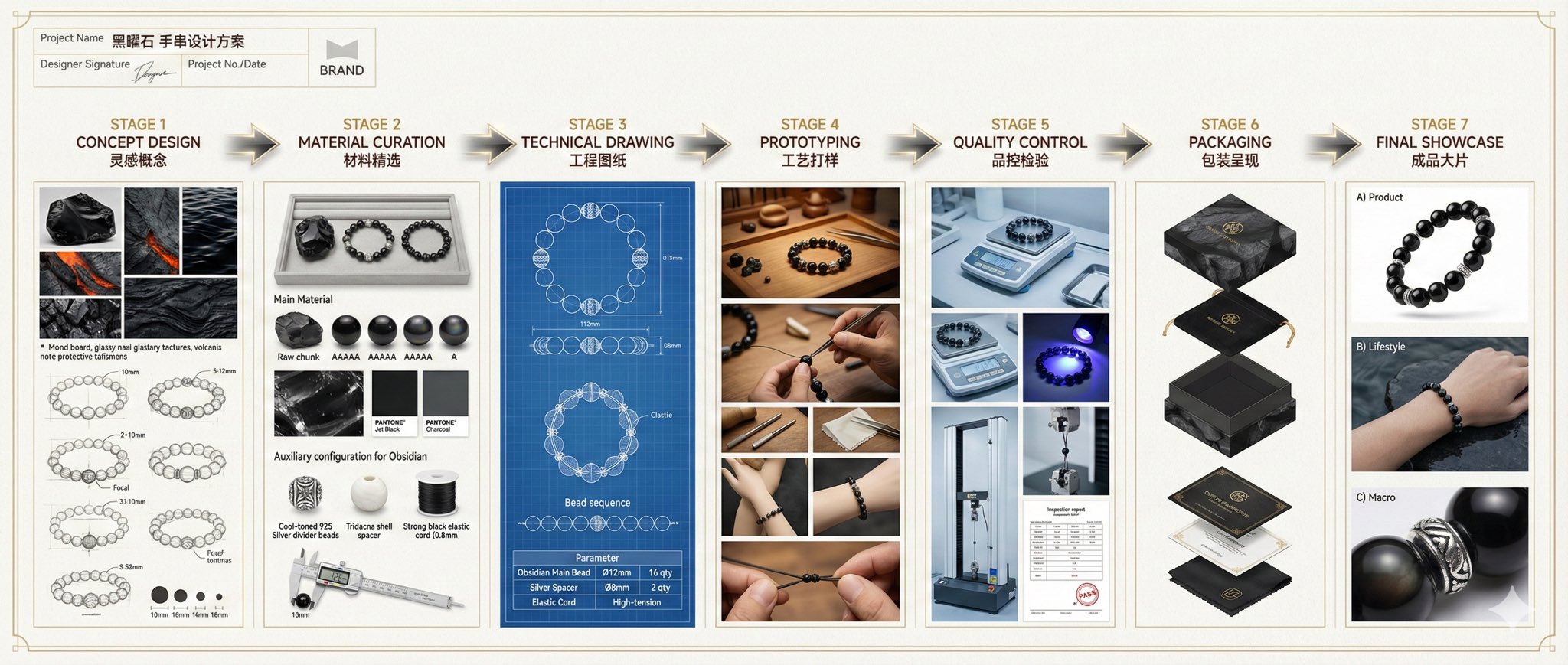


Prompt libraryImage Prompt
Jewelry Design Process Board
Create a wide editorial process board that shows a jewelry concept from material selection through technical drawing, prototype, QC, packaging, and final product photography.
Jewelry designProcess boardTechnical drawing
Preview
Image Prompt
Recommended model
4o Image
Output format
Image prompt template
Preview
Image Prompt
Jewelry design process board preview focused on structured process layout, technical annotation, material fidelity, and final product presentation.
Full prompt
Jewelry Design Process Board
Wide jewelry process board with material curation, CAD drawings, prototype steps, QC, packaging, and final product photography.
Recommended model: 4o ImageOutput format: Image prompt template
Full prompt
Image PromptCreate one wide 21:9 professional jewelry design process board for [JEWELRY_TYPE] made with [PRIMARY_MATERIAL]. Present the whole workflow as a commercial design-system document, not a sales poster. Use eight clearly separated stages from left to right: project brief, concept design, material curation, technical drawing, prototyping, quality control, packaging system, and final showcase. Include a restrained project info block with editable project name, date, material, size range, and logo placeholder; keep any brand marks generic. For concept design, show mood-board textures, color swatches, and 3-4 pencil sketch options. For material curation, show raw material, finished beads or components, grading samples, metal or cord options, and microscope-style texture details. For technical drawing, add CAD-style front, side, and top views, dimension arrows, part labels, clasp or knot details, and a clean component table. For prototyping and QC, show a maker's workbench, caliper measurements, polishing or assembly steps, weighing, light inspection, and a certificate placeholder. For packaging and final showcase, show exploded packaging layers, care card, protective pouch, studio product photography, wearing-scale reference, and macro detail callouts. Use ivory paper, warm metal accents, precise grid alignment, bilingual editable headings, realistic product photography, legible label blocks, and high material fidelity. Avoid real luxury brand names, copied logos, fake gem certification claims, unreadable tiny text, inconsistent dimensions, impossible joinery, hands with damaged anatomy, excessive gold clutter, and cultural motifs that are not requested by the user.
Usage notes
Replace jewelry type, primary material, metal finish, stage count, heading language, logo placeholder, and final crop before running.
Prompt FAQ
Before you use this prompt
Quick checks for inputs, model fit, and how to adapt the template without weakening the result.
What jewelry types work best with this prompt?
Bracelets, rings, pendants, earrings, necklaces, and bead strands all work as long as the material and component logic are specified.
Can this be used for a real brand presentation?
Yes, but keep the generated image generic first, then replace the logo placeholder and certification details manually with verified brand assets.
What should I check before using the result?
Review part counts, dimensions, clasp logic, material labels, hand anatomy, and any generated certificate or gemstone text for accuracy.
More prompts in this mode