
Back to prompt library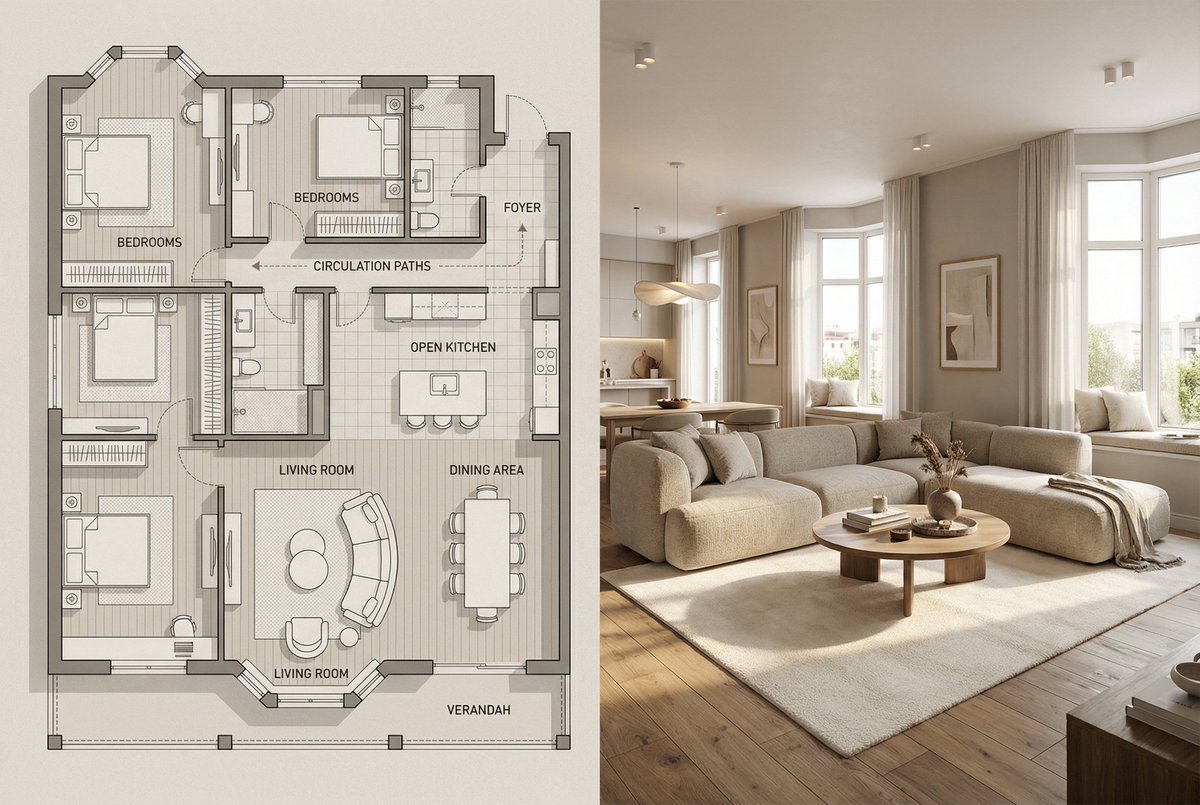


Prompt libraryImage Prompt
Floor Plan to Interior Split Render
Create a split image that compares a labeled residential floor plan with a matching realistic interior, keeping layout alignment, furniture logic, lighting, and materials consistent.
InteriorArchitectureSplit View
Preview
Image Prompt
Recommended model
Flux Kontext Pro
Output format
Image prompt template
Preview
Image Prompt
Split interior layout focused on plan alignment, furniture placement, lighting, and material consistency.
Full prompt
Floor Plan to Interior Split Render
Floor plan to interior split render prompt: labeled plan, matching room view, furniture alignment, lighting, materials, and layout checks.
Recommended model: Flux Kontext ProOutput format: Image prompt template
Full prompt
Image PromptCreate a split image with two clearly aligned panels. Left: a modern minimalist floor plan illustration of [ROOM OR HOME], shown from above with clean labels, circulation lines, furniture layout, beige and warm gray tones, and subtle blueprint texture. Right: a realistic interior view of the main living area that corresponds to the plan, matching window placement, furniture positions, circulation, and material palette. Use warm natural light, neutral walls, wood flooring, and believable everyday details. Keep both panels visually connected so the plan and room read as the same space. Avoid mismatched layout, cartoon style, clutter, unrealistic proportions, hard lighting, watermarks, and excessive text.
Usage notes
Replace the room type, plan labels, furniture list, material palette, lighting mood, and aspect ratio.
Prompt FAQ
Before you use this prompt
Quick checks for inputs, model fit, and how to adapt the template without weakening the result.
What should I customize in a floor plan to interior split render?
Replace the room type, plan labels, furniture list, material palette, lighting mood, and aspect ratio.
How should I review the image output?
Check that windows, circulation, furniture positions, labels, lighting, and materials stay consistent across both panels.
Can I use this prompt with another model?
Yes. Keep the core structure, then adjust detail level, aspect ratio, and constraints for the model you choose in Rivya.
More prompts in this mode