
Back to prompt library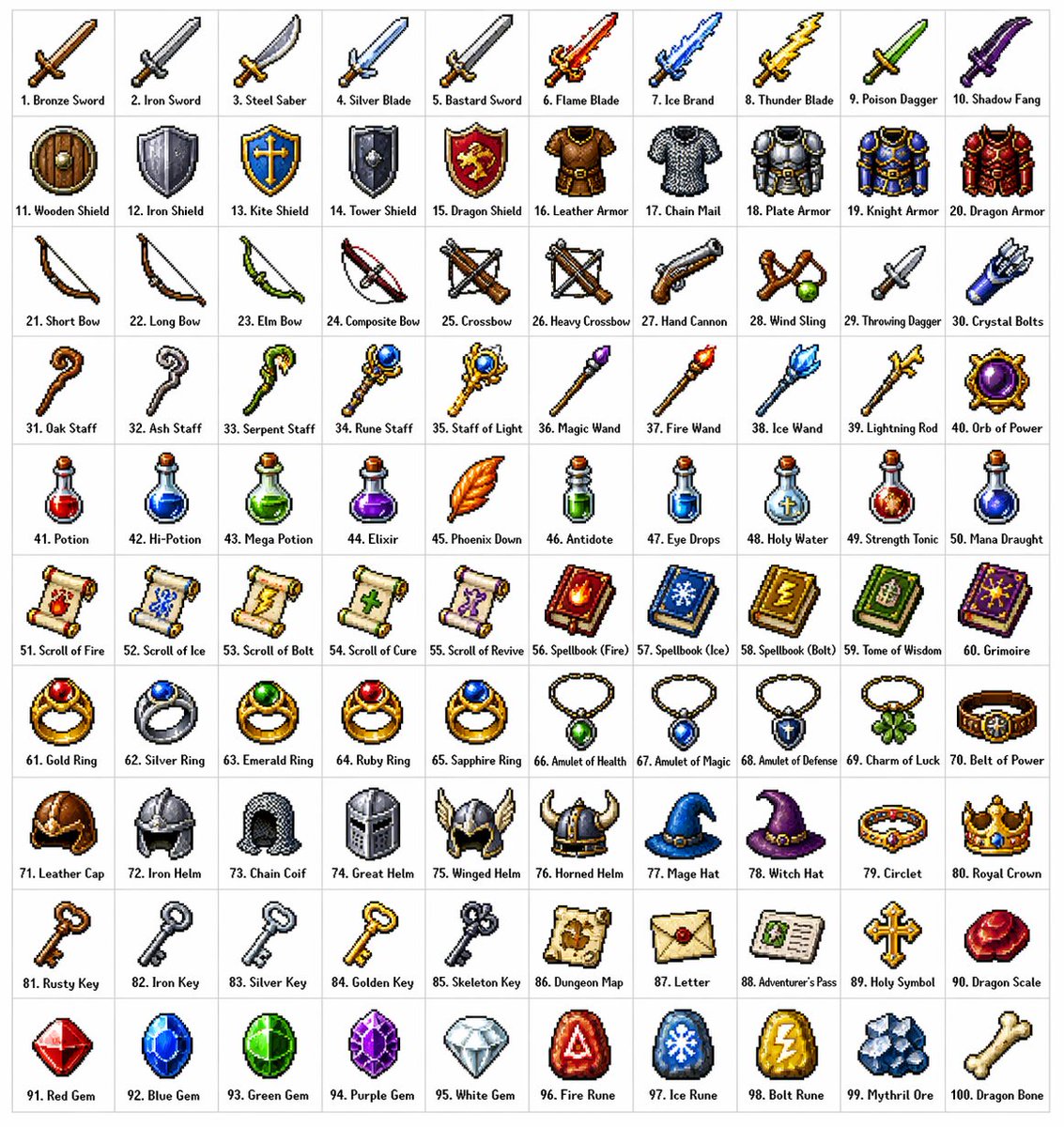


Prompt libraryImage Prompt
Fantasy Pixel Item Grid
Create a clean 10 by 10 pixel-art item grid with original fantasy inventory icons, row themes, short labels, and consistent sprite styling.
Pixel artGame assetsItem grid
Preview
Image Prompt
Recommended model
Seedream 4.0
Output format
Image prompt template
Preview
Image Prompt
Preview of a fantasy pixel inventory grid focused on original icon variety, readable tile labels, consistent sprite styling, and asset-sheet clarity.
Full prompt
Fantasy Pixel Item Grid
10 by 10 fantasy pixel-art inventory grid with original item sprites, row themes, short labels, and crisp tile layout.
Recommended model: Seedream 4.0Output format: Image prompt template
Full prompt
Image PromptCreate a clean 10 by 10 grid of 100 original [FANTASY_INVENTORY_ITEMS] in classic pixel-art style. Place every item inside its own square tile on a light neutral background, with one short editable label under each icon. Use crisp pixel edges, limited palettes, subtle dithering, consistent lighting direction, and readable silhouettes at small size. Organize the rows by theme: blades, armor, ranged gear, magic tools, potions, books, jewelry, headgear, quest objects, and crafting materials, or replace these with the user-provided categories. Make each sprite visually distinct while keeping the whole sheet cohesive like a production-ready inventory asset board. Keep labels short and reviewable; if exact item names are not supplied, use placeholder labels. Avoid copied game icons, franchise references, real logos, excessive gore, unsafe weapon glamour, unreadable microtext, inconsistent tile sizes, random perspective changes, AI artifacts around edges, and over-rendered painterly details that break the pixel style.
Usage notes
Replace the item categories, object names, label language, palette, tile count, and sprite constraints before running.
Prompt FAQ
Before you use this prompt
Quick checks for inputs, model fit, and how to adapt the template without weakening the result.
Can I use fewer than 100 icons?
Yes. Change the grid size and category count, then keep every tile the same size so the asset sheet stays usable.
How do I keep the icons original?
Use generic item categories, provide your own names, and avoid naming existing games, franchises, characters, logos, or recognizable icon sets.
What should I check before publishing?
Review label spelling, category consistency, icon uniqueness, tile alignment, edge cleanliness, and whether the image still reads as pixel art.
More prompts in this mode