
Back to prompt library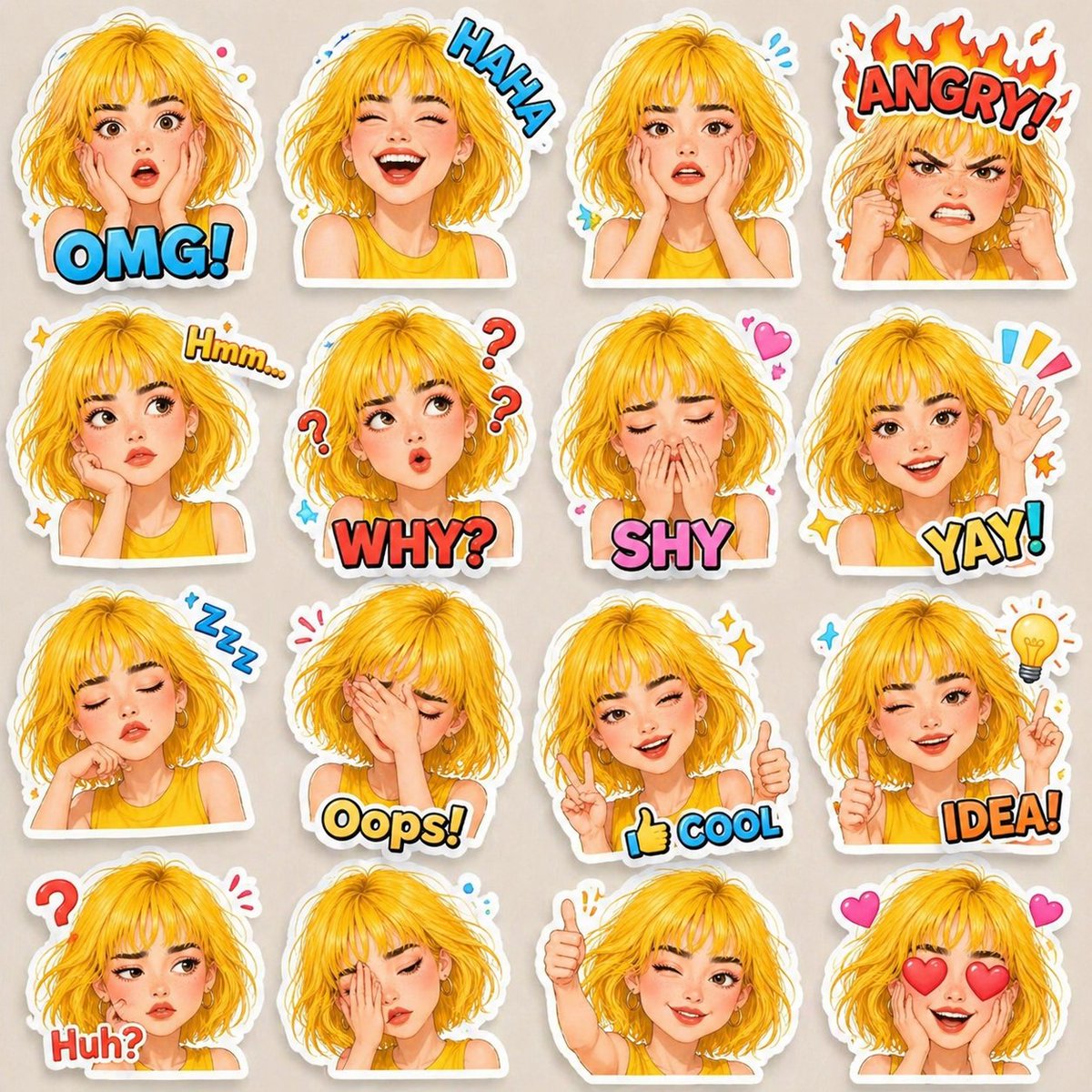


Prompt libraryImage Prompt
Expressive 3D Avatar Sticker Sheet
Create a 4x4 sticker sheet featuring the same editable avatar across 16 expressive poses, with glossy 3D cartoon rendering, thick white borders, comic labels, and clean spacing.
StickerCharacterTypography
Preview
Image Prompt
Recommended model
Qwen Image
Output format
Image prompt template
Preview
Image Prompt
A clean expressive avatar sticker sheet with consistent character design, readable emotions, thick die-cut borders, doodles, soft shadows, and editable labels.
Full prompt
Expressive 3D Avatar Sticker Sheet
4x4 glossy 3D avatar sticker sheet with one consistent character, 16 emotions, thick white borders, comic labels, doodles, and clean grid spacing.
Recommended model: Qwen ImageOutput format: Image prompt template
Full prompt
Image PromptCreate a high-quality 4x4 sticker sheet featuring the same editable avatar character across 16 different emotions and poses. Keep the face, hairstyle, outfit, proportions, skin details, and accessories consistent in every sticker while changing only expression, hand pose, and small surrounding symbols. Use a glossy 3D cartoon look with soft lighting, smooth shading, rounded cheeks, big expressive eyes, clean outlines, thick white die-cut sticker borders, soft drop shadows, vibrant but controlled colors, and a clean light background. Arrange the stickers in an even grid with generous spacing and consistent scale. Include editable comic-style emotion labels and doodles for: OMG, HAHA, Worried, Angry, Hmm, Why?, Shy, Yay!, Sleepy, Oops, Cool, Idea, Huh?, Tired, Thumbs Up, and Love. Make every pose easy to read at small size and ready for chat sticker packs, creator avatars, or social profile assets. Avoid celebrity likenesses, protected characters, real brand logos, copied animation-studio style, character drift between cells, mismatched clothing, repeated expressions, distorted hands, unreadable lettering, messy backgrounds, cropped sticker borders, and labels that overlap the face.
Usage notes
Replace the avatar description, hairstyle, outfit, accessory set, emotion label language, doodle symbols, border thickness, and export crop before generating.
Prompt FAQ
Before you use this prompt
Quick checks for inputs, model fit, and how to adapt the template without weakening the result.
What should I customize in this avatar sticker sheet?
Set the avatar description, hairstyle, outfit, accessories, emotion label language, doodle symbols, border thickness, grid spacing, and final crop.
How should I review the image output?
Check that the same character stays consistent in all 16 cells, each emotion reads clearly, labels are editable and legible, borders are not cropped, and hands or faces are not distorted.
Can I adapt this for another sticker pack?
Yes. Keep the 4x4 grid, consistent avatar, white sticker borders, and emotion readability, then swap the character design, label language, palette, and symbol set.
More prompts in this mode