
Back to prompt library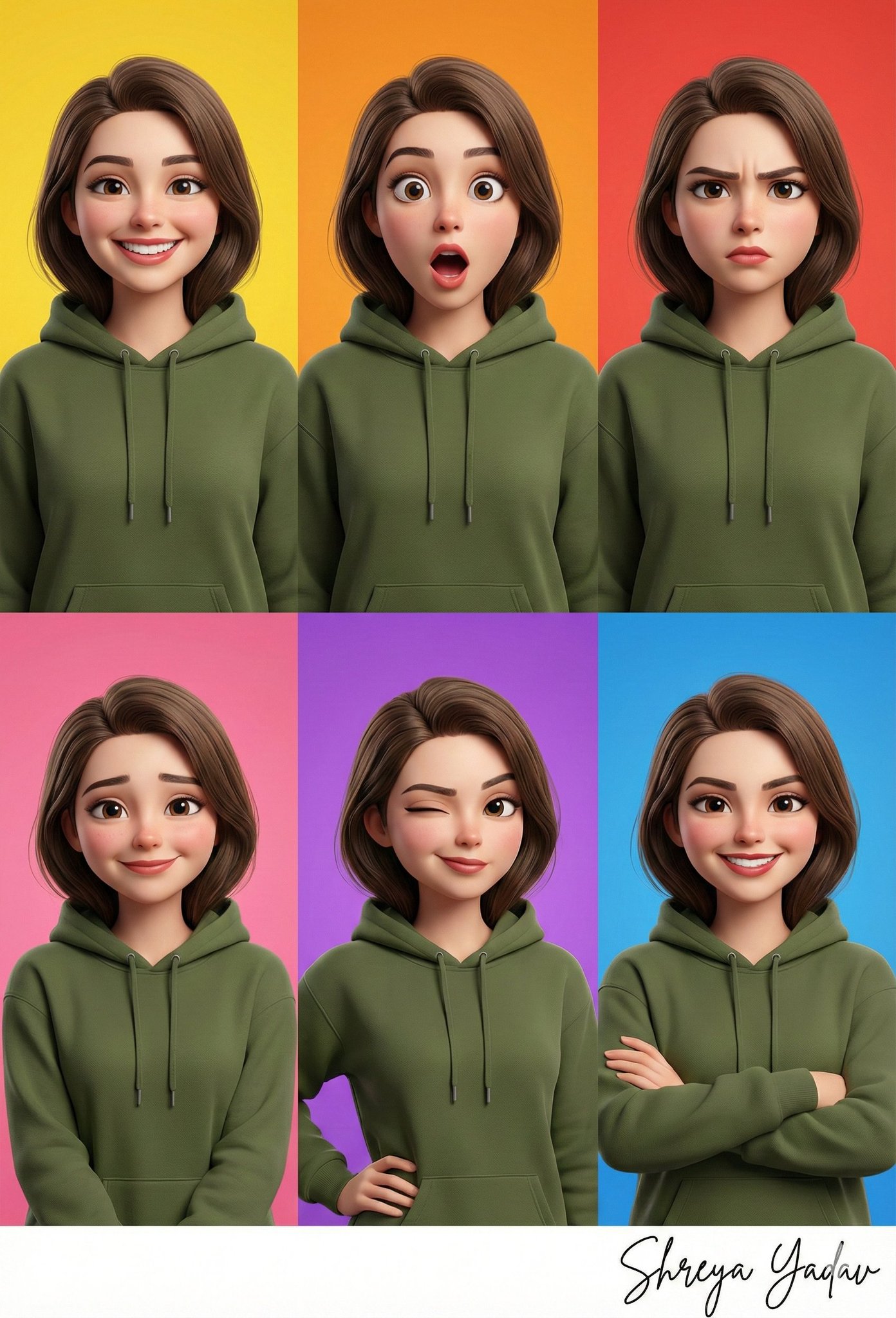


Prompt libraryImage Prompt
Consistent Character Expression Grid
Create a six-panel expression grid for one original character, keeping face, hair, outfit, palette, proportions, and render style consistent.
CharacterExpressionConsistency
Preview
Image Prompt
Recommended model
Ideogram Character
Output format
Image prompt template
Preview
Image Prompt
Preview for a consistent character expression grid with six close-up portraits, matched identity details, and no fixed text.
Full prompt
Consistent Character Expression Grid
Six-panel expression grid for one original character with matched identity, varied emotions, close-up portraits, and no fixed text.
Recommended model: Ideogram CharacterOutput format: Image prompt template
Full prompt
Image PromptCreate a six-panel character expression reference grid in a 3 x 2 layout. Use one original character provided by the user and keep the same face structure, hairstyle, outfit, color palette, proportions, and render style across every panel. Show six clearly distinct expressions such as happy, surprised, focused, shy, skeptical, and confident, using close-up portrait framing and simple colored backgrounds that do not distract from the face. Use polished 3D character rendering, soft ambient light, crisp fabric and skin detail, and enough spacing between panels for review. Do not add signature text, real names, logos, watermarks, readable captions, celebrity likenesses, existing characters, extra accessories that change identity, or decorative border frames. The output should work as a character consistency sheet for animation, game, brand mascot, avatar, or campaign review.
Usage notes
Replace the character description, emotion set, outfit, palette, render style, panel spacing, background colors, aspect ratio, and final review use before running.
Prompt FAQ
Before you use this prompt
Quick checks for inputs, model fit, and how to adapt the template without weakening the result.
What should I define before running this prompt?
Define the original character, six target emotions, fixed outfit, palette, render style, panel spacing, background colors, aspect ratio, and review use.
What must stay consistent across all panels?
Keep the face structure, hairstyle, outfit, color palette, proportions, and render style consistent so the grid reads as the same character.
What should I reject in the generated grid?
Reject changed faces, extra accessories, decorative borders, readable text, logos, real names, celebrity likenesses, existing characters, or any identity drift.
More prompts in this mode