
Back to prompt library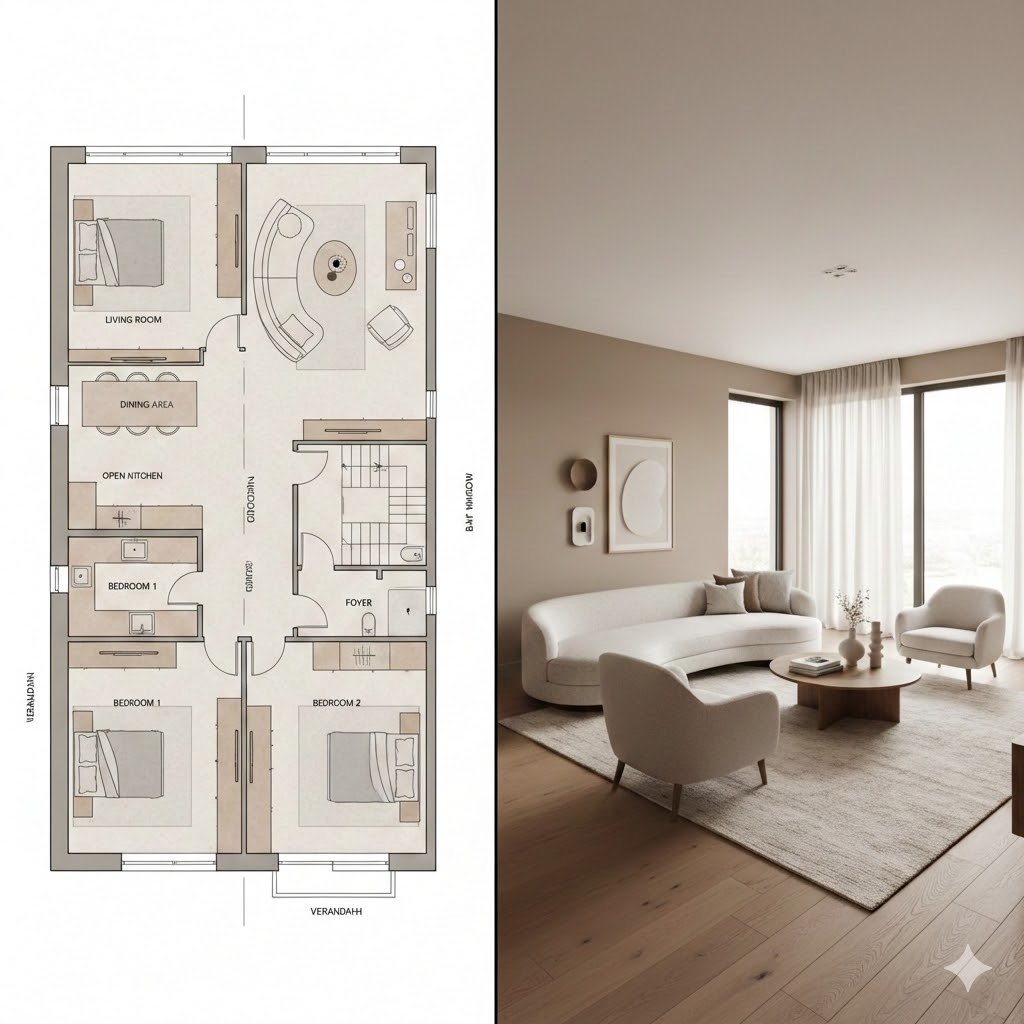


Prompt libraryImage Prompt
Blueprint to Cozy Interior Render
Create an interior concept prompt that connects a plan-view blueprint with a finished cozy living space.
InteriorBlueprintBefore After
Preview
Image Prompt
Recommended model
GPT Image 1.5
Output format
Image prompt template
Preview
Image Prompt
Preview for Blueprint to Cozy Interior Render, focused on plan-to-room transition, material warmth, believable scale, and client-ready delivery.
Full prompt
Blueprint to Cozy Interior Render
Blueprint-to-cozy-interior image prompt with editable floor plan cues, furniture placement, warm materials, lighting, and client delivery context.
Recommended model: GPT Image 1.5Output format: Image prompt template
Full prompt
Image PromptCreate an interior visualization that connects a clean blueprint or floor plan with a finished cozy room. Show the transition clearly through partial plan lines, furniture placement, warm materials, window light, and a believable lived-in scale. Keep labels optional and editable. Avoid impossible walls, fake architectural stamps, unreadable tiny dimensions, copied property branding, or inconsistent perspective. The result should help a client understand how the plan becomes a real room.
Usage notes
Replace the room type, floor plan cues, material palette, furniture list, and client context.
Prompt FAQ
Before you use this prompt
Quick checks for inputs, model fit, and how to adapt the template without weakening the result.
What should I customize in this blueprint-to-interior render?
Replace the room type, floor plan cues, labels, material palette, furniture list, aspect ratio, and client delivery context; verify any generated text manually.
How should I review the image output?
Review the output for clear composition, believable lighting, usable crop, accurate subject details, and any generated text or claims that need manual cleanup.
Can I use this prompt with another model?
Yes. Keep the core structure, then adjust detail level, aspect ratio, and constraints for the model you choose in Rivya.
More prompts in this mode