Build a clean luxury eyewear campaign around oversized sculptural sunglasses, reflective studio surfaces, and editable campaign type.
The recommended model and prompt are filled in. Choose your own inputs and generation settings.
Preview
Image Prompt
Preview for Sculptural Eyewear Studio Campaign, focused on product scale, editorial lighting, and editable campaign type.
Luxury eyewear campaign with giant sculptural sunglasses, soft blue studio light, reflective floor, and editable hero typography.
Create a square avant-garde eyewear campaign image for a luxury fashion launch. Place oversized futuristic sunglasses in the center as a sculptural object, with one adult model seated casually on the frame to show scale without hiding the product shape. Use a powder blue or soft pastel studio background, glossy reflective floor, crisp editorial lighting, and a balanced magazine-ad layout. Add one large editable campaign word placeholder such as [CAMPAIGN_WORD] behind the product, but keep all typography clean, sparse, and easy to replace. Maintain realistic lens reflections, stable frame geometry, natural model posture, premium material texture, and a clear product-first hierarchy. Avoid real brand names, logos, celebrity likenesses, sexualized posing, fixed slogans, unreadable text, warped eyewear arms, duplicate models, cluttered props, or a cheap catalog feel.
Usage notes
Replace the eyewear shape, lens color, model wardrobe, campaign word, aspect ratio, and channel before running.
Prompt FAQ
Make the oversized frame the largest object, keep the model as a scale cue, and avoid props or text that compete with the eyewear.
Keep the campaign word, product name, lens color, wardrobe, background color, and crop easy to replace for different launches.
Check lens reflections, frame symmetry, hand and seating contact points, readable typography, and the absence of real logos or copied slogans.
More prompts in this mode
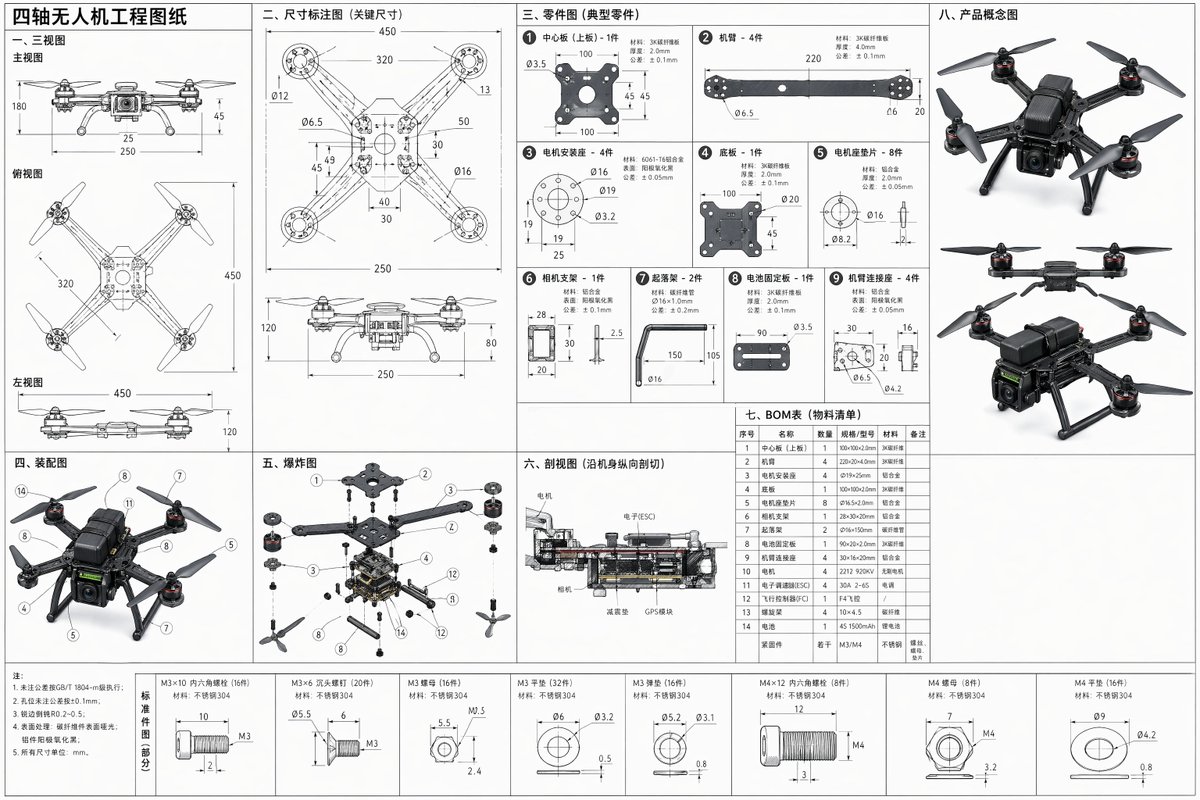
Image Prompt
Create a full-dimension quadcopter engineering drawing prompt with three-view layout, separated parts, assembly notes, exploded view, cross-section, BOM table, and concept thumbnails.
Open the full prompt in the recommended model, then shorten it before generating.