
Rivya AI
Rivya Journal

लेखक
श्रेणियां
खोजना जारी रखें
Rivya टीम से संबंधित मार्गदर्शिकाएं, उत्पाद नोट्स और कार्यप्रवाह विश्लेषण पढ़ना जारी रखें।
AI अधिक सामग्री बना सकता है, लेकिन इससे सोशल मीडिया सामग्री अपने आप आसान नहीं हो जाती।
यह तब आसान होती है, जब हर सामग्री का स्पष्ट काम हो: घोषणा, व्याख्या, प्रदर्शन, याद दिलाना, तुलना, स्थानीयकरण या दोबारा लक्ष्य बनाना। Rivya में पहले व्यवस्था की योजना बनाएं और उसके बाद इमेज, वीडियो, ऑडियो या चैट कार्यप्रवाह चुनें।
जनरेशन शुरू करने से पहले पोस्ट का उद्देश्य तय करें:
| सामग्री का काम | उपयुक्त स्वरूप | Rivya मार्ग |
|---|---|---|
| घोषणा | उत्पाद का मुख्य दृश्य या झलक | Image Studio / Video Studio |
| व्याख्या | कैरसेल-शैली का दृश्य या छोटी व्याख्या | Chat Studio + Image Studio |
| प्रदर्शन | उत्पाद डेमो क्लिप | Video Studio |
| याद दिलाना | दोबारा लक्ष्य करने वाला दृश्य | AI विज्ञापन क्रिएटिव कार्यप्रवाह |
| मानवीय बनाना | UGC-शैली का क्लिप या वॉइसओवर | Video Studio + Audio Studio |
| स्थानीयकरण | स्थानीय भाषा का विकल्प | सामग्री स्थानीयकरण |
जो पोस्ट इन सभी कामों को एक साथ करने की कोशिश करती है, वह अक्सर अस्पष्ट हो जाती है।
एक अभियान के लिए अलग-अलग असंबद्ध पोस्ट बनाने के बजाय एक छोटी व्यवस्था बनाएं।
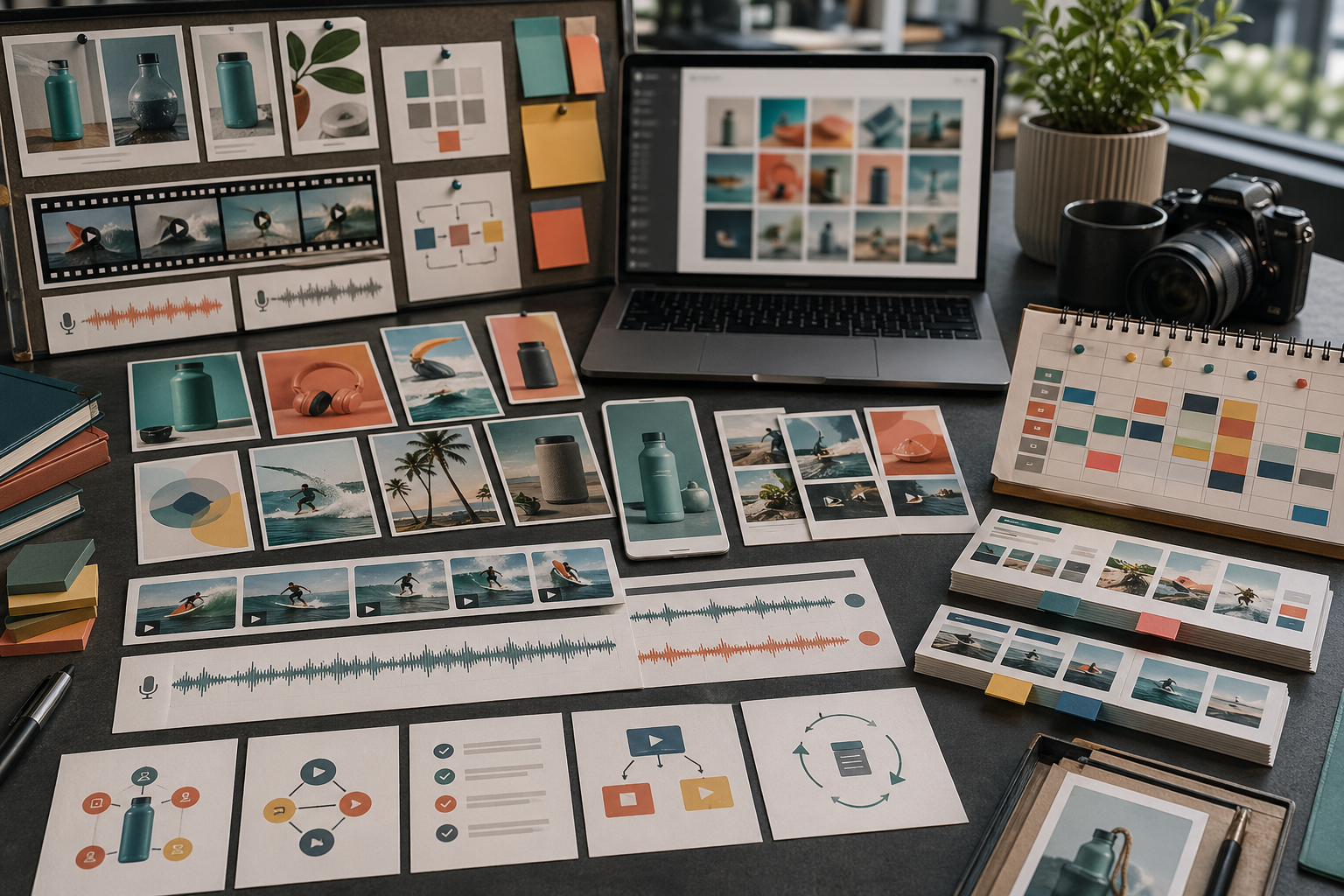
एक उपयोगी सामग्री-समूह में ये शामिल हो सकते हैं:
उत्पाद का एक साफ स्थिर चित्र
उत्पाद की गति दिखाने वाला एक छोटा दृश्य
जानकारी देने वाला एक ग्राफिक
वॉइस-ओवर की एक पटकथा
किसी दूसरी भाषा या बाजार के लिए एक संस्करण
एक वर्गाकार काट-छांट
एक लंबवत काट-छांट
दोबारा लक्षित करने वाला एक संस्करण
इससे सामग्री की धारा बेतरतीब लगने के बजाय सोच-समझकर बनाई हुई महसूस होती है।
पोस्ट करने के क्रम के बारे में इस तरह सोचें:
विषय की घोषणा करें
उत्पाद या नतीजा दिखाएं
एक लाभ समझाएं
एक क्रिया दिखाएं
एक आपत्ति का जवाब दें
प्रमाण या याद दिलाने वाली सामग्री से दोबारा लक्षित करें
सबसे अच्छा प्रदर्शन करने वाली सामग्री को स्थानीय बनाएं
यह क्रम हर सामग्री को एक स्पष्ट भूमिका देता है। इससे यह तय करना भी आसान होता है कि पहले क्या बनाना चाहिए।
निर्माण के काम को सामग्री के स्वरूप के अनुसार बांटें:
स्थिर पोस्ट, उत्पाद के स्थिर चित्र और अभियान ग्राफिक के लिए इमेज और Rivya का इमेज स्टूडियो इस्तेमाल करें
गतिशील पोस्ट, उत्पाद क्लिप और उपयोगकर्ता-निर्मित सामग्री जैसी प्रस्तुतियों को परखने के लिए वीडियो और Rivya का वीडियो स्टूडियो इस्तेमाल करें
जब किसी पोस्ट को वर्णन, पार्श्व-स्वर या स्थानीयकरण की जरूरत हो, तब ऑडियो और Rivya का ऑडियो स्टूडियो इस्तेमाल करें
योजना बनाने, दोबारा लिखने और निर्देश को निखारने के लिए चैट और Rivya का चैट स्टूडियो इस्तेमाल करें
हर बार फिर से शुरू करने के बजाय उपयोगी नतीजों को दोबारा इस्तेमाल करने के लिए Rivya की हिस्ट्री देखें
हर सोशल पोस्ट को एक ही माध्यम में ढालने की कोशिश न करें।
वैकल्पिक संस्करण तब उपयोगी होते हैं जब हर बार केवल एक महत्वपूर्ण चीज बदली जाए।
इन पहलुओं के आधार पर उपयोगी विकल्प बनाए जा सकते हैं:
ध्यान खींचने वाली शुरुआत
पृष्ठभूमि
प्रोडक्ट का कोण
क्रॉप
दर्शक वर्ग
आवाज़ का लहजा
कार्रवाई का आह्वान
भाषा संस्करण
उत्पाद, दृश्य, लिखित संदेश, काट-छांट और लहजा एक साथ न बदलें। वरना पता नहीं चलेगा कि सामग्री किस वजह से बेहतर हुई।
सोशल मीडिया की सामग्री को उसी माहौल में जांचें जहां वह लोगों को दिखाई देगी।
इन बातों की जांच करें:
क्या मुख्य बात तुरंत समझ में आती है?
क्या काट-छांट उस माध्यम के अनुरूप है?
क्या छोटे अक्षरों वाला पाठ सच में जरूरी है?
क्या मोबाइल पर उत्पाद आसानी से पहचाना जा सकता है?
क्या सामग्री लैंडिंग पेज या ऑनलाइन दुकान से मेल खाती है?
क्या यह बाकी अभियान का ही हिस्सा लगती है?
क्या यह सही वजह से लोगों का ध्यान अपनी ओर खींचेगी?
सुंदर सामग्री भी असफल हो सकती है, अगर सोशल मीडिया की धारा में वह असर न छोड़ पाए।
बचें:
संदेश स्पष्ट होने से पहले बड़ी मात्रा में सामग्री बनाना
अभियान की व्यवस्था के बिना अलग-अलग सामग्री बनाना
हर माध्यम के लिए एक ही निर्देश इस्तेमाल करना
ऐसे संस्करण बनाना जिनमें बहुत-सी चीजें एक साथ बदलती हों
तस्वीरों के भीतर बहुत छोटे पाठ पर निर्भर रहना
मोबाइल आकार में समीक्षा न करना
उद्देश्य के अनुसार ढाले बिना उसी सामग्री को फिर से पोस्ट करना
AI से अच्छी सोशल मीडिया सामग्री बनाने का अर्थ सुव्यवस्थित दोहराव है, बेतरतीब ढंग से बहुत कुछ बना देना नहीं।
स्थिर पोस्ट इमेज में, गतिशील पोस्ट वीडियो में, आवाज की सामग्री ऑडियो में और योजना चैट में शुरू करें।
जब सोशल सामग्री सशुल्क ग्राहक-अधिग्रहण अभियान का हिस्सा हो, तब AI विज्ञापन क्रिएटिव कार्यप्रवाह इस्तेमाल करें।
जब अभियान किसी नए उत्पाद को पेश करने के लिए हो, तब AI उत्पाद लॉन्च सामग्री इस्तेमाल करें।
लोगों द्वारा बनाई गई सामग्री जैसे स्वाभाविक वीडियो परखने के लिए AI UGC-शैली वीडियो जनरेटर इस्तेमाल करें।
प्रकाशित करने से पहले AI सामग्री निर्माण जांच-सूची देखें।


