Rivya AI
Rivya Journal

लेखक
श्रेणियां
खोजना जारी रखें
Rivya टीम से संबंधित मार्गदर्शिकाएं, उत्पाद नोट्स और कार्यप्रवाह विश्लेषण पढ़ना जारी रखें।
व्याख्यात्मक वीडियो का काम किसी विचार को समझना आसान बनाना है।
उसे एक साथ पूरा उत्पाद परिचय, ब्रांड फ़िल्म, ट्यूटोरियल और विज्ञापन बनने का प्रयास नहीं करना चाहिए। Rivya तब बेहतर काम करता है, जब जनरेशन से पहले विषय, संक्षिप्त संरचना और समीक्षा मानदंड स्पष्ट हों।
मॉडल चुनने से पहले वह एक बात लिखें जिसे दर्शक को समझना चाहिए।
उदाहरण:
उत्पाद की सुविधा कैसे काम करती है
कार्यप्रवाह समय कैसे बचाता है
टूल इस्तेमाल करने से पहले और बाद में क्या होता है
ग्राहक की समस्या से नतीजे तक कैसे पहुंचते हैं
नया लॉन्च वास्तव में क्या बदलता है
अगर व्याख्या एक वाक्य में नहीं समाती, तो वीडियो को शायद कई अलग सामग्रियों में बांटना चाहिए।
व्याख्यात्मक वीडियो अलग रूप ले सकते हैं:
प्रोडक्ट डेमो
पहले और बाद का क्लिप
प्रक्रिया का सरल एनिमेशन
सहायक दृश्यों के साथ वॉइसओवर
संस्थापक-शैली की व्याख्या
सोशल मीडिया के लिए छोटा व्याख्यात्मक वीडियो
प्रॉम्प्ट लिखने से पहले प्रारूप चुनें। उत्पाद प्रदर्शन और वॉइस-ओवर वाले व्याख्यात्मक वीडियो को अलग इनपुट चाहिए।
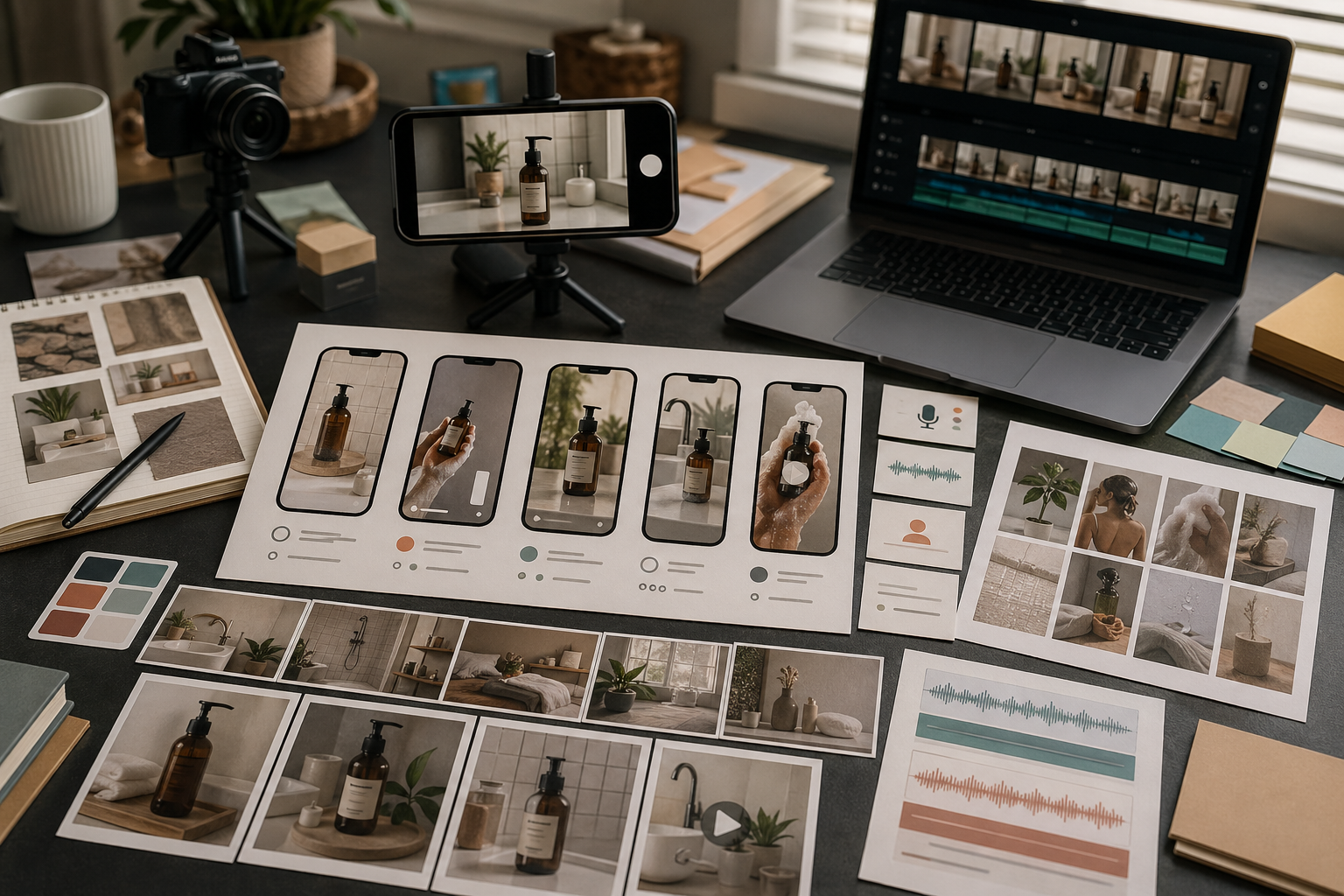
व्याख्यात्मक वीडियो का एक सरल ढांचा यह है:
समस्या या शुरुआती स्थिति दिखाएं
उत्पाद या कार्यप्रवाह की क्रिया दिखाएं
नतीजा या अगला कदम दिखाएं
इससे वीडियो केंद्रित रहता है। बहुत अधिक दृश्य जोड़ने पर दर्शक गति तो याद रख सकता है, लेकिन मुख्य बात भूल सकता है।
जब अवधारणा को संदर्भ चाहिए, तब कथन मदद करता है।
इन स्थितियों में वर्णन इस्तेमाल करें:
अमूर्त सॉफ्टवेयर कार्यप्रवाह
प्रक्रिया की व्याख्या
दूसरी भाषा या बाजार के लिए व्याख्यात्मक वीडियो
संस्थापक-शैली के उत्पाद संदेश
ऐसी क्लिप जिन्हें साफ बोले गए संदेश की जरूरत हो
अगर दृश्य अकेले ही विचार समझा सकता है, तो पहले गति परखें और बाद में Rivya के ऑडियो स्टूडियो से वर्णन जोड़ें।
व्याख्यात्मक वीडियो की समीक्षा करते समय पूछें:
क्या दर्शक मुख्य विचार जल्दी समझ पाता है?
क्या गति व्याख्या को बेहतर बनाती है?
क्या उत्पाद या कार्यप्रवाह अब भी आसानी से पहचाना जा सकता है?
क्या वर्णन में बहुत अधिक जानकारी है?
क्या क्लिप को और छोटा होना चाहिए?
क्या अगला कदम स्पष्ट है?
अच्छा व्याख्यात्मक वीडियो चतुर दिखने से पहले साफ और समझने योग्य होता है।
आम गलतियों में शामिल हैं:
एक क्लिप में बहुत-सी बातें समझाने की कोशिश करना
संदेश तय करने से पहले दृश्य शैली चुनना
लैंडिंग पेज जैसा लगने वाला लिखित संवाद इस्तेमाल करना
पर्दे पर बहुत छोटा और फिर भी पढ़ने योग्य पाठ मांगना
कैमरे का कोण बार-बार बदलना
पहले और बाद की सरल संरचना छोड़ देना
व्याख्या का दायरा सीमित रखें, फिर सामग्री को निखारें।
वीडियो बनाने से पहले यह छोटी रूपरेखा भरें:
दर्शक: [नया आगंतुक / खरीदार / सहकर्मी / सहायता पाने वाला उपयोगकर्ता]
समझाने के लिए एक बात: [सुविधा / प्रक्रिया / उत्पाद का लाभ / नीति]
शुरुआती उलझन: [वे किस बात को गलत समझते हैं]
तीन चरण: [समस्या] → [तरीका] → [नतीजा]
दृश्य का आधार: [स्क्रीन / उत्पाद / आरेख / व्यक्ति / वस्तु]
वर्णन: [नहीं / छोटा शीर्षक / पूरा पार्श्व-स्वर]
सफलता की जांच: [देखने के बाद दर्शक को क्या समझना चाहिए]
अच्छे व्याख्यात्मक वीडियो का दायरा आम तौर पर सीमित होता है। अगर रूपरेखा में तीन अलग सीख हैं, तो उन्हें तीन क्लिप में बांटें।
एक भरोसेमंद कार्यप्रवाह यह है:
चैट या निर्देश के नमूने में व्याख्या का मसौदा लिखें।
उसे तीन दृश्य चरणों में बदलें।
गति का एक स्पष्ट लक्ष्य रखकर वीडियो से वीडियो बनाएं।
वर्णन केवल तभी जोड़ें, जब दृश्य अकेले बात न समझा सकें।
क्लिप को पहले बिना आवाज और फिर आवाज के साथ जांचें।
नतीजा सहेजें और संबंधित व्याख्यात्मक वीडियो के लिए यही संरचना दोबारा इस्तेमाल करें।
इससे वीडियो बहुत सारे दावों वाली चलती-फिरती विवरणिका नहीं बनता।
व्याख्यात्मक गति वीडियो से शुरू करें और दृश्य क्रम साफ होने पर ही ऑडियो से वर्णन जोड़ें।
व्याख्यात्मक वीडियो की गति बनाने के लिए Rivya का वीडियो स्टूडियो इस्तेमाल करें।
जब वर्णन महत्वपूर्ण हो, तब Rivya का ऑडियो स्टूडियो इस्तेमाल करें।
रूपरेखा को अधिक स्पष्ट बनाने के लिए Rivya में निर्देश लिखने की मूल बातें पढ़ें।
अगर व्याख्यात्मक वीडियो वास्तव में उत्पाद प्रदर्शन है, तो AI उत्पाद डेमो वीडियो जनरेटर पढ़ें।