Rivya AI
Rivya Journal

लेखक
श्रेणियां
विषय सूची
खोजना जारी रखें
Rivya टीम से संबंधित मार्गदर्शिकाएं, उत्पाद नोट्स और कार्यप्रवाह विश्लेषण पढ़ना जारी रखें।
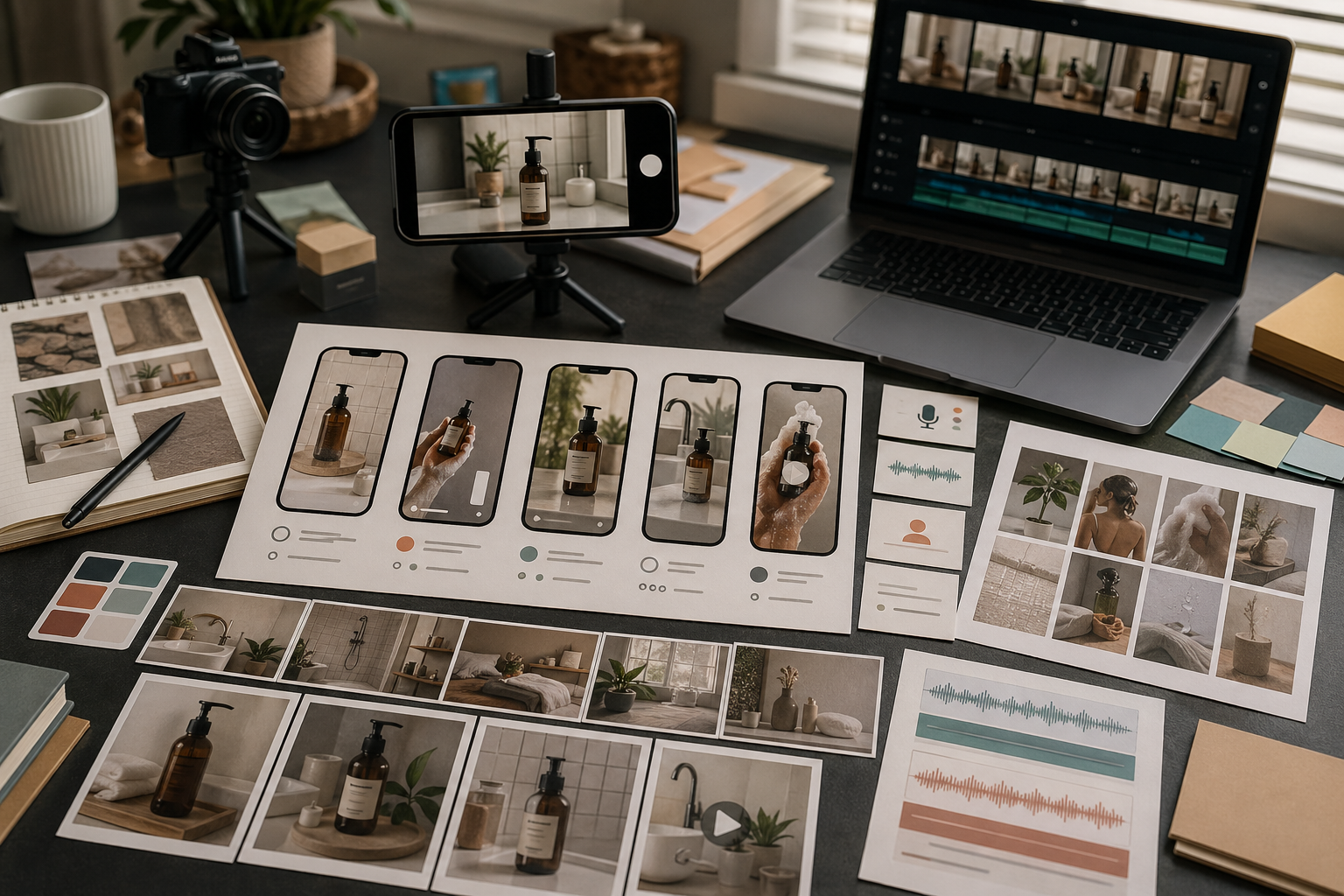
संदर्भ इमेज प्रभावशाली होती हैं, लेकिन वे प्रॉम्प्ट को उलझा भी सकती हैं।
हर संदर्भ से सब कुछ नियंत्रित कराने की कोशिश करना एक गलती है। बेहतर Rivya कार्यप्रवाह में हर संदर्भ को एक स्पष्ट काम दिया जाता है: उत्पाद की पहचान, रूपरेखा, प्रकाश, शैली या निरंतरता।
संदर्भ फ़ाइल अपलोड करने से पहले उसका उद्देश्य तय करें।
एक संदर्भ इनमें मदद कर सकता है:
उत्पाद की पहचान
उत्पाद का सटीक कोण
रचना की संरचना
पृष्ठभूमि की दिशा
प्रकाश का भाव
सामग्री की बनावट
पिछले आउटपुट से निरंतरता
अगर आप नहीं बता सकते कि संदर्भ किस काम का है, तो मॉडल उससे गलत विशेषता अपना सकता है।
उत्पाद संदर्भों और शैली संदर्भों को एक जैसा नहीं मानना चाहिए।
उत्पाद संदर्भ कहता है: इस वस्तु को पहचानने योग्य बनाए रखें।
शैली का संदर्भ कहता है: माहौल या दृश्य अभिरुचि अपनाएं।
अगर आप उत्पाद का चित्र और मनोदशा दर्शाने वाला चित्र अपलोड करते हैं, तो बताएं कि कौन-सा किस काम के लिए है। वरना नतीजा माहौल तो रख सकता है लेकिन उत्पाद बदल सकता है, या उत्पाद को बनाए रखते हुए शैली की अनदेखी कर सकता है।
जब आप अभी विकल्प खोज रहे हों, तब कम संदर्भ चित्र अक्सर बेहतर काम करते हैं।
एक मजबूत संदर्भ चित्र इस्तेमाल करें जब:
उत्पाद सरल हो
संयोजन लचीला हो
शैली को शब्दों में बताया जा सके
लक्ष्य दिशा खोजना हो
बहुत जल्दी बहुत सारे संदर्भ जोड़ने से प्रयास जरूरत से ज्यादा बंधा हुआ लग सकता है। बड़े संदर्भ समूह तब रखें, जब आपको पहले से मालूम हो कि दिशा पर कड़ा नियंत्रण चाहिए।
जब एकरूपता महत्वपूर्ण हो, तब अधिक संदर्भ इमेज उपयोगी होती हैं।
बड़ा संदर्भ समूह इन स्थितियों में इस्तेमाल करें:
उत्पाद की पहचान स्थिर रहनी चाहिए
नतीजा मौजूदा अभियान से मेल खाना चाहिए
कई कोण या बारीकियां महत्वपूर्ण हैं
आप संबंधित इमेज की पूरी श्रृंखला बना रहे हैं
ब्रांड की दृश्य व्यवस्था पहले से तय है
इस चरण में काम खुले विकल्प खोजने का नहीं, बल्कि नियंत्रित निर्माण का होता है।
संदर्भ इमेज लिखित निर्देशों की जगह नहीं लेतीं।
हर अपलोड के साथ छोटा निर्देश दें, जैसे:
संदर्भ इमेज केवल उत्पाद का आकार बनाए रखने के लिए इस्तेमाल करें।
संयोजन मिलता-जुलता रखें, लेकिन पृष्ठभूमि बदलें।
प्रकाश का माहौल अपनाएं, वस्तुएं नहीं।
इसे पूरे अभियान की शैली के संदर्भ की तरह इस्तेमाल करें।
छोटे और खास निर्देश उन लंबे निर्देशों से बेहतर होते हैं जो संदर्भ इमेज से टकराते हैं।
इमेज बनने के बाद जांचें कि Rivya ने वास्तव में क्या अपनाया:
उत्पाद का आकार
रंग
संयोजन
प्रकाश
सहायक वस्तुएं
पृष्ठभूमि
माहौल
अगर उसने गलत विशेषता अपनाई है, तो पूरा निर्देश बदलने से पहले संदर्भ इमेज से जुड़ा निर्देश सुधारें।
Rivya में संदर्भ इमेज अपलोड करने से पहले लिखें कि हर इमेज किस चीज को नियंत्रित करेगी:
संदर्भ 1: [उत्पाद / व्यक्ति / वस्तु की पहचान] बनाए रखें
संदर्भ 2: [प्रकाश / कोण / संयोजन] अपनाएं
संदर्भ 3: [माहौल / अभियान की शैली / रंग समूह] अपनाएं
इन्हें न अपनाएं: [लोगो का पाठ / अतिरिक्त वस्तुएं / चेहरे की बारीकियां / बिखरी पृष्ठभूमि]
नतीजे का लक्ष्य: [उत्पाद की तस्वीर / विज्ञापन संस्करण / मुख्य इमेज / सोशल मीडिया काट-छांट]
समीक्षा का केंद्र: [आकार / सामग्री / लेबल / काट-छांट / दृश्य त्रुटियां]
इससे एक आम गलती रुकती है: मॉडल संदर्भ का माहौल तो अपनाता है लेकिन उत्पाद बदल देता है, या वस्तु बनाए रखता है लेकिन संयोजन अनदेखा कर देता है।
संदर्भ पर आधारित एक व्यावहारिक इमेज कार्यप्रवाह आम तौर पर ऐसा होता है:
इमेज, इमेज स्टूडियो या जब पहला फैसला उपयुक्त मॉडल चुनना हो तब AI मॉडल से शुरू करें।
मौजूदा फैसले के लिए जरूरी न्यूनतम संदर्भ इमेज अपलोड करें।
निर्देश में हर संदर्भ इमेज का काम साफ लिखें।
पूरे अभियान की सामग्री के बजाय सीमित दायरे वाला पहला नतीजा बनाएं।
समीक्षा करें कि कौन-सी विशेषता सही अपनाई गई और कहां दिशा भटकी।
नियंत्रण का व्यवहार स्वीकार्य होने के बाद ही हिस्ट्री से आगे बढ़ें।
अगर पहला नतीजा गलत विशेषता अपनाता है, तो उसी अस्पष्ट निर्देश से बार-बार इमेज न बनाएं। पहले संदर्भ इमेज की भूमिकाएं दोबारा लिखें।
यह कार्यप्रवाह उस सामग्री के लिए उपयुक्त नहीं है जिसमें बिल्कुल सही लोगो, हूबहू पाठ, पैकेजिंग की सख्त ज्यामिति या कानूनी स्तर की प्रतिकृति चाहिए। ऐसी स्थिति में संदर्भ इमेज से दिशा खोजें, फिर प्रकाशित करने से पहले स्वीकृत स्रोत सामग्री और मानवीय समीक्षा पर भरोसा करें।
संदर्भ पर आधारित इमेज का काम इमेज से शुरू करें। अगर पहले संदर्भ सुविधा वाले मॉडल की तुलना करनी हो, तो AI मॉडल देखें।
संदर्भ के मुख्य नियमों के लिए Rivya में इमेज संदर्भ पढ़ें।
संदर्भ आधारित इमेज बनाने के लिए Rivya का इमेज स्टूडियो इस्तेमाल करें।
व्यापक मॉडल चयन के लिए संदर्भ इमेज वाला AI इमेज जनरेटर पढ़ें।
जब संदर्भ इमेज ब्रांड नियंत्रण का हिस्सा हों, तब AI ब्रांड दृश्यों में एकरूपता कैसे रखें पढ़ें।