
Rivya AI
Rivya Journal

लेखक
श्रेणियां
खोजना जारी रखें
Rivya टीम से संबंधित मार्गदर्शिकाएं, उत्पाद नोट्स और कार्यप्रवाह विश्लेषण पढ़ना जारी रखें।
उत्पाद लॉन्च को आम तौर पर केवल एक मुख्य इमेज से अधिक सामग्री की जरूरत होती है।
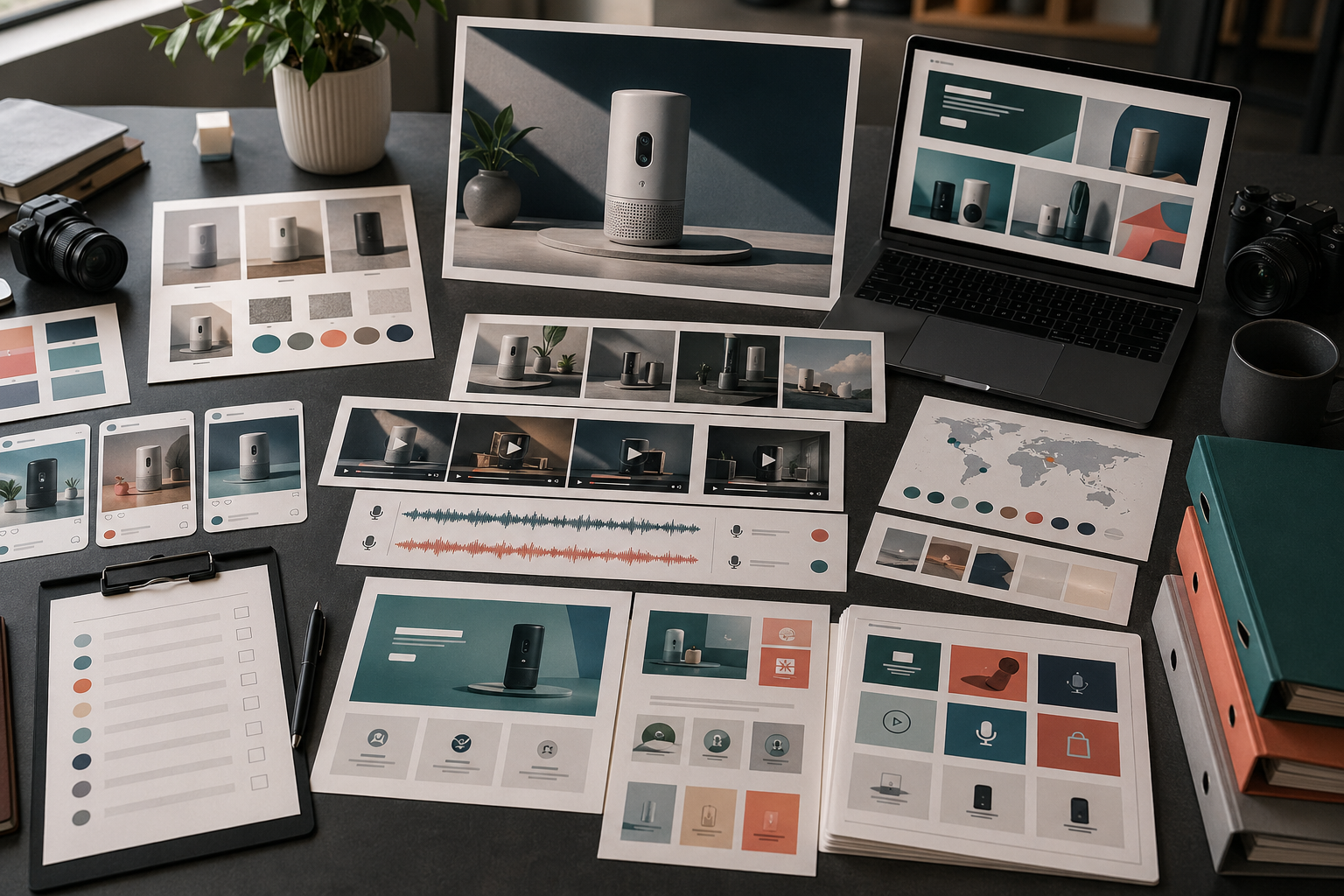
उसे एक छोटी सामग्री व्यवस्था चाहिए: एक संदेश, कई प्रारूप, स्पष्ट समीक्षा नियम और लॉन्च के बाद दोबारा उपयोग की पर्याप्त गुंजाइश। अलग-अलग हिस्से बनाने से पहले इस व्यवस्था की योजना बनाने पर Rivya अधिक उपयोगी होता है।
सबसे पहले हर प्रकाशन माध्यम के लिए जरूरी सामग्री तय करें:
| प्रकाशन माध्यम | सामग्री | उद्देश्य | Rivya मार्ग |
|---|---|---|---|
| लैंडिंग पेज | मुख्य दृश्य | मुख्य वादा जल्दी समझाना | Image Studio |
| उत्पाद पेज | साफ़ उत्पाद इमेज | उत्पाद स्पष्ट दिखाना | Image Studio |
| सोशल मीडिया | चौकोर या लंबवत झलक | खोज और याद दिलाने वाली सामग्री बनाना | Image Studio / Video Studio |
| सशुल्क विज्ञापन | प्रस्ताव-केंद्रित विकल्प | किसी एक आकर्षण या लाभ को परखना | AI विज्ञापन क्रिएटिव कार्यप्रवाह |
| वीडियो | छोटा डेमो क्लिप | उत्पाद की एक कार्रवाई दिखाना | Video Studio |
| आवाज़ | लॉन्च वॉइसओवर | संदेश जल्दी समझाना | Audio Studio |
| सहायता | मदद या ऑनबोर्डिंग दृश्य | लॉन्च के बाद उलझन कम करना | Chat Studio + Image Studio |
हर लॉन्च के लिए हर सामग्री जरूरी नहीं होती। लेकिन जनरेशन से पहले आपको पता होना चाहिए कि कौन-से प्रकाशन माध्यम महत्वपूर्ण हैं।
सामग्री बनाना शुरू करने से पहले, लॉन्च का संदेश एक वाक्य में लिखें।
उदाहरण:
उत्पाद की तस्वीरों को लॉन्च के लिए तैयार दृश्यों में बदलने का तेज तरीका।
इमेज, वीडियो और ऑडियो सामग्री एक ही जगह बनाने के लिए सरल कार्यक्षेत्र।
खाली समयरेखा से शुरू किए बिना उत्पाद प्रदर्शन बनाने का नया कार्यप्रवाह।
इसे आधार की तरह इस्तेमाल करें। प्रारूप बदल सकते हैं, लेकिन मूल कहानी भटकनी नहीं चाहिए।
लॉन्च के उपयोगी सामग्री-समूह में अक्सर ये चीजें शामिल होती हैं:
उत्पाद का एक मुख्य दृश्य
उत्पाद का एक साफ स्थिर चित्र
लाभ पर केंद्रित एक दृश्य
उत्पाद का एक छोटा प्रदर्शन वीडियो
सोशल मीडिया के लिए काट-छांट या छोटा झलक-वीडियो
वॉइस-ओवर या कथन का एक विकल्प
दोबारा उपयोग के लिए एक वैकल्पिक सामग्री
मुख्य दृश्य या उत्पाद के स्थिर चित्र से शुरू करें। अगर वह दिशा काम नहीं करती, तो लॉन्च सामग्री के बाकी हिस्से भी आम तौर पर भटकेंगे।
निर्माण के काम को सामग्री के प्रकार के अनुसार बांटें:
मुख्य दृश्य, उत्पाद के स्थिर चित्र और लैंडिंग पेज के दृश्यों के लिए इमेज और Rivya का इमेज स्टूडियो
उत्पाद प्रदर्शन की क्लिप, झलक और गति की जांच के लिए वीडियो और Rivya का वीडियो स्टूडियो
पार्श्व-स्वर, वर्णन या स्थानीय भाषा के ऑडियो के लिए ऑडियो और Rivya का ऑडियो स्टूडियो
जब दिशा को अधिक स्पष्ट रूपरेखा चाहिए, तब Rivya में निर्देश लिखने की मूल बातें
उपयोगी दिशाओं को सहेजने और वहीं से आगे बढ़ने के लिए Rivya की हिस्ट्री
इससे हर सामग्री अपने वास्तविक उद्देश्य से जुड़ी रहती है।
लॉन्च की सामग्री को केवल एक-एक करके न जांचें।
उन्हें साथ रखकर इन बातों की जांच करें:
क्या हर जगह वही उत्पाद पहचान में आ रहा है?
क्या लाभ का संदेश एक जैसा है?
क्या दृश्य गुणवत्ता का स्तर मेल खाता है?
क्या लैंडिंग पेज और सोशल मीडिया की सामग्री एक ही अभियान का हिस्सा लगती है?
क्या कोई सामग्री ऐसा दावा तो नहीं सुझाती जिसे आप साबित नहीं कर सकते?
क्या समूह में पर्याप्त विविधता है और फिर भी वह बेतरतीब नहीं लगता?
क्या सामग्री मोबाइल आकार और सोशल मीडिया की धारा में प्रभावी रहती है?
अलग-अलग फाइलों के मुकाबले सभी सामग्री को एक जालक में साथ रखने पर लॉन्च की एकरूपता अधिक आसानी से दिखती है।
लॉन्च की सामग्री को लॉन्च वाले सप्ताह के बाद बेकार नहीं हो जाना चाहिए।
लॉन्च की अच्छी सामग्री को इन रूपों में बदला जा सकता है:
दोबारा लक्ष्य करने वाला विज्ञापन
सोशल मीडिया की अगली पोस्ट
सहायता केंद्र का दृश्य
नए उपयोगकर्ता के मार्गदर्शन की इमेज
बिक्री ईमेल का ग्राफिक
स्थानीय भाषा का संस्करण
उत्पाद अपडेट की याद दिलाने वाली सामग्री
क्या सहेजना है, क्या डाउनलोड करना है और किस दिशा से आगे बढ़ना है, यह तय करने के लिए आउटपुट डाउनलोड और उपयोग करना पढ़ें।
बचें:
मूल संदेश स्थिर होने से पहले सोशल मीडिया पोस्ट बनाना
ऐसा सुंदर मुख्य दृश्य बनाना जो उत्पाद को समझाए ही नहीं
अलग-अलग प्रकाशन माध्यमों पर अलग दृश्य नियम इस्तेमाल करना
उत्पाद के साफ स्थिर चित्र के बिना लॉन्च करना
दृश्य दिशा काम करने से पहले वीडियो बनाना
सहायता और नए उपयोगकर्ता के मार्गदर्शन की सामग्री भूल जाना
दावों की व्यावसायिक समीक्षा छोड़ देना
लॉन्च की सामग्री व्यवस्था को उत्पाद अधिक स्पष्ट बनाना चाहिए, केवल अधिक दिखावटी नहीं।
सामग्री बनाना इमेज, वीडियो या ऑडियो से शुरू करें। अगर पहला फैसला उपयुक्त मॉडल चुनना है, तो AI मॉडल देखें।
पूरे अभियान की योजना के लिए AI क्रिएटिव अभियान की योजना कैसे बनाएं पढ़ें।
लॉन्च की सामग्री अलग-अलग माध्यमों पर बांटने के लिए AI सोशल मीडिया सामग्री कार्यप्रवाह पढ़ें।
उत्पाद प्रदर्शन पर केंद्रित लॉन्च के लिए AI उत्पाद डेमो वीडियो जनरेटर पढ़ें।
सामग्री प्रकाशित करने से पहले Rivya में स्वामित्व और व्यावसायिक उपयोग की समीक्षा करें।


