
Rivya AI
Rivya Journal
खोजना जारी रखें
Rivya टीम से संबंधित मार्गदर्शिकाएं, उत्पाद नोट्स और कार्यप्रवाह विश्लेषण पढ़ना जारी रखें।
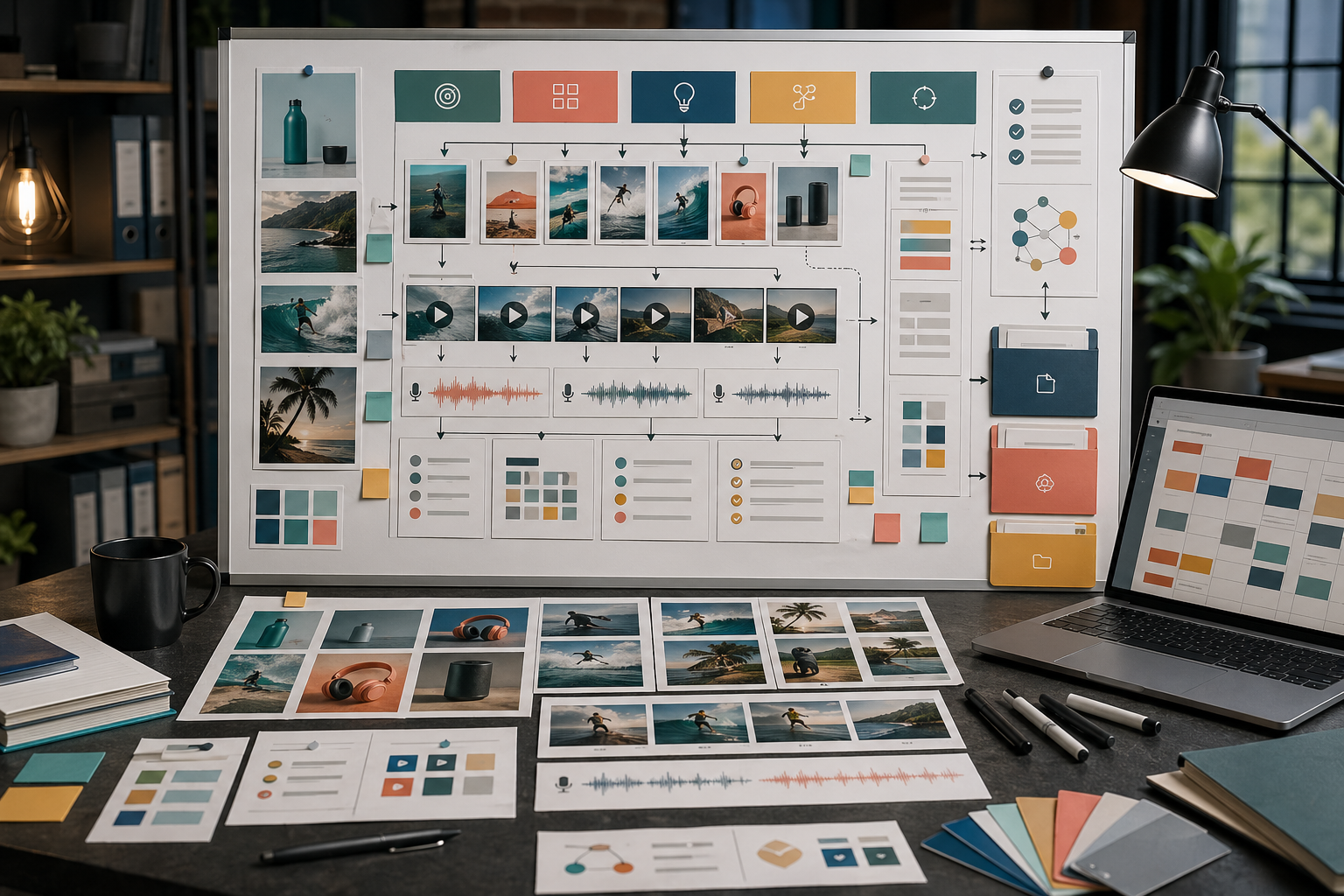
AI क्रिएटिव अभियान की शुरुआत दस बिखरे हुए प्रॉम्प्ट से नहीं होनी चाहिए।
इसकी शुरुआत ऐसे संक्षिप्त निर्देशों से होनी चाहिए जो हर इमेज, वीडियो, वॉइस क्लिप और विकल्प का काम तय करें। Rivya कई प्रारूप बना सकता है, लेकिन अभियान की योजना ही उन आउटपुट को आपस में जोड़े रखती है।
सामग्री बनाने से पहले यह रूपरेखा भरें:
अभियान का लक्ष्य: [लॉन्च / जांच / जानकारी / दोबारा लक्ष्य / स्थानीयकरण]
दर्शक: [यह किसके लिए है]
प्रस्ताव: [उन्हें किस बात पर ध्यान देना चाहिए]
उत्पाद का प्रमाण: [दावा क्यों भरोसेमंद है]
मुख्य सामग्री: [दिशा साबित करने वाली पहली सामग्री]
सहायक सामग्री: [इमेज / वीडियो / आवाज / सोशल मीडिया / स्थानीय भाषा / दोबारा लक्ष्य]
ब्रांड के नियम: [दृश्य लहजा / आवाज का लहजा / इस्तेमाल न की जाने वाली चीजें]
समीक्षा मानदंड: [क्या इसे उपयोगी बनाता है]
उदाहरण:
अभियान का लक्ष्य: उत्पाद की नई सुविधा पेश करना।
दर्शक: ई-कॉमर्स संस्थापक।
प्रस्ताव: अलग फोटोशूट की योजना बनाए बिना लॉन्च के लिए तैयार उत्पाद दृश्य बनाएं।
उत्पाद का प्रमाण: उत्पाद के स्थिर चित्र, प्रदर्शन की गति और सहेजे गए कार्यप्रवाह की निरंतरता दिखाएं।
मुख्य सामग्री: उत्पाद पर केंद्रित लैंडिंग पेज का मुख्य दृश्य।
सहायक सामग्री: सशुल्क सोशल इमेज, छोटा प्रदर्शन वीडियो, संस्थापक-शैली का पार्श्व-स्वर और स्थानीय भाषा की सोशल पोस्ट।
ब्रांड के नियम: उत्पाद साफ दिखे, रंग हल्के और सहज हों, झूठे दावे न हों।
समीक्षा मानदंड: उत्पाद पहचाना जा सके, लाभ स्पष्ट हो, मोबाइल काट-छांट काम करे और कोई अप्रमाणित वादा न हो।
यही अभियान की व्यवस्था और अलग-अलग पड़े आउटपुट के ढेर के बीच का फर्क है।
पहले तय करें कि अभियान को क्या करना है।
आम कामों में शामिल हैं:
नया उत्पाद लॉन्च करना
भुगतान वाले सोशल विज्ञापन का कोण जांचना
कोई सुविधा समझाना
मौसमी प्रस्ताव का प्रचार करना
संदेश का स्थानीयकरण करना
प्रमाण या याद दिलाने वाली सामग्री से उपयोगकर्ताओं को दोबारा लक्षित करना
उत्पाद के कार्यप्रवाह को दोबारा इस्तेमाल हो सकने वाले सामग्री-समूह में बदलना
काम तय किए बिना अभियान में आकर्षक सामग्री तो बन सकती है, लेकिन उसके हिस्से साथ मिलकर काम नहीं करेंगे।
एक ऐसा वाक्य लिखें जो पूरे अभियान को दिशा दे।
इसमें शामिल होना चाहिए:
दर्शक
उत्पाद या प्रस्ताव
ध्यान देने की मुख्य वजह
अपेक्षित कार्रवाई
उदाहरण:
ई-कॉमर्स संस्थापकों को अलग फोटोशूट की योजना बनाए बिना उत्पाद की तस्वीरें लॉन्च के लिए तैयार इमेज और छोटे वीडियो में बदलने में मदद करें।
यह वाक्य प्रॉम्प्ट को दिशा देता है। इसे हर सामग्री में दिखाई देना जरूरी नहीं।
एक व्यावहारिक अभियान समूह में ये चीजें शामिल हो सकती हैं:
| सामग्री | काम | Rivya मार्ग |
|---|---|---|
| उत्पाद का स्थिर चित्र | उत्पाद को साफ दिखाना | इमेज + इमेज स्टूडियो |
| लैंडिंग पेज का मुख्य दृश्य | मुख्य वादा सामने रखना | इमेज + इमेज स्टूडियो |
| छोटा प्रदर्शन वीडियो | एक कार्रवाई या नतीजा दिखाना | वीडियो + वीडियो स्टूडियो |
| UGC-शैली क्लिप | संदेश को मानवीय एहसास देना | वीडियो + वीडियो स्टूडियो, फिर ऑडियो + ऑडियो स्टूडियो |
| पार्श्व-स्वर | प्रस्ताव जल्दी समझाना | ऑडियो + ऑडियो स्टूडियो |
| सोशल मीडिया के लिए काट-छांट | प्रकाशन माध्यम के अनुसार ढालना | इमेज या वीडियो |
| स्थानीय भाषा का संस्करण | भाषा या बाजार के अनुसार ढालना | सामग्री स्थानीयकरण |
सामग्री बनाने से पहले पूरा समूह चुनें। वरना हर नतीजा एक अलग प्रयोग बन जाता है।
निर्देशों की व्यवस्था दोबारा इस्तेमाल होने वाली संरचना है, कोई एक बहुत लंबा निर्देश नहीं।
अलग करें:
ब्रांड के नियम
उत्पाद के तथ्य
अभियान का संदेश
हर सामग्री के खास निर्देश
संदर्भ संबंधी निर्देश
समीक्षा की सीमाएं
प्रकाशन माध्यम की जरूरतें
उदाहरण के लिए, ब्रांड के नियम स्थिर रखें और केवल सामग्री का खास निर्देश लैंडिंग पेज का मुख्य दृश्य से सशुल्क सोशल मीडिया की लंबवत इमेज में बदलें।
एक समझदारी वाला क्रम यह है:
उत्पाद या मुख्य दृश्य की पहली दिशा बनाएं
अभियान के आधार के अनुसार उसकी समीक्षा करें
दृश्य दिशा सही होने के बाद ही वीडियो या गति वाला विस्तार बनाएं
संदेश स्थिर होने के बाद आवाज या वर्णन जोड़ें
मूल दिशा सफल साबित होने के बाद उसके अलग संस्करण बनाएं
मूल अभियान में एकरूपता आने के बाद ही उसका स्थानीयकरण करें
यह क्रम कमजोर दिशा को बड़े पैमाने पर फैलने से रोकता है।
कई संस्करण बनाने से पहले पूछें:
क्या प्रस्ताव स्पष्ट है?
क्या उत्पाद पहचाना जा सकता है?
क्या अभियान एकरूप लगता है?
क्या सामग्री अपनी तय जगह पर इस्तेमाल करने योग्य है?
क्या अगला कदम स्पष्ट है?
क्या कोई अप्रमाणित दावा है?
क्या मोबाइल के लिए काट-छांट के बाद भी सामग्री पढ़ी जा सकती है?
मूल दिशा सही होने के बाद ही बड़े पैमाने पर संस्करण बनाएं।
इन गलतियों से बचें:
रूपरेखा लिखने से पहले सामग्री बनाना
हर संस्करण में हर पहलू बदल देना
अलग-अलग सामग्री में अलग ब्रांड नियम इस्तेमाल करना
मोबाइल और प्रकाशन माध्यम की समीक्षा छोड़ देना
अभियान का दायरा बहुत बड़ा रखना
AI से बड़ी मात्रा में नतीजे बनाना ही रणनीति मान लेना
मूल अभियान स्थिर होने से पहले स्थानीयकरण करना
मजबूत AI अभियान सामग्री बनने से पहले ही योजनाबद्ध किया जाता है।
रूपरेखा बनाने के लिए चैट, स्थिर दृश्यों के लिए इमेज, गति के लिए वीडियो और आवाज की सामग्री के लिए ऑडियो इस्तेमाल करें।
दोबारा इस्तेमाल होने वाले निर्देश व्यवस्थित करने के लिए Rivya के निर्देश नमूने इस्तेमाल करें।
सशुल्क विज्ञापन सामग्री के लिए AI विज्ञापन क्रिएटिव कार्यप्रवाह पढ़ें।
अगर अभियान किसी लॉन्च के लिए है, तो AI उत्पाद लॉन्च सामग्री पढ़ें।
सामग्री प्रकाशित करने से पहले AI सामग्री निर्माण जांचसूची देखें।



