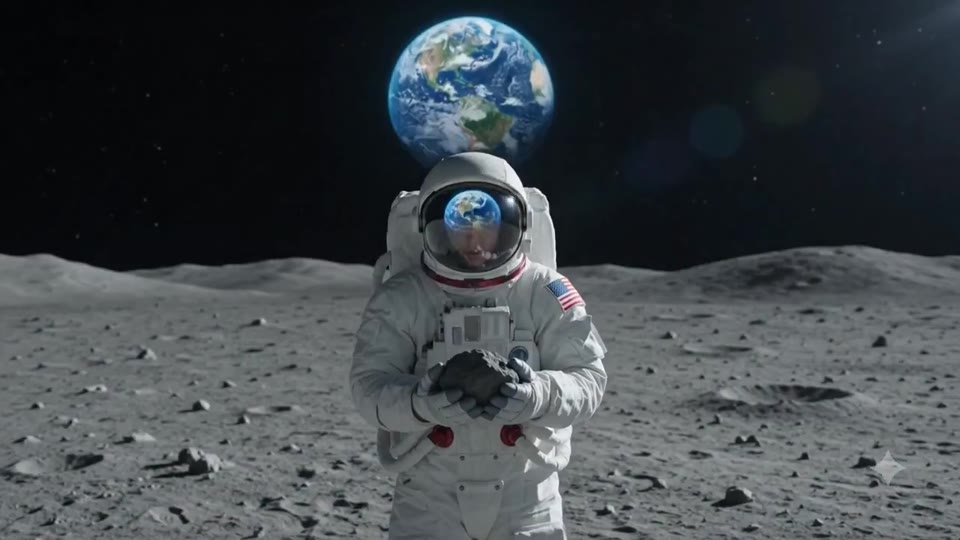
Wan Animate Replace is Rivya's URL-based character-replacement option for existing clips whose motion should stay intact. Paste the public source video URL, paste the replacement image URL, choose `480p`, `580p`, or `720p`, and use it when the job is subject replacement rather than a brand-new prompt-led video generation.
Keeps the public `video_url + image_url + resolution` shape instead of inventing a prompt-heavy projectBest suited to subject or character swaps where the original motion should stay intact
Works well when both assets already live on public storage and can be fetched upstream
Input
Public video + image URLs
Output
AI Video Generator
Credits
From 12 credits per generation
Best for
Replacing the on-screen subject or character while keeping the source clip's motion
Example output
Preview for a blue-hour neo-noir city scene, focused on scene setup, camera path, motion continuity, editable details, and the final frame.
Check the input, output, credits, and example result, then try this model directly on the page. Move into Studio when you need saved history, assets, or longer iteration.
Example output
Preview for a blue-hour neo-noir city scene, focused on scene setup, camera path, motion continuity, editable details, and the final frame.
Best for
Replacing the on-screen subject or character while keeping the source clip's motionFast character-swap tests from one public video URL plus one public image URLAPI-like projects where assets already live on public storageFixed-structure replacement tasks that do not need prompt-led restyling
Supports
Subject ReplacementMotion Preservation
Online trial
Use Wan Animate Replace
Use Wan Animate Replace when one existing clip already has the right motion and only the visible subject should change. Start here for character replacement from public asset URLs, not for prompt-led video generation or broad style rewrites.
Results
Wan Animate Replace
AlibabaVideo to Video
Wan Animate Replace is Rivya's URL-based character-replacement option for existing clips whose motion should stay intact. Paste the public source video URL, paste the replacement image URL, choose `480p`, `580p`, or `720p`, and use it when the job is subject replacement rather than a brand-new prompt-led video generation.
Wan Animate Replace
No result yet. Submit a prompt to start a run.
Subject ReplacementMotion Preservation
Prompt starters
Start Wan Animate Replace with a proven prompt
Use a template already mapped to Wan Animate Replace when you want a stronger first run than a blank prompt.
Preview for a blue-hour neo-noir city scene, focused on scene setup, camera path, motion continuity, editable details, and the final frame.
Blue-hour neo-noir city video preview showing motion rhythm, subject continuity, camera direction, and final cinematic frame.
Input
Public video + image URLs
What to notice
Blue-hour neo-noir city video preview showing motion rhythm, subject continuity, camera direction, and final cinematic frame.
Credits per use
From 12 credits per generation
Why this model works
Keeps the public `video_url + image_url + resolution` shape instead of inventing a prompt-heavy project
Best suited to subject or character swaps where the original motion should stay intact
Works well when both assets already live on public storage and can be fetched upstream
Best-fit tasks
Best-fit tasks
Replacing the on-screen subject or character while keeping the source clip's motionFast character-swap tests from one public video URL plus one public image URLAPI-like projects where assets already live on public storageFixed-structure replacement tasks that do not need prompt-led restyling
Model proof
Preview for Season Shift Downhill Chase, focused on continuous motion and seamless environment replacement.
Season-shift downhill chase video preview showing a rider moving through a changing road environment.
Preview for Skyfall Armor Assembly, focused on continuous freefall and staged armor replacement.
Skyfall armor assembly video preview showing a character transforming during a high-altitude fall.
Preview for Starry Oil Painting Animation, focused on scene setup, camera path, motion continuity, editable details, and the final hero frame.
Starry Oil Painting Animation video preview showing motion rhythm, subject continuity, camera direction, and final hero frame.
Decision fit
When this model is the right choice
Decision fit
Fit signals
Keeps the public `video_url + image_url + resolution` shape instead of inventing a prompt-heavy project
Best suited to subject or character swaps where the original motion should stay intact
Works well when both assets already live on public storage and can be fetched upstream
Resolution tiers make the cost boundary explicit: 12, 16, or 20 credits
Separate from Wan text-to-video and image-to-video so users know this is a replacement tool, not a generator
Best-fit tasks
Use it when the task looks like this
Replacing the on-screen subject or character while keeping the source clip's motionFast character-swap tests from one public video URL plus one public image URLAPI-like projects where assets already live on public storageFixed-structure replacement tasks that do not need prompt-led restyling
Quiet facts
Inputs, output, and credits to confirm
Provider
Alibaba
Category
Video
Capabilities
Subject Replacement · Motion Preservation
Credit model
From 12 credits per generation
Input path
Public video + image URLs
Prompt setup
No prompt required
FAQ
Wan Animate Replace FAQ
What kind of video work is Wan Animate Replace actually the best fit for?
Wan Animate Replace is best when the clip's motion is already correct and only the visible subject needs to change. It works well for fast character-swap tests, public-URL replacement projects, and other fixed-structure swaps where the job is subject replacement, not prompt-led restyling.
What is Wan Animate Replace's real scope on Rivya right now?
On Rivya, this option is built around one public source video URL, one public replacement image URL, and a resolution tier. There is no prompt and no style-control layer here. It is a URL-based subject-replacement step designed to preserve the original motion.
What matters most when you are deciding whether Wan Animate Replace is the right tool?
The first question is whether the original motion should stay intact. If yes, then the next checks are whether both URLs are public and fetchable, whether the replacement image is the right identity anchor, and whether `480p`, `580p`, or `720p` is the right tradeoff for the run.
When is Wan Animate Replace worth its current credit tier?
This page lists explicit resolution tiers: `480p` at 12 credits, `580p` at 16, and `720p` at 20. That is easy to justify when a subject swap is all you need, because it avoids paying for a full rerender just to change who appears in the shot.
When should I choose Wan Animate Replace over prompt-led generation or broader video editing?
Choose Wan Animate Replace when the source clip already has the right motion and framing, and only the visible subject should change. Go back to prompt-led generation when the whole shot needs to be reimagined, or use a broader editing project when more than a subject swap is on the table.
What can I test first on this page?
Start here when the first result is simply about seeing whether one existing shot can take a clean subject swap. Use it for URL-based character replacement tests where the motion is already good and the only question is whether the replacement holds.
What can I set up on this page?
This page supports one public source video URL, one public replacement image URL, and one resolution setting. There is no prompt and no broader style project here. The job is to preserve the motion and swap the visible subject.
Which checks are worth making before I hit run?
Make sure both URLs are public, point to the exact source and replacement assets you want, and then pick the lowest resolution tier that answers the question. For many first results, `480p` is enough to validate whether the replacement is working before you spend more on higher output tiers.
Do I need to sign in before I run here, and how do credits work?
The page is public, but the actual replacement run is still gated behind sign in. This page currently lists `480p` for 12 credits, `580p` for 16, and `720p` for 20, so you can verify the URLs and pick the right resolution first, then sign in when you are ready to run it.
When should I stay on this page, and when should I move into the full Studio?
Stay on this page while you are checking one subject-swap run on one source clip. Open the full Studio once the work starts involving multiple versions, multiple assets, or a broader managed project around the same footage.
Compare alternatives
Other models to consider next
Video
Seedance 2.0
ByteDance's full Seedance 2.0 video model with explicit support for prompt-only generation, frame-driven animation, and multimodal reference generation. Rivya keeps the documented role split explicit so frame inputs and multimodal references stay mutually exclusive instead of collapsing into one ambiguous upload bucket.
Why consider it
Consider it when your next task needs Prompt, frames, or image/video/audio references.
InputPrompt, frames, or image/video/audio references
CreditsFrom 64 credits per run
Best forHigher-quality short videos from prompts, frames, or reference bundles
ByteDance's faster Seedance 2.0 video model with full scene routing for prompt-only generation, frame-driven image animation, and multimodal reference video generation. Rivya keeps the documented scene split explicit so first/last-frame inputs do not collide with reference image, video, and audio roles.
Why consider it
Consider it when your next task needs Prompt, frames, or image/video/audio references.
InputPrompt, frames, or image/video/audio references
CreditsFrom 52 credits per run
Best forFast ad previs from prompts or storyboard frames
Video
Seedance 1.5 Pro
A Seedance video model for text-to-video and image-to-video with native audio-visual sync. It supports 480p–1080p, 4–12s clips, 6 aspect ratios, dynamic or fixed lens control, optional audio generation, and lip-sync.
Why consider it
Consider it when your next task needs Prompt + optional images.
InputPrompt + optional images
CreditsFrom 28 credits per generation
Best forShort clips with synced dialogue and motion