
प्रॉम्प्ट लाइब्रेरी पर वापस जाएं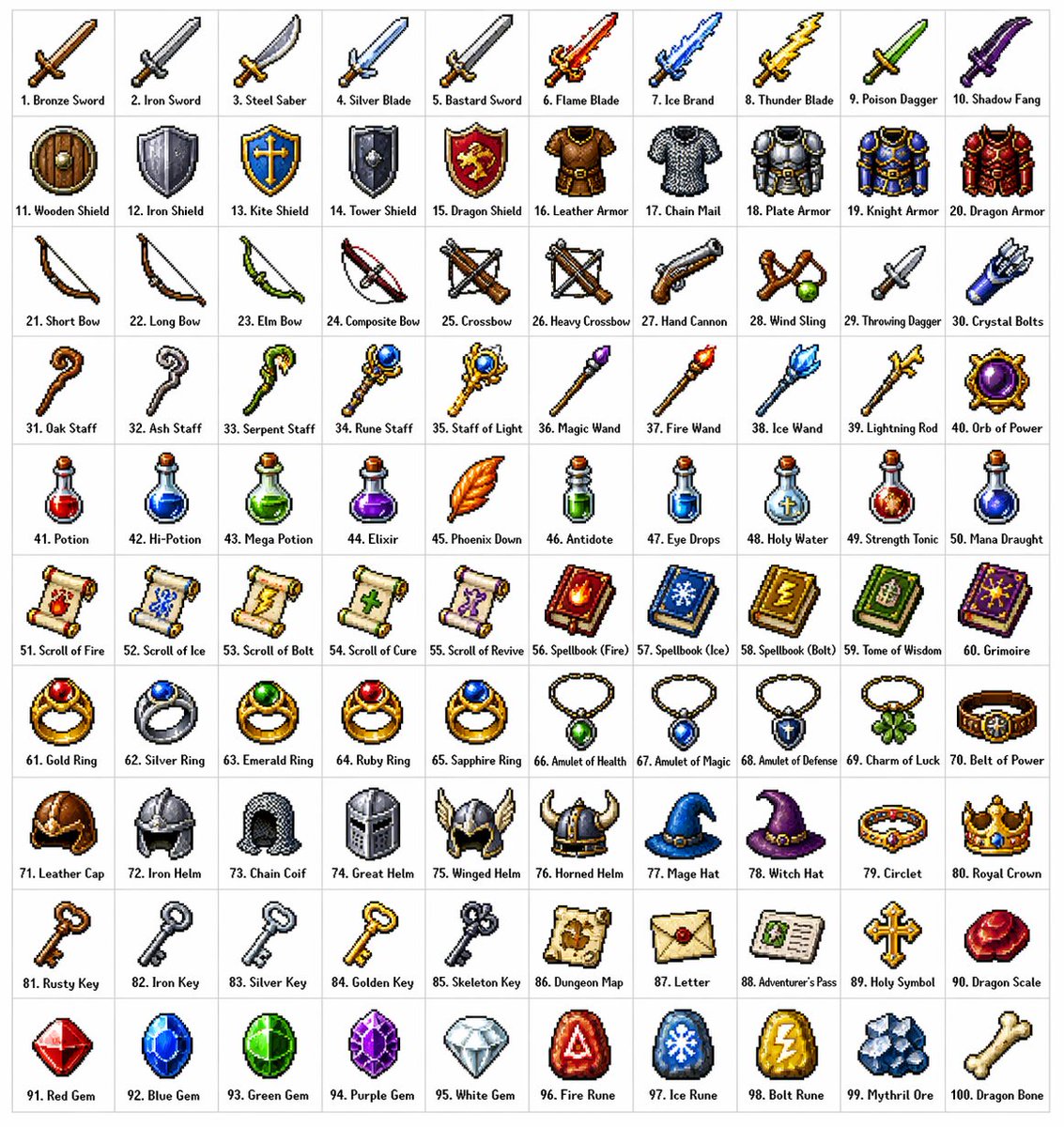


प्रॉम्प्ट लाइब्रेरीइमेज प्रॉम्प्ट
Fantasy Pixel Item Grid
original fantasy inventory icons, row themes, short labels और consistent sprite styling वाला clean 10 by 10 pixel-art item grid बनाएं।
पिक्सेल आर्टगेम एसेट्सआइटम ग्रिड
प्रीव्यू
इमेज प्रॉम्प्ट
सुझाया गया मॉडल
Seedream 4.0
आउटपुट प्रारूप
इमेज प्रॉम्प्ट टेम्पलेट
प्रीव्यू
इमेज प्रॉम्प्ट
fantasy pixel inventory grid preview, जो original icon variety, readable tile labels, consistent sprite styling और asset-sheet clarity पर केंद्रित है।
पूरा प्रॉम्प्ट
Fantasy Pixel Item Grid
original item sprites, row themes, short labels और crisp tile layout वाला 10 by 10 fantasy pixel-art inventory grid.
सुझाया गया मॉडल: Seedream 4.0आउटपुट प्रारूप: इमेज प्रॉम्प्ट टेम्पलेट
पूरा प्रॉम्प्ट
इमेज प्रॉम्प्टclassic pixel-art style में 100 original [FANTASY_INVENTORY_ITEMS] का clean 10 by 10 grid बनाएं। हर item को light neutral background पर अपने square tile में रखें, और हर icon के नीचे एक short editable label जोड़ें। crisp pixel edges, limited palettes, subtle dithering, consistent lighting direction और small size पर readable silhouettes उपयोग करें। rows को theme के अनुसार organize करें: blades, armor, ranged gear, magic tools, potions, books, jewelry, headgear, quest objects और crafting materials, या इन्हें user-provided categories से replace करें। हर sprite visually distinct हो, लेकिन पूरी sheet production-ready inventory asset board की तरह cohesive रहे। labels short और reviewable रखें; अगर exact item names supplied नहीं हैं, तो placeholder labels उपयोग करें। copied game icons, franchise references, real logos, excessive gore, unsafe weapon glamour, unreadable microtext, inconsistent tile sizes, random perspective changes, edges के आसपास AI artifacts और pixel style तोड़ने वाली over-rendered painterly details से बचें।
उपयोग नोट
चलाने से पहले item categories, object names, label language, palette, tile count और sprite constraints बदलें।
प्रॉम्प्ट के अक्सर पूछे जाने वाले सवाल
इस प्रॉम्प्ट का उपयोग करने से पहले
इनपुट, मॉडल की उपयुक्तता और नतीजा कमजोर किए बिना टेम्पलेट बदलने के तरीके की तेज जांच।
क्या मैं 100 से कम icons उपयोग कर सकता हूं?
हां। grid size और category count बदलें, फिर हर tile को same size रखें ताकि asset sheet usable रहे।
icons को original कैसे रखें?
generic item categories उपयोग करें, अपने names दें, और existing games, franchises, characters, logos या recognizable icon sets का नाम लेने से बचें।
publish करने से पहले क्या check करना चाहिए?
label spelling, category consistency, icon uniqueness, tile alignment, edge cleanliness और image अभी भी pixel art की तरह read होती है या नहीं, यह review करें।
इस मोड के और प्रॉम्प्ट