
Rivya AI
Rivya Journal

ผู้เขียน
หมวดหมู่
สำรวจต่อ
อ่านคู่มือ โน้ตผลิตภัณฑ์ และการแยกเวิร์กโฟลว์ที่เกี่ยวข้องจากทีม Rivya ต่อ
การเปิดตัวผลิตภัณฑ์มักต้องการมากกว่าภาพหลักเพียงภาพเดียว
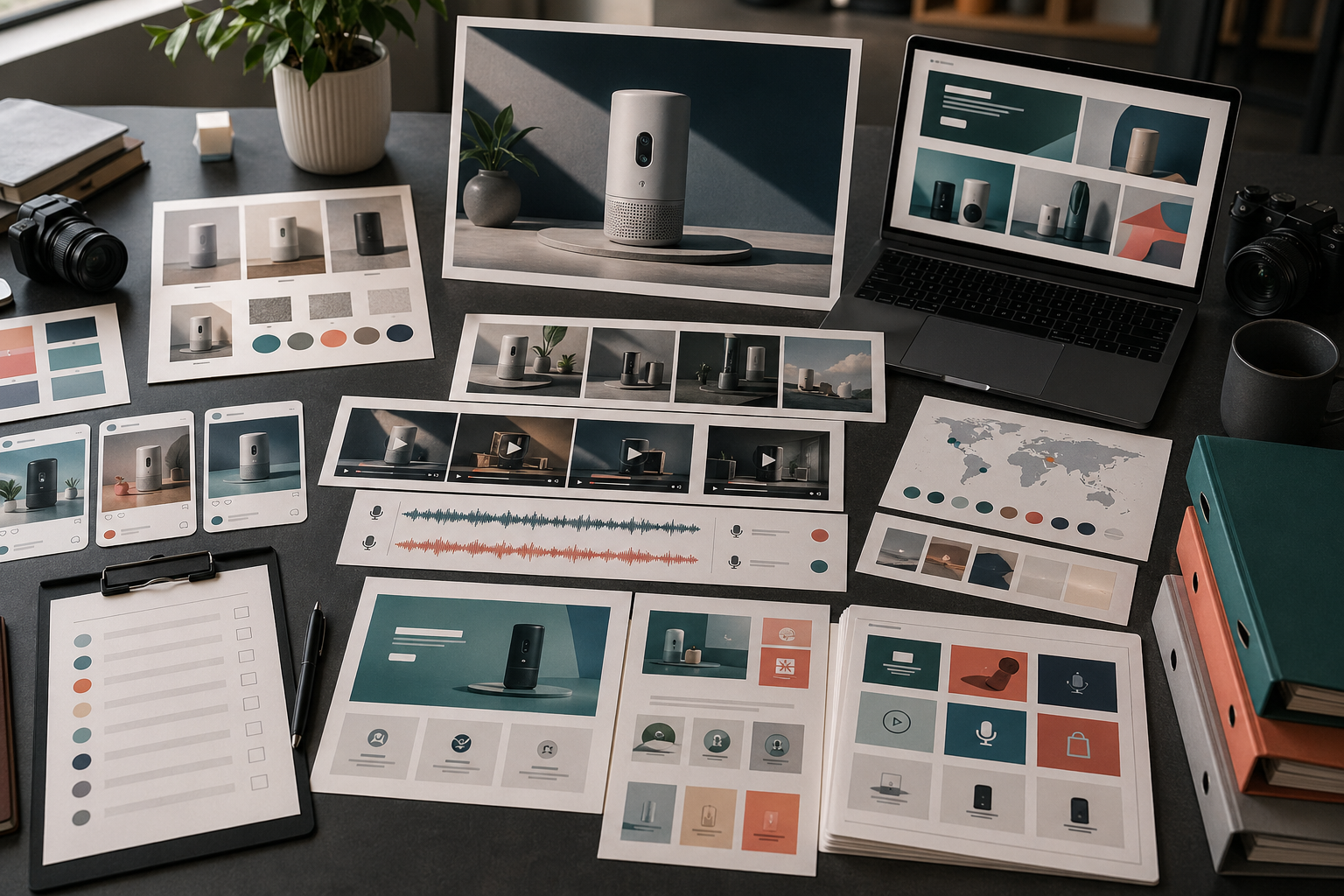
งานเปิดตัวต้องมีระบบชิ้นงานขนาดเล็กที่ใช้สารหลักเดียวกันในหลายรูปแบบ มีกฎตรวจทานที่ชัดเจน และนำกลับมาใช้ได้หลังเปิดตัว Rivya จะมีประโยชน์มากขึ้นเมื่อวางแผนระบบนี้ก่อนสร้างชิ้นงานแต่ละรายการ
เริ่มจากจับคู่ตำแหน่งใช้งานกับแอสเซต:
| ตำแหน่งใช้งาน | ชิ้นงาน | วัตถุประสงค์ | เส้นทาง Rivya |
|---|---|---|---|
| หน้าเว็บเป้าหมาย | ภาพหลัก | อธิบายคำสัญญาหลักอย่างรวดเร็ว | สตูดิโอภาพ |
| หน้าผลิตภัณฑ์ | ภาพนิ่งผลิตภัณฑ์ที่สะอาด | แสดงผลิตภัณฑ์ให้ชัด | Image Studio |
| โซเชียล | ทีเซอร์สี่เหลี่ยมหรือแนวตั้ง | สร้างการรับรู้และเตือนความสนใจ | Image Studio / Video Studio |
| โฆษณาแบบชำระเงิน | ชิ้นงานที่เน้นข้อเสนอ | ทดสอบจุดดึงความสนใจหรือประโยชน์หนึ่งข้อ | เวิร์กโฟลว์สร้างโฆษณาด้วย AI |
| วิดีโอ | คลิปสาธิตสั้น | แสดงการทำงานหนึ่งอย่างของผลิตภัณฑ์ | Video Studio |
| เสียง | เสียงพากย์เปิดตัว | อธิบายสารหลักอย่างรวดเร็ว | Audio Studio |
| การช่วยเหลือ | ภาพช่วยเหลือหรือแนะนำผู้ใช้ใหม่ | ลดความสับสนหลังเปิดตัว | Chat Studio + Image Studio |
ไม่จำเป็นต้องมีแอสเซตทุกแบบสำหรับทุกการเปิดตัว แต่ควรรู้ก่อนว่าตำแหน่งใช้งานใดสำคัญ
ก่อนผลิตชิ้นงาน ให้เขียนสารหลักของการเปิดตัวเป็นประโยคเดียว
ตัวอย่าง:
A faster way to turn product photos into launch-ready visuals.
A simple workspace for generating image, video, and audio assets in one place.
A new workflow for making product demos without starting from a blank timeline.
ใช้ประโยคนี้เป็นแกนหลัก รูปแบบเปลี่ยนได้แต่เรื่องราวไม่ควรเบี่ยงออกจากเดิม
ชุดเปิดตัวที่ใช้งานได้จริงมักมี:
ภาพหลักของผลิตภัณฑ์หนึ่งภาพ
ภาพนิ่งผลิตภัณฑ์ที่สะอาดหนึ่งภาพ
ภาพที่เน้นประโยชน์หนึ่งชิ้น
วิดีโอสาธิตผลิตภัณฑ์สั้นหนึ่งชิ้น
ภาพครอปหรือทีเซอร์สำหรับโซเชียลหนึ่งชิ้น
เสียงพากย์หรือเสียงบรรยายหนึ่งแบบ
ชิ้นงานสำรองหนึ่งรายการสำหรับนำกลับมาใช้
เริ่มจากภาพหลักหรือภาพนิ่งผลิตภัณฑ์ก่อน หากทิศทางนี้ใช้ไม่ได้ ชิ้นงานเปิดตัวที่เหลือก็มักเบี่ยงตามไปด้วย
แยกการผลิตตามประเภทชิ้นงาน:
การสร้างภาพ และ สตูดิโอภาพใน Rivya สำหรับภาพหลัก ภาพนิ่งผลิตภัณฑ์ และภาพสำหรับหน้าเว็บเป้าหมาย
Video และ Video Studio ใน Rivya สำหรับคลิปสาธิต ทีเซอร์ และการทดสอบภาพเคลื่อนไหว
Audio และ Audio Studio ใน Rivya สำหรับเสียงพากย์ เสียงบรรยาย หรือเสียงแต่ละภาษา
พื้นฐานการเขียนพรอมต์ใน Rivya เมื่อทิศทางต้องการข้อกำหนดงานที่ชัดขึ้น
ประวัติใน Rivya เพื่อเก็บทิศทางที่มีประโยชน์และทำต่อจากตรงนั้น
วิธีนี้ทำให้แต่ละชิ้นงานเชื่อมกับวัตถุประสงค์จริง
อย่าตรวจชิ้นงานเปิดตัวแยกทีละชิ้นเพียงอย่างเดียว
วางไว้ด้วยกันและตรวจว่า:
ยังจดจำได้ว่าเป็นผลิตภัณฑ์เดียวกันหรือไม่
ประโยชน์ที่สื่อสม่ำเสมอหรือไม่
ระดับคุณภาพภาพตรงกันหรือไม่
ชิ้นงานสำหรับหน้าเว็บเป้าหมายและโซเชียลสอดคล้องกันหรือไม่
มีชิ้นงานใดสื่อข้อความกล่าวอ้างที่คุณไม่มีหลักฐานรองรับหรือไม่
ชุดนี้มีความหลากหลายพอโดยไม่รู้สึกสุ่มหรือไม่
ชิ้นงานยังใช้ได้เมื่อครอปบนมือถือและแสดงในฟีดหรือไม่
ความสม่ำเสมอของงานเปิดตัวมองเห็นได้ง่ายเมื่อวางเป็นตาราง มากกว่าดูไฟล์แยกกัน
ชิ้นงานไม่ควรหมดประโยชน์หลังสัปดาห์เปิดตัว
ชิ้นงานเปิดตัวที่ดีสามารถนำไปใช้เป็น:
โฆษณายิงซ้ำ
เนื้อหาติดตามผลบนโซเชียล
ภาพสำหรับศูนย์ช่วยเหลือ
ภาพแนะนำผู้ใช้ใหม่
กราฟิกสำหรับอีเมลฝ่ายขาย
เวอร์ชันสำหรับแต่ละตลาด
ภาพเตือนการอัปเดตผลิตภัณฑ์
ใช้ การดาวน์โหลดและใช้ผลงาน เพื่อตัดสินว่าควรบันทึก ดาวน์โหลด และทำงานต่อจากชิ้นใด
หลีกเลี่ยง:
สร้างโพสต์โซเชียลก่อนที่สารหลักจะชัดเจน
สร้างภาพหลักที่สวยแต่ไม่อธิบายผลิตภัณฑ์
ใช้กฎภาพไม่เหมือนกันในแต่ละตำแหน่งใช้งาน
เปิดตัวโดยไม่มีภาพนิ่งผลิตภัณฑ์ที่สะอาด
ทำวิดีโอก่อนยืนยันทิศทางภาพ
ลืมชิ้นงานสำหรับการช่วยเหลือและแนะนำผู้ใช้ใหม่
ข้ามการตรวจสอบเชิงพาณิชย์สำหรับข้อความกล่าวอ้าง
ระบบชิ้นงานเปิดตัวควรทำให้ผลิตภัณฑ์ชัดเจนขึ้น ไม่ใช่เพียงเพิ่มปริมาณการสื่อสาร
เริ่มผลิตชิ้นงานจาก Image, Video หรือ Audio และใช้ AI Models เมื่อต้องเลือกโมเดลก่อน
ใช้ วิธีวางแผนแคมเปญครีเอทีฟด้วย AI สำหรับแผนระดับแคมเปญ
ใช้ เวิร์กโฟลว์คอนเทนต์โซเชียลมีเดียด้วย AI สำหรับการเผยแพร่ช่วงเปิดตัว
ใช้ เครื่องมือสร้างวิดีโอสาธิตผลิตภัณฑ์ด้วย AI สำหรับงานเปิดตัวที่เน้นการสาธิต
ตรวจ สิทธิ์ความเป็นเจ้าของและการใช้งานเชิงพาณิชย์ใน Rivya ก่อนเผยแพร่ชิ้นงาน


