Rivya AI
original designer toy के लिए product-ready cutout prompt बनाएं, जिसमें crisp silhouette, clean background, soft shadow और editable markings हों।
प्रीव्यू
इमेज प्रॉम्प्ट
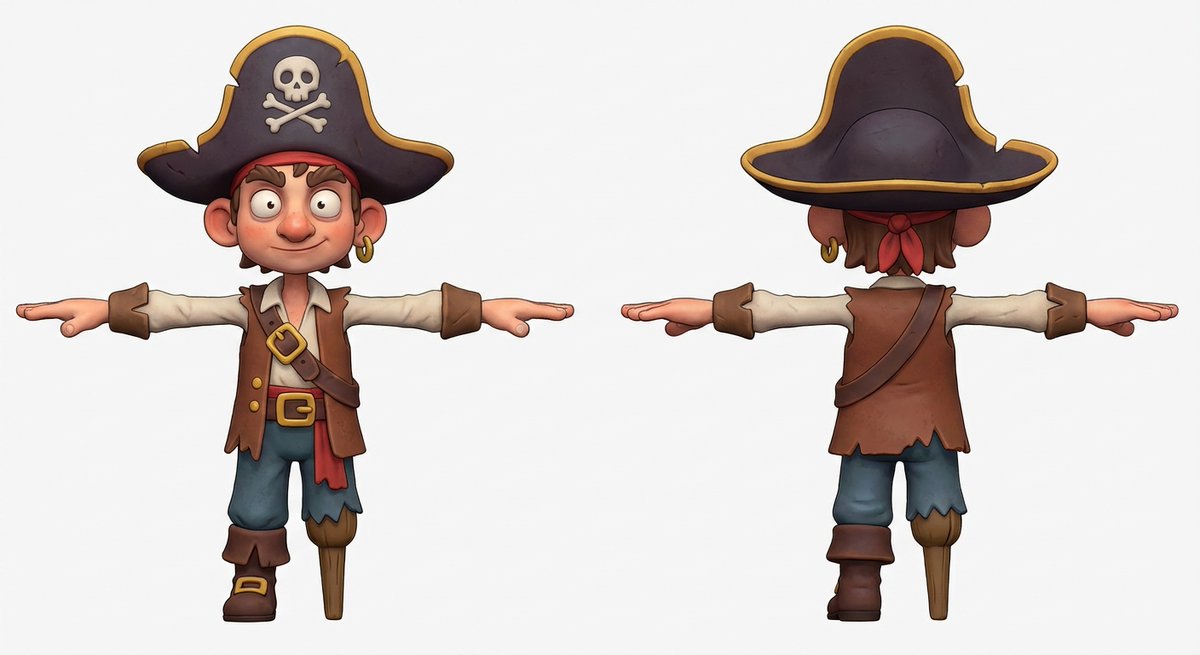
designer toy clean cutout का preview, जो original character shape, clean material finish, edge quality और editable markings पर केंद्रित है।
designer toy clean cutout prompt, जिसमें original toy character, crisp silhouette, soft studio shadow, clean background और editable markings शामिल हैं।
designer toy clean cutout के लिए production-ready image prompt design करें। original toy character, pose, head shape, body proportions, material finish, color palette, small accessories, front-facing या three-quarter angle, studio lighting, edge shadow, background color, transparent-background needs, aspect ratio और final delivery use define करें। toy को product asset की तरह treat करें: silhouette crisp रखें, clean vinyl, resin, plush या clay texture दिखाएं, figure को background से साफ़ अलग करें, और ears, limbs, props तथा base के आसपास ecommerce, catalog, sticker, packaging या social use के लिए enough padding छोड़ें। face markings, symbols, labels और packaging details abstract या editable रखें। protected characters, copied toy designs, real brand logos, celebrity likenesses, readable fixed text, messy edge halos, cropped limbs, warped proportions, noisy backgrounds, harsh reflections और designer toy clean cutout से असंबंधित elements से बचें।
उपयोग नोट्स
चलाने से पहले toy character, pose, material finish, palette, accessory set, camera angle, background treatment, aspect ratio और delivery use बदलें।
प्रॉम्प्ट के अक्सर पूछे जाने वाले सवाल
toy character, pose, material finish, palette, accessories, camera angle, background treatment, padding, aspect ratio और delivery channel बदलें।
check करें कि toy original हो, edges clean हों, limbs और accessories crop न हुए हों, markings editable या abstract रहें, और कोई protected characters या real logos न दिखें।
हां। cutout logic, clean background, edge review और rights review बनाए रखें, फिर toy type, material, pose, palette और crop बदलें।
इस मोड के और प्रॉम्प्ट