Kling V2.1 Master Rivya का प्रीमियम पुराना Kling 2.1 विकल्प है। यह उन टीमों के लिए है जिन्हें अब भी पुराना Master लुक चाहिए या एक ही मॉडल में टेक्स्ट-से-वीडियो और इमेज-से-वीडियो दोनों की जरूरत है। नए Kling विकल्पों की तुलना में यह महंगा है, इसलिए इसे सोच-समझकर तुलना करने या प्रीमियम पुराने रेंडर के लिए चुनें।
Fixed 5-second और 10-second price tiersText और image generation अब एक aligned model entry share करते हैं
Text में `aspect_ratio` रहता है, जबकि image doc-backed fields तक सीमित रहती है
इनपुट
प्रॉम्प्ट + वैकल्पिक इमेज
आउटपुट
AI वीडियो जनरेटर
क्रेडिट
per_video · 5s=160 · 10s=320 · ⌈total⌉
इनके लिए उपयोगी
Legacy Kling Master की newer tiers से comparison
उदाहरण आउटपुट
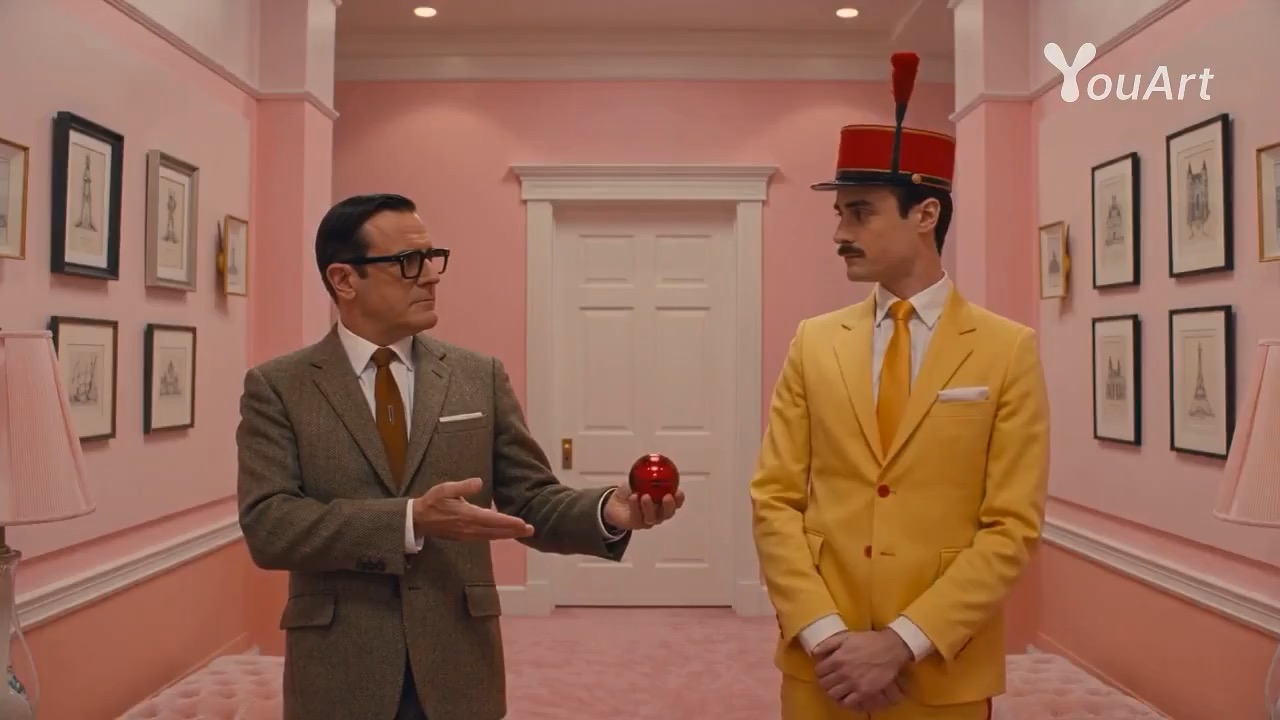
उदाहरण; बनाने वाले मॉडल की पुष्टि नहीं हुई है · pastel symmetry visual teaser का preview, जो scene setup, camera path, motion continuity, editable details और final hero frame पर केंद्रित है।
पहले मौजूदा उपलब्धता, इनपुट, आउटपुट, क्रेडिट और उपलब्ध उदाहरण जाँचें। ऑनलाइन परीक्षण उपलब्ध हो तो मॉडल को इसी पेज पर आज़माएँ; सहेजे गए इतिहास, सामग्री और लंबे काम के लिए Studio का उपयोग करें।
उदाहरण आउटपुट
उदाहरण; बनाने वाले मॉडल की पुष्टि नहीं हुई है · pastel symmetry visual teaser का preview, जो scene setup, camera path, motion continuity, editable details और final hero frame पर केंद्रित है।
इनके लिए उपयोगी
Legacy Kling Master की newer tiers से comparisonText या एक image से high-budget concept clipsPremium previs जहां teams खास तौर पर 2.1 Master look चाहती हैंनया Kling family model चुनने से पहले shot-language testing
समर्थित
टेक्स्ट से वीडियोइमेज से वीडियो
ऑनलाइन परीक्षण
Kling V2.1 Master इस्तेमाल करें
Kling V2.1 Master तब इस्तेमाल करें जब आप intentionally पुराने premium Master option को चुनना चाहते हों, किसी cheaper everyday Kling option को नहीं। Text या one image से start करें, run deliberate रखें, और जब legacy Master look की continuity cost से ज्यादा मायने रखती हो तब इसी page पर रहें।
परिणाम
अभी कोई परिणाम नहीं है। रन शुरू करने के लिए प्रॉम्प्ट सबमिट करें।
प्रॉम्प्ट की शुरुआत
परखे हुए प्रॉम्प्ट के साथ Kling V2.1 Master शुरू करें
देखें कि Kling V2.1 Master का आउटपुट कैसा दिखता है
ऊपर ऑनलाइन परीक्षण इस्तेमाल करें, फिर Studio में ज्यादा क्रेडिट खर्च करने से पहले अंतिम रूप, लय और कार्य के लिए उपयुक्तता समझने के लिए इन उदाहरणों की तुलना करें।
उदाहरण; बनाने वाले मॉडल की पुष्टि नहीं हुई है · pastel symmetry visual teaser का preview, जो scene setup, camera path, motion continuity, editable details और final hero frame पर केंद्रित है।
soft color rhythm, mirrored composition, camera direction और final hero frame दिखाता pastel symmetry visual teaser video preview।
इनपुट
प्रॉम्प्ट + वैकल्पिक इमेज
किस पर ध्यान दें
soft color rhythm, mirrored composition, camera direction और final hero frame दिखाता pastel symmetry visual teaser video preview।
प्रति उपयोग क्रेडिट
per_video · 5s=160 · 10s=320 · ⌈total⌉
यह मॉडल क्यों काम करता है
यह मॉडल क्यों काम करता है
Fixed 5-second और 10-second price tiers
Text और image generation अब एक aligned model entry share करते हैं
Text में `aspect_ratio` रहता है, जबकि image doc-backed fields तक सीमित रहती है
सबसे उपयुक्त कार्य
सबसे उपयुक्त कार्य
Legacy Kling Master की newer tiers से comparisonText या एक image से high-budget concept clipsPremium previs जहां teams खास तौर पर 2.1 Master look चाहती हैंनया Kling family model चुनने से पहले shot-language testing
मॉडल प्रमाण
उदाहरण; बनाने वाले मॉडल की पुष्टि नहीं हुई है · सममित लैंडमार्क यात्रा फ्लैशकट का प्रीव्यू, जिसमें केंद्रित फ़्रेमिंग, लोकेशन मैच कट, वॉर्डरोब बदलाव और स्थिर चेहरों पर ध्यान है।
सममित यात्रा मोंटाज वीडियो प्रीव्यू, जिसमें दो वयस्क यात्री रंगीन लैंडमार्क दृश्यों के सामने केंद्र में दिखते हैं।
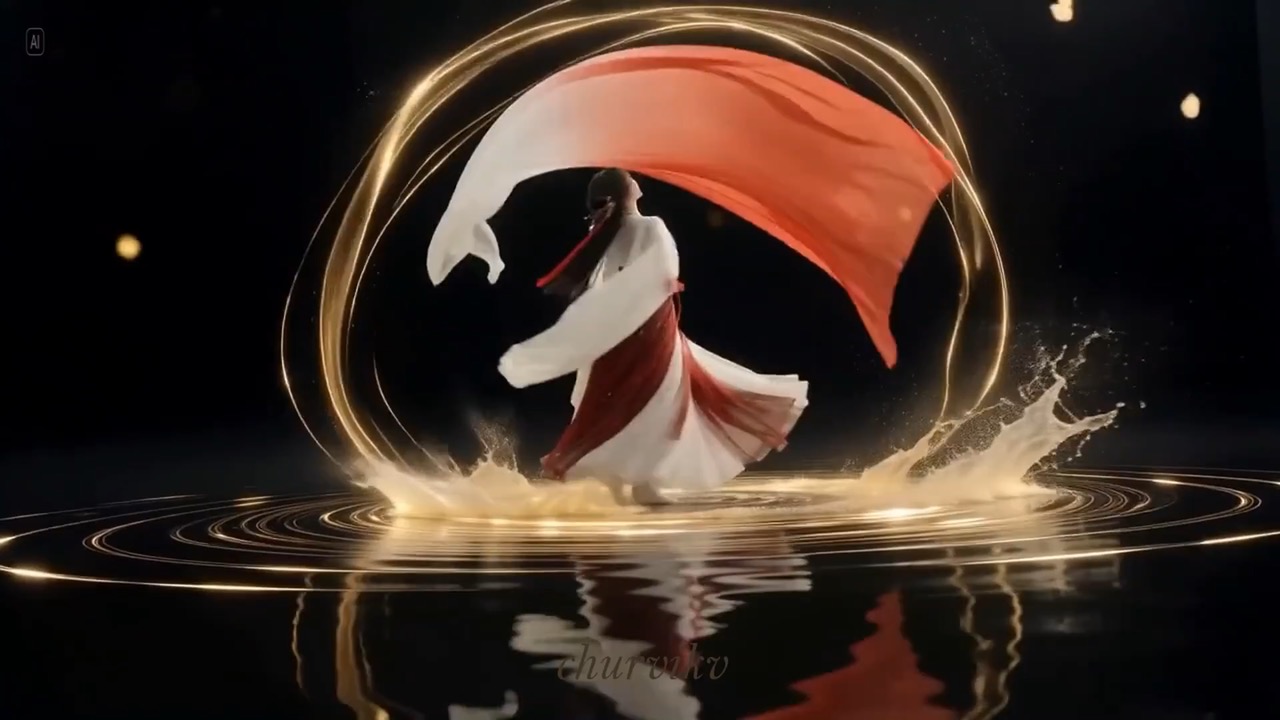
उदाहरण; बनाने वाले मॉडल की पुष्टि नहीं हुई है · जल सतह आस्तीन नृत्य सिनेमैटिक का प्रीव्यू, जिसमें बहती आस्तीन चाप, सुनहरी जल छल्ले और स्थिर नर्तक निरंतरता पर ध्यान है।
गहरे पानी पर सुनहरी लहरें और चिंगारियां बनाते वयस्क नर्तक को दिखाता जल सतह आस्तीन नृत्य वीडियो प्रीव्यू।
चुनाव के लिए उपयुक्तता
यह मॉडल कब सही चुनाव है
चुनाव के लिए उपयुक्तता
उपयुक्तता संकेत
Fixed 5-second और 10-second price tiers
Text और image generation अब एक aligned model entry share करते हैं
Text में `aspect_ratio` रहता है, जबकि image doc-backed fields तक सीमित रहती है
अक्सर पूछे जाने वाले सवाल
Kling V2.1 Master के अक्सर पूछे जाने वाले सवाल
Kling V2.1 Master असल में किस तरह के वीडियो काम के लिए सबसे अच्छा है?
Kling V2.1 Master तब सही fit है जब job सचमुच पुराने Master look के बारे में हो, सिर्फ कोई भी short video generate करने के बारे में नहीं। यह premium legacy comparisons, high-intent concept clips और ऐसे previs के लिए सबसे अच्छा है जहां पुराने Kling project के साथ continuity everyday speed या cost से ज्यादा मायने रखती है।
Rivya पर Kling V2.1 Master का अभी वास्तविक दायरा क्या है?
Rivya पर यह विकल्प एक ही मॉडल में टेक्स्ट-से-वीडियो और इमेज-से-वीडियो दोनों का समर्थन करता है। आप टेक्स्ट मोड में रह सकते हैं या एक संदर्भ इमेज के साथ इमेज-आधारित मोड चुन सकते हैं। नियंत्रण सीमित और स्पष्ट हैं: 5 या 10 सेकंड, `negative_prompt`, `cfg_scale`, और टेक्स्ट से जनरेशन के लिए `aspect_ratio`।
Kling V2.1 Master इस्तेमाल करने लायक है या नहीं, यह तय करते समय सबसे ज्यादा क्या मायने रखता है?
सबसे बड़ा सवाल आम तौर पर यह होता है कि legacy Master look spend justify करने के लिए सच में important है या नहीं। जब जवाब yes हो, तब अगला decision यह है कि shot text से शुरू होना चाहिए या एक still image से। अधिकांश cases में 5-second run यह बताने के लिए काफी होता है कि older Master rendering style सच में वही चीज है जिसे आप preserve करना चाहते हैं या नहीं।
Kling V2.1 Master अपने मौजूदा credit tier में कब सार्थक है?
Rivya अभी 5 seconds के लिए 160 credits और 10 seconds के लिए 320 credits दिखाता है। यह pricing सच में तभी समझ आती है जब आप newer Kling tiers से compare कर रहे हों, किसी pre-existing Master project को match कर रहे हों, या high-intent legacy render बना रहे हों जहां older look खुद decision का हिस्सा हो।
Turbo Pro या नए Kling options की जगह Kling V2.1 Master कब चुनना चाहिए?
जब आप बहुत कम cost पर अधिक structured Kling test चाहते हों, तब Kling V2.5 Turbo Pro चुनें। जब काम current-day control और iteration speed के बारे में हो, तब newer Kling families चुनें। Kling V2.1 Master सिर्फ तब चुनें जब premium legacy Master look या older project continuity ही असली reason हो कि यह model table पर है।
इस page पर पहले क्या test कर सकता हूं?
यहां से start करें जब first result खास तौर पर यह check करने के लिए हो कि old Master look real shot पर pay करने लायक है या नहीं। Longer sequence बनाने से पहले deliberate comparison runs, premium concept clips और legacy project checks के लिए इसका इस्तेमाल करें।
इस page पर क्या set up कर सकता हूं?
यह page text-to-video और one-image image-to-video दोनों support करता है। First result से पहले आप तय कर सकते हैं कि shot pure text से start हो या single still से, 5 या 10 seconds चुन सकते हैं, और render को ज्यादा steer करना हो तो `negative_prompt` या `cfg_scale` इस्तेमाल कर सकते हैं।
Run करने से पहले कौन सी checks करना उपयोगी है?
पहले तय करें कि text या one still आपको cleaner starting point देता है, क्योंकि इससे result judge करने का तरीका बदलता है। फिर 5 seconds से start करें, जब तक shot को genuinely longer beat न चाहिए। Text mode में aspect ratio पहले set करें; image mode में single still पहले से वही shot represent करना चाहिए जिसे आप animate करना चाहते हैं।
यहां run करने से पहले क्या sign in जरूरी है, और credits कैसे काम करते हैं?
Page public है, लेकिन actual video generation run अभी भी sign in के पीछे है। Rivya अभी 5 seconds के लिए 160 credits और 10 seconds के लिए 320 credits दिखाता है, इसलिए आप source mode, shot shape और duration पहले settle कर सकते हैं, फिर generate करने के लिए ready होने पर sign in करें।
मुझे इस page पर कब रहना चाहिए, और पूरे Studio में कब जाना चाहिए?
इस page पर तब तक रहें जब तक आप check कर रहे हों कि legacy Master look, chosen source mode और first shot shape सच में सही हैं या नहीं। जब work को saved versions, comparison branches या उसी scene set के आसपास longer production thread चाहिए, तब पूरा Studio खोलें।
विकल्पों की तुलना करें
आगे विचार करने के लिए अन्य मॉडल
वीडियो
Seedance 2.5
Seedance 2.5 केवल प्रॉम्प्ट वाले वीडियो, पहले और अंतिम फ्रेम के मार्गदर्शन, बहुमाध्यमी रेफरेंस और वीडियो-निर्देशित रूपांतरण के लिए Rivya का बड़ा Seedance कार्यप्रवाह है। Mini की तुलना में इसमें 1080p स्तर, 30 सेकंड तक आउटपुट, स्वचालित अवधि, MP4 या MOV आउटपुट और इमेज, वीडियो तथा ऑडियो रेफरेंस की कहीं अधिक क्षमता मिलती है।
इस पर क्यों विचार करें
जब आपके अगले कार्य में अधिकतम 50 संदर्भ फ़ाइलें चाहिए हो, तो इस पर विचार करें।
ByteDance का full Seedance 2.0 video model, जिसमें prompt-only generation, frame-driven animation और multimodal reference generation के लिए साफ support है। Rivya documented role split को explicit रखता है ताकि frame inputs और multimodal references एक ambiguous upload bucket में collapse न हों।
इस पर क्यों विचार करें
जब आपके अगले कार्य में प्रॉम्प्ट, फ्रेम या इमेज/वीडियो/ऑडियो संदर्भ चाहिए हो, तो इस पर विचार करें।
इनके लिए उपयोगीPrompts, frames या reference bundles से higher-quality short videos
वीडियो
Seedance 2.0 Fast
ByteDance का faster Seedance 2.0 video model, जो prompt-only generation, frame-driven image animation और multimodal reference video generation के लिए full scene routing देता है। Rivya documented scene split को explicit रखता है ताकि first/last-frame inputs reference image, video और audio roles से collide न करें।
इस पर क्यों विचार करें
जब आपके अगले कार्य में प्रॉम्प्ट, फ्रेम या इमेज/वीडियो/ऑडियो संदर्भ चाहिए हो, तो इस पर विचार करें।
Legacy Kling Master की newer tiers से comparisonText या एक image से high-budget concept clipsPremium previs जहां teams खास तौर पर 2.1 Master look चाहती हैंनया Kling family model चुनने से पहले shot-language testingऐसे projects जहां cost से ज्यादा older project continuity मायने रखती है
स्पष्ट तथ्य
इनपुट, आउटपुट और क्रेडिट की पुष्टि करें
प्रदाता
Kuaishou
श्रेणी
वीडियो
क्षमताएँ
टेक्स्ट से वीडियो · इमेज से वीडियो
क्रेडिट मॉडल
per_video · 5s=160 · 10s=320 · ⌈total⌉
इनपुट रास्ता
प्रॉम्प्ट + वैकल्पिक इमेज
प्रॉम्प्ट सेटअप
अधिकतम 5,000 अक्षर
डेवलपर एक्सेस
API से आंशिक रूप से उपलब्ध
Kling V2.1 Master में कॉल किए जा सकने वाले Public API मोड हैं, लेकिन संदर्भ मीडिया मोड को अभी Files API अपलोड समर्थन चाहिए। सबमिट करने से पहले मॉडल संदर्भ देखें।