Rivya Journal

مصنف
زمرے
فہرستِ مضامین
مزید دیکھتے رہیں
Rivya ٹیم کے متعلقہ رہنماؤں، پروڈکٹ نوٹس اور ورک فلو کی تفصیلات کے ساتھ مطالعہ جاری رکھیں۔
حوالہ جاتی تصاویر مؤثر ہوتی ہیں، مگر وہ پرامپٹ کو مبہم بھی بنا سکتی ہیں۔
غلطی یہ ہے کہ ہر حوالہ جاتی تصویر کو ہر پہلو پر قابو پانے والی چیز سمجھ لیا جائے۔ Rivya میں بہتر طریقہ یہ ہے کہ ہر حوالہ کو ایک واضح ذمہ داری دی جائے، مثلاً پروڈکٹ کی شناخت، ترتیب یا روشنی۔
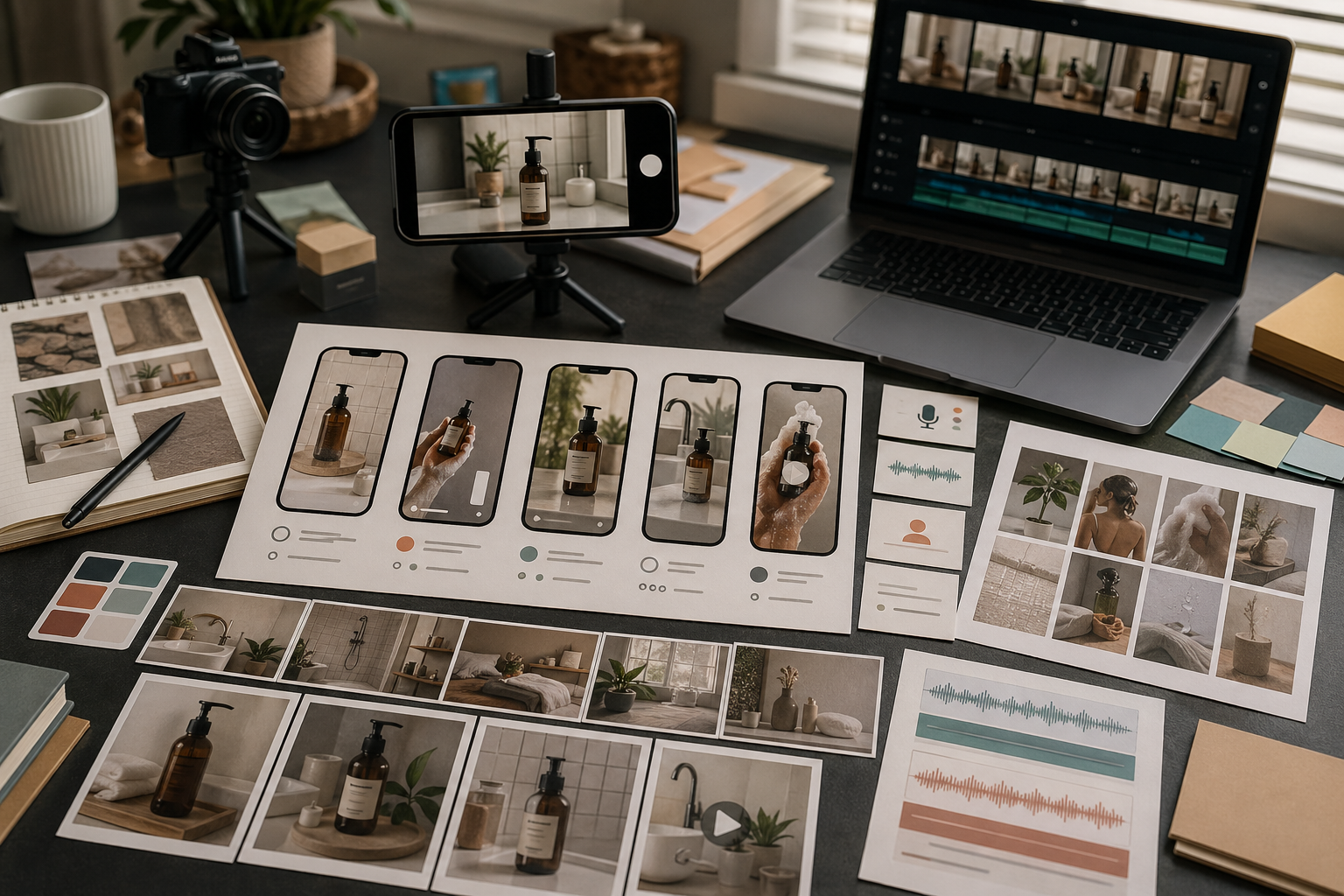
حوالہ جاتی تصویر اپ لوڈ کرنے سے پہلے اس کا مقصد واضح کریں۔
حوالہ ان چیزوں میں مدد دے سکتا ہے:
مصنوعات کی شناخت
مصنوعات کا عین زاویہ
ترتیب کی ساخت
پس منظر کی سمت
روشنی اور تاثر
مادے کی ظاہری کیفیت
سابقہ نتیجے سے یکسانیت
اگر آپ یہ واضح نہیں کر سکتے کہ حوالہ کس مقصد کے لیے ہے تو ماڈل غلط پہلو اپنا سکتا ہے۔
مصنوعات اور انداز کے حوالہ جات کے ساتھ ایک جیسا برتاؤ نہیں کرنا چاہیے۔
مصنوعات کا حوالہ کہتا ہے: اس شے کو قابلِ شناخت رکھیں۔
انداز کا حوالہ کہتا ہے: ماحول یا بصری ذوق اخذ کریں۔
اگر آپ مصنوعات کی تصویر اور کیفیت کے خاکے کی تصویر اپ لوڈ کرتے ہیں تو واضح کریں کہ ہر ایک کا کردار کیا ہے۔ ورنہ نتیجہ کیفیت تو اپنا سکتا ہے مگر مصنوعات بدل سکتا ہے، یا مصنوعات برقرار رکھ کر انداز نظر انداز کر سکتا ہے۔
جب آپ ابھی سمت تلاش کر رہے ہوں تو کم حوالہ جات اکثر بہتر کام کرتے ہیں۔
ایک مضبوط حوالہ استعمال کریں جب:
مصنوعات سادہ ہوں
تشکیل لچک دار ہو
انداز کو لفظوں میں بیان کیا جا سکتا ہو
مقصد سمت تلاش کرنا ہو
ابتدا ہی میں بہت زیادہ حوالہ جات کوشش کو حد سے زیادہ پابند بنا سکتے ہیں۔ بڑے حوالہ جاتی مجموعے اس وقت کے لیے رکھیں جب آپ جانتے ہوں کہ سمت کو سخت کنٹرول درکار ہے۔
جب یکسانیت اہم ہو تو زیادہ حوالہ جات مفید ہو جاتے ہیں۔
بڑا مجموعہ استعمال کریں جب:
مصنوعات کی شناخت یکساں رہنا ضروری ہو
نتیجے کو موجودہ مہم سے ملانا ہو
کئی زاویے یا تفصیلات اہم ہوں
آپ متعلقہ تصاویر کا مجموعہ بنا رہے ہوں
برانڈ کا نظام پہلے ہی متعین ہو
اس مرحلے پر کام کھلی جستجو نہیں رہتا بلکہ قابو شدہ تیاری بن جاتا ہے۔
حوالہ جات پرامپٹس کی جگہ نہیں لیتے۔
اپ لوڈز کے ساتھ مختصر ہدایات دیں، مثلاً:
حوالہ صرف مصنوعات کی شکل کے لیے استعمال کریں۔
تشکیل قریب رکھیں مگر پس منظر بدل دیں۔
روشنی کی کیفیت اخذ کریں، اشیا نہیں۔
اسے پوری مہم کے انداز کے حوالے کے طور پر استعمال کریں۔
مختصر اور مخصوص ہدایات ان طویل پرامپٹس سے بہتر ہیں جو حوالے سے متصادم ہوں۔
نتیجہ بننے کے بعد جانچیں کہ Rivya نے اصل میں کیا اخذ کیا:
مصنوعات کی شکل
رنگ
ترتیب
روشنی
معاون اشیا
پس منظر
کیفیت
اگر اس نے غلط چیز اخذ کی ہے تو پورا پرامپٹ بدلنے سے پہلے حوالہ جاتی ہدایت بدلیں۔
Rivya میں حوالہ جات اپ لوڈ کرنے سے پہلے لکھیں کہ ہر تصویر کس چیز کو قابو کرے:
حوالہ 1: [مصنوع / شخص / شے کی شناخت] برقرار رکھیں
حوالہ 2: [روشنی / زاویہ / ترتیب] اخذ کریں
حوالہ 3: [کیفیت / مہم کا انداز / رنگوں کا مجموعہ] اخذ کریں
یہ چیزیں اخذ نہ کریں: [لوگو کا متن / اضافی اشیا / چہرے کی تفصیل / بھرا ہوا پس منظر]
مطلوبہ نتیجہ: [مصنوع کی تصویر / اشتہاری متبادل / مرکزی تصویر / سوشل میڈیا کٹائی]
جائزے کی توجہ: [شکل، مواد، لیبل، کٹائی، بصری خرابیاں]
اس سے ایک عام ناکامی سے بچا جا سکتا ہے: ماڈل حوالے کی کیفیت اپناتا ہے مگر مصنوعات بدل دیتا ہے، یا شے برقرار رکھتا ہے مگر ترتیب نظر انداز کر دیتا ہے۔
حوالہ جاتی تصویر بنانے کی عملی کوشش عموماً یوں ہوتی ہے:
جب پہلا فیصلہ ماڈل کی موزونیت کا ہو تو تصویر، Image Studio یا AI ماڈلز سے شروع کریں۔
موجودہ فیصلے کے لیے کم سے کم ضروری حوالہ جات اپ لوڈ کریں۔
پرامپٹ میں ہر حوالے کو واضح کام دیں۔
مہم کے پورے مجموعے کے بجائے محدود پہلا نتیجہ بنائیں۔
جائزہ لیں کہ کیا درست اخذ ہوا اور کیا مطلوبہ سمت سے ہٹا۔
تاریخ سے کام صرف تب جاری رکھیں جب کنٹرول کا برتاؤ قابلِ قبول ہو۔
اگر پہلی کوشش غلط چیز اخذ کرتی ہے تو اسی مبہم پرامپٹ کے ساتھ بار بار نتیجہ نہ بنائیں۔ پہلے حوالہ جات کے کردار دوبارہ لکھیں۔
یہ طریقۂ کار اس وقت موزوں نہیں جب اثاثے میں عین لوگو، عین متن، پیکیجنگ کی سخت ہندسی ساخت یا قانونی معیار کی نقل درکار ہو۔ ایسی صورتوں میں حوالہ جات کو سمت تلاش کرنے کے لیے استعمال کریں، پھر اشاعت سے پہلے منظور شدہ ماخذ اثاثوں اور دستی جائزے پر انحصار کریں۔
حوالہ جاتی تصویری کام تصویر سے شروع کریں، اور جب پہلے حوالہ جاتی معاونت کا موازنہ کرنا ہو تو AI ماڈلز استعمال کریں۔
حوالہ جات کے بنیادی اصولوں کے لیے Rivya میں تصویری حوالہ جات پڑھیں۔
حوالہ جاتی تصویری کام کے لیے Rivya کا امیج اسٹوڈیو استعمال کریں۔
وسیع ماڈل انتخاب کے لیے حوالہ جاتی تصاویر کے ساتھ AI امیج جنریٹر پڑھیں۔
جب حوالہ جات برانڈ کے کنٹرول کا حصہ ہوں تو AI برانڈ کے بصری مواد میں یکسانیت پڑھیں۔