
Rivya Journal

مصنف
زمرے
مزید دیکھتے رہیں
Rivya ٹیم کے متعلقہ رہنماؤں، پروڈکٹ نوٹس اور ورک فلو کی تفصیلات کے ساتھ مطالعہ جاری رکھیں۔
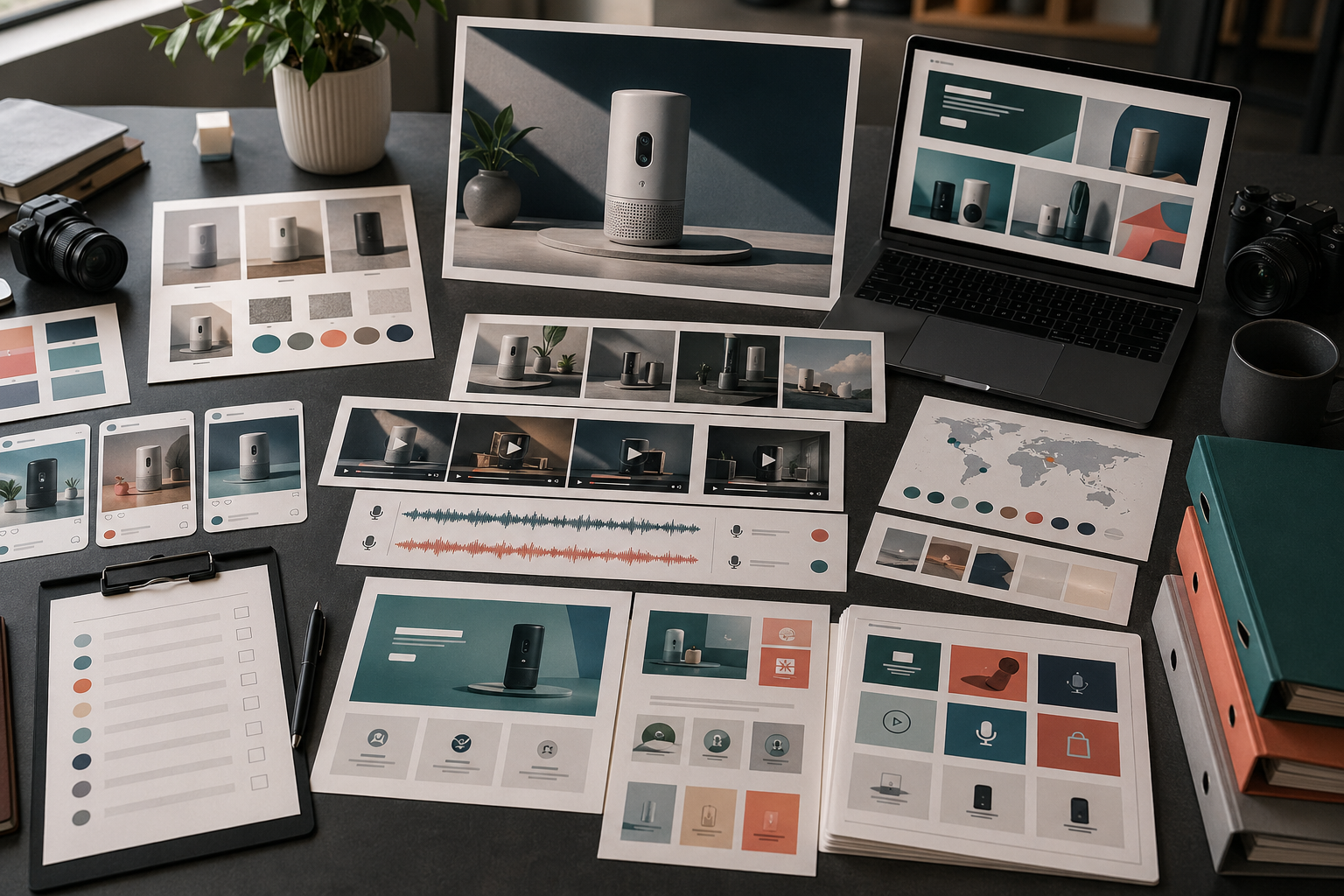
مصنوعات کی رونمائی کے لیے عموماً ایک مرکزی تصویر سے زیادہ مواد درکار ہوتا ہے۔
اس کے لیے تخلیقی مواد کا ایک مختصر مگر مربوط نظام چاہیے: ایک مرکزی پیغام، کئی شکلیں، واضح جائزہ اصول اور اجرا کے بعد دوبارہ استعمال کا منصوبہ۔
اشاعتی جگہوں کو تخلیقی مواد سے جوڑ کر آغاز کریں:
| جگہ | تخلیقی مواد | مقصد | Rivya کا راستہ |
|---|---|---|---|
| تعارفی صفحہ | مرکزی تصویر | بنیادی وعدہ فوری طور پر واضح کرنا | امیج اسٹوڈیو |
| مصنوعات کا صفحہ | مصنوعات کی صاف جامد تصویر | مصنوعات کو واضح دکھانا | امیج اسٹوڈیو |
| سماجی ذرائع | مربع یا عمودی جھلک | دریافت اور یاد دہانیوں کے لیے مواد بنانا | امیج اسٹوڈیو / ویڈیو اسٹوڈیو |
| بامعاوضہ اشتہارات | پیش کش پر مبنی نسخہ | کسی توجہ کھینچنے والے نکتے یا فائدے کو آزمانا | AI اشتہاری مواد کا طریقۂ کار |
| ویڈیو | مختصر عملی مظاہرہ | مصنوعات کا ایک عمل دکھانا | ویڈیو اسٹوڈیو |
| آواز | اجرا کی پس پردہ آواز | پیغام فوری طور پر واضح کرنا | آڈیو اسٹوڈیو |
| معاونت | مدد یا ابتدائی رہنمائی کی تصویر | اجرا کے بعد ابہام کم کرنا | چیٹ اسٹوڈیو + امیج اسٹوڈیو |
ہر اجرا کے لیے ہر تخلیقی مواد ضروری نہیں، مگر تیاری سے پہلے معلوم ہونا چاہیے کہ کون سی اشاعتی جگہیں اہم ہیں۔
تخلیقی مواد بنانے سے پہلے اجرا کا پیغام ایک جملے میں لکھیں۔
مثالیں:
مصنوعات کی تصاویر کو اجرا کے لیے تیار بصری مواد میں بدلنے کا تیز طریقہ۔
ایک ہی جگہ تصویر، ویڈیو اور آڈیو مواد بنانے کے لیے سادہ کام گاہ۔
خالی وقت کی پٹی سے آغاز کیے بغیر مصنوعات کے مظاہرے بنانے کا نیا طریقۂ کار۔
اسے مرکزی بنیاد کے طور پر استعمال کریں۔ صورتیں بدل سکتی ہیں، مگر بنیادی کہانی نہیں بھٹکنی چاہیے۔
اجرا کے عملی مجموعے میں عموما یہ چیزیں شامل ہوتی ہیں:
مصنوعات کی ایک بنیادی مرکزی تصویر
مصنوعات کی ایک صاف جامد تصویر
فائدے پر مبنی ایک بصری نمونہ
مصنوعات کی ایک مختصر مظاہراتی ویڈیو
سوشل میڈیا کی ایک کٹائی یا جھلک
وائس اوور یا بیانیہ آواز کا ایک انتخاب
دوبارہ استعمال کے لیے ایک متبادل مواد
مرکزی تصویر یا مصنوعات کی جامد تصویر سے شروع کریں۔ اگر یہ سمت کارآمد نہ ہو تو اجرا کا باقی مجموعہ بھی عموما بھٹک جائے گا۔
تیاری کو تخلیقی مواد کی قسم کے لحاظ سے تقسیم کریں:
مرکزی تصاویر، مصنوعات کی جامد تصاویر اور تعارفی صفحے کے مناظر کے لیے تصویر اور Rivya کا امیج اسٹوڈیو
مظاہراتی کلپس، جھلکیوں اور حرکت کے تجربات کے لیے ویڈیو اور Rivya کا ویڈیو اسٹوڈیو
پس پردہ آواز، بیانیہ یا مقامی زبان کی آڈیو کے لیے آڈیو اور Rivya کا آڈیو اسٹوڈیو
جب سمت کو زیادہ واضح مختصر خاکہ درکار ہو تو Rivya میں پرامپٹ لکھنے کی بنیادی باتیں
مفید سمتیں محفوظ کرکے ان سے کام جاری رکھنے کے لیے Rivya میں محفوظ کام کی تاریخ
اس سے ہر تخلیقی مواد اپنے اصل کام سے منسلک رہتا ہے۔
اجرا کے مواد کا صرف الگ الگ جائزہ نہ لیں۔
انہیں اکٹھا رکھیں اور جانچیں:
کیا وہی مصنوعات پہچانی جا سکتی ہے؟
کیا فائدہ یکساں ہے؟
کیا بصری معیار کی سطح آپس میں ملتی ہے؟
کیا تعارفی صفحے اور سماجی ذرائع کا مواد باہم متعلق لگتا ہے؟
کیا کوئی مواد ایسا دعویٰ ظاہر کرتا ہے جس کا آپ ثبوت نہیں دے سکتے؟
کیا مجموعے میں بے ترتیبی کے بغیر کافی تنوع ہے؟
کیا مواد موبائل تراش اور سماجی فہرست کے سیاق میں کارآمد رہتا ہے؟
اجرا کی یکسانیت الگ الگ فائلوں کے مقابلے میں مجموعی خاکے میں زیادہ آسانی سے نظر آتی ہے۔
اجرا کا مواد اجرا کے ہفتے کے بعد غائب نہیں ہو جانا چاہیے۔
اچھا اجرا مواد ان صورتوں میں دوبارہ استعمال ہو سکتا ہے:
دوبارہ ہدف بنانے والا اشتہار
سماجی ذرائع پر اگلی پوسٹ
مرکزِ معاونت کی تصویر
ابتدائی رہنمائی کی تصویر
فروخت کی ای میل کا خاکہ
مقامی زبان کا نسخہ
مصنوعات کی تبدیلی کی یاد دہانی
کیا محفوظ، ڈاؤن لوڈ اور جاری رکھنا ہے، یہ طے کرنے کے لیے نتائج ڈاؤن لوڈ کرنا اور استعمال کرنا استعمال کریں۔
ان غلطیوں سے بچیں:
بنیادی پیغام یکساں ہونے سے پہلے سماجی پوسٹس بنانا
خوب صورت مرکزی تصویر بنانا جو مصنوعات واضح نہ کرے
مختلف اشاعتی جگہوں پر الگ بصری اصول استعمال کرنا
مصنوعات کی صاف جامد تصویر کے بغیر اجرا کرنا
بصری سمت کارآمد ہونے سے پہلے ویڈیو بنانا
معاونت اور ابتدائی رہنمائی کا مواد بھول جانا
دعووں کا تجارتی جائزہ چھوڑ دینا
اجرا کے مواد کے نظام کو مصنوعات زیادہ واضح بنانی چاہیے، محض زیادہ نمایاں نہیں۔
تخلیقی مواد کی تیاری تصویر، ویڈیو یا آڈیو سے شروع کریں، اور جب پہلا فیصلہ ماڈل کی موزونیت ہو تو AI ماڈلز استعمال کریں۔
مہم کی سطح کے منصوبے کے لیے AI تخلیقی مہم کی منصوبہ بندی کیسے کریں استعمال کریں۔
اجرا کی اشاعت کے لیے AI سماجی ذرائع کے مواد کا طریقۂ کار استعمال کریں۔
مظاہرے پر مبنی اجرا کے لیے AI مصنوعات کے عملی مظاہرے کا ویڈیو جنریٹر استعمال کریں۔
مواد شائع کرنے سے پہلے Rivya میں ملکیت اور تجارتی استعمال کا جائزہ لیں۔


