
Prompt library-তে ফিরে যান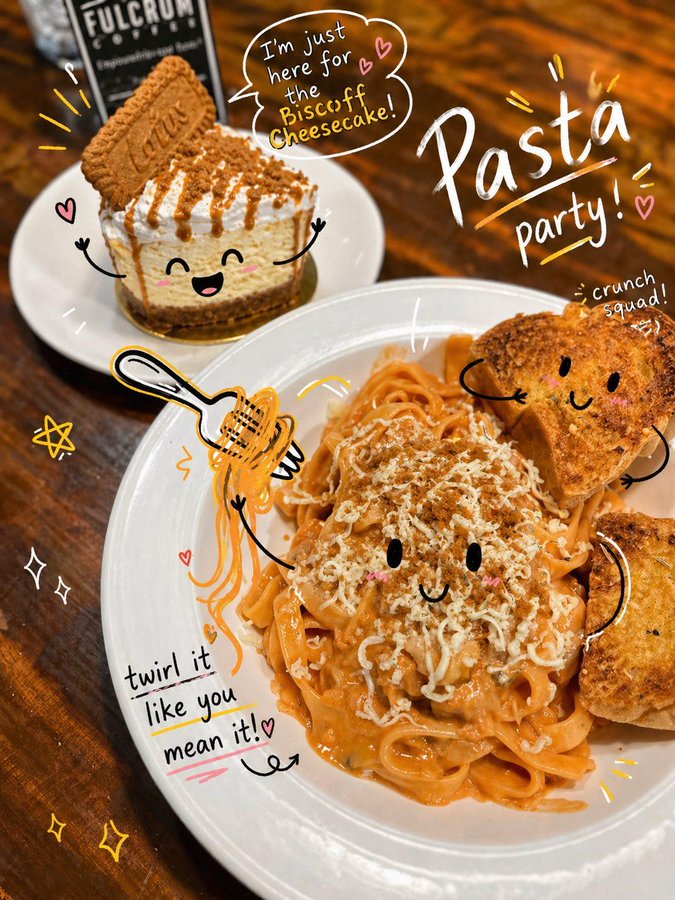


Prompt libraryImage Prompt
খেলাচ্ছলে ডুডল ফটো অ্যানোটেশন
hand-drawn arrows, circles, doodle marks, editable note areas এবং clean delivery crop সহ কোনো photo বা social image-কে playful annotated key visual-এ রূপ দিন।
অ্যানোটেশনডুডলসোশ্যাল
Preview
Image Prompt
Recommended model
Seedream 5.0 Lite
Output format
ইমেজ প্রম্পট টেমপ্লেট
Preview
Image Prompt
clear subject focus, playful doodle marks, readable notes, editable text areas এবং safe social cropping-এ focused photo annotation preview।
সম্পূর্ণ প্রম্পট
খেলাচ্ছলে ডুডল ফটো অ্যানোটেশন
editable photo subject, hand-drawn arrows, circles, note areas, social crop এবং brand-safe review checks সহ doodle photo annotation prompt।
Recommended model: Seedream 5.0 LiteOutput format: ইমেজ প্রম্পট টেমপ্লেট
সম্পূর্ণ প্রম্পট
Image PromptPlayful Doodle Photo Annotation-এর জন্য production-ready image prompt ডিজাইন করুন। editable photo subject, setting, supporting props, doodle marks, annotation labels, composition, camera angle, lighting direction, color palette, aspect ratio এবং intended delivery use নির্দিষ্ট করুন। ছবিটিকে social-ready photo হিসেবে তৈরি করুন, যেখানে hand-drawn arrows, circles, underlines, stickers এবং margin notes subject-এর দিকে ইঙ্গিত করবে কিন্তু key details ঢাকবে না। সব notes, icons এবং marks editable রাখুন, captions-এর জন্য readable negative space রাখুন এবং brand adaptation-এর জন্য room সংরক্ষণ করুন। distorted handwriting, fixed logos, real brand names, celebrity likenesses, protected characters, unsupported claims, cluttered backgrounds, mismatched doodles এবং photo subject-এর সঙ্গে সম্পর্কহীন marks এড়িয়ে চলুন।
ব্যবহারের নোট
photo subject, scene, doodle style, annotation labels, palette, camera angle, aspect ratio এবং final social বা delivery use বদলে নিন।
প্রম্পট FAQ
এই prompt ব্যবহার করার আগে
Input, model fit এবং result দুর্বল না করে template adapt করার উপায় দ্রুত যাচাই করুন।
Playful Doodle Photo Annotation-এ কী customize করব?
photo subject, scene, supporting props, doodle style, annotation labels, palette, camera angle, aspect ratio এবং final social বা delivery use বদলে দিন।
image output কীভাবে review করব?
photo clarity, doodle placement, annotation readability, editable text ও marks, crop safety, brand safety এবং unwanted logos, distorted handwriting বা unsupported claims এসেছে কি না পরীক্ষা করুন।
এটি কি অন্য campaign-এর জন্য adapt করা যাবে?
হ্যাঁ। photo-plus-doodle annotation structure এবং review checks রাখুন, তারপর আপনি যে campaign তৈরি করছেন তার জন্য subject, scene, palette, annotation tone এবং delivery format বদলে দিন।
এই mode-এর আরও prompt