
Prompt library-তে ফিরে যান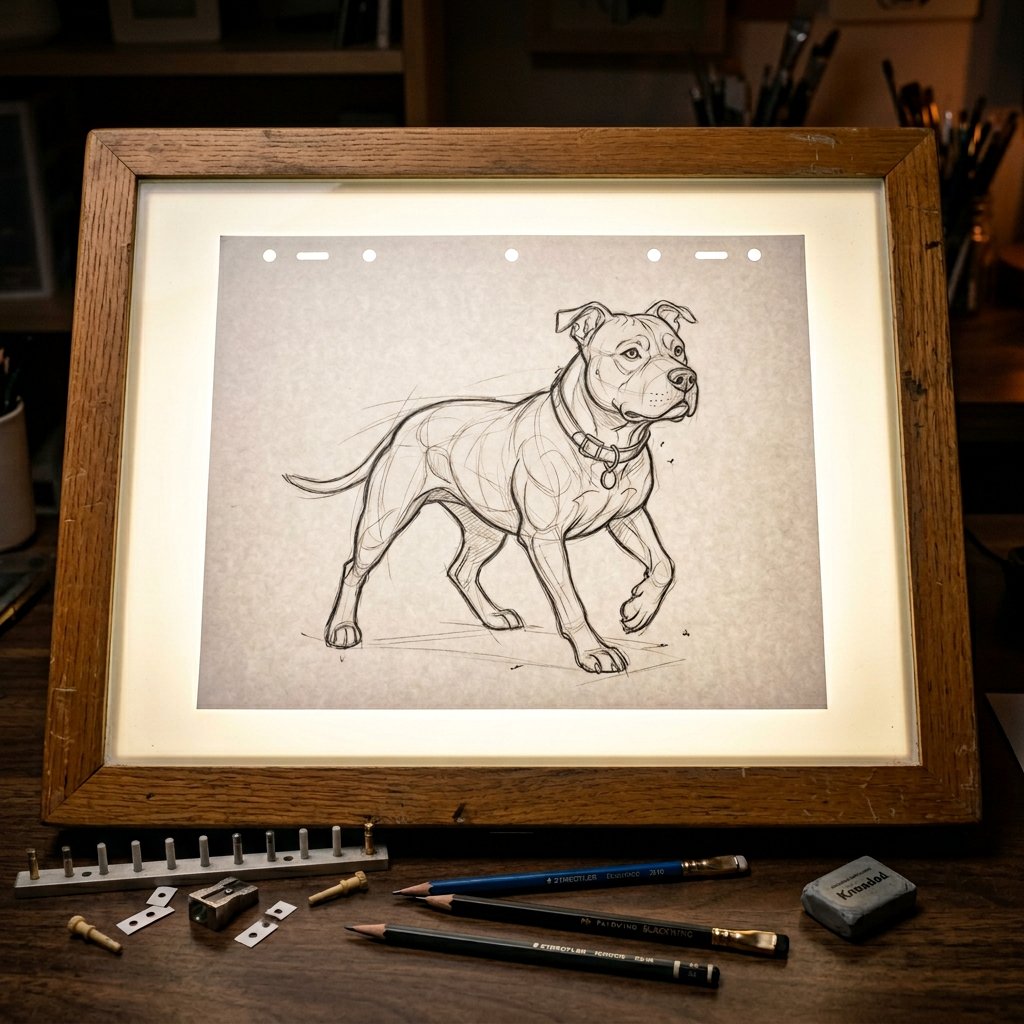


Prompt libraryImage Prompt
ম্লান আলোয় অ্যানিমেশন স্কেচ টেবিল
জ্বলজ্বলে কাচ, মাঝখানে রাখা কাগজ এবং বিস্তারিত pencil character sketch সহ ম্লান স্টুডিওর animation light table-এর জন্য photoreal top-down image prompt তৈরি করুন।
স্কেচপ্রক্রিয়াস্টুডিও
Preview
Image Prompt
Recommended model
Ideogram V3
Output format
ইমেজ প্রম্পট টেমপ্লেট
Preview
Image Prompt
জ্বলজ্বলে কাচ, মাঝখানে sketch paper, construction lines, pegs, pencils এবং নরম cinematic rim light সহ ম্লান animation studio light table scene।
সম্পূর্ণ প্রম্পট
ম্লান আলোয় অ্যানিমেশন স্কেচ টেবিল
জ্বলজ্বলে কাচ, মাঝখানে sketch paper, pencil portrait detail, pegs, loose pencils এবং cinematic dim-studio lighting সহ top-down animation light table prompt।
Recommended model: Ideogram V3Output format: ইমেজ প্রম্পট টেমপ্লেট
সম্পূর্ণ প্রম্পট
Image Promptম্লান আলোয় থাকা একটি পেশাদার animation light table-এর photorealistic top-down close-up তৈরি করুন। কাচের পৃষ্ঠের নিচ থেকে উজ্জ্বল নরম সাদা glow উঠছে, টেবিলের মাঝখানে crisp white animation sheet রাখা আছে এবং পরিষ্কার আত্মবিশ্বাসী animator lines-এ আঁকা বিস্তারিত pencil character portrait দেখা যাচ্ছে। দৃশ্যমান construction lines, light guidelines, সূক্ষ্ম eraser marks, graphite texture, উষ্ণ wooden table frame, ছড়ানো animation pegs এবং পাশে কয়েকটি loose pencils অন্তর্ভুক্ত করুন। কাগজের প্রান্ত ও pencil strokes ফুটিয়ে তুলতে soft rim lighting, realistic light diffusion, টেবিল থেকে সূক্ষ্ম bloom এবং focused cinematic high-end animation production-still mood ব্যবহার করুন। light-table setup অক্ষত রেখে drawing subject সম্পাদনাযোগ্য রাখুন। বিকৃত anatomy, অগোছালো sketch lines, fake logos, real brand names, readable text overlays, টেবিল থেকে মনোযোগ সরিয়ে নেওয়া extra props, plastic-looking paper, harsh glare এবং animation sketch workspace-এর সঙ্গে সম্পর্কহীন উপাদান এড়িয়ে চলুন।
ব্যবহারের নোট
জ্বলজ্বলে light-table setup অক্ষত রেখে character portrait subject, sketch density, nearby tools, table material, aspect ratio এবং final crop বদলে নিন।
প্রম্পট FAQ
এই prompt ব্যবহার করার আগে
Input, model fit এবং result দুর্বল না করে template adapt করার উপায় দ্রুত যাচাই করুন।
এই animation light table prompt-এ কী customize করব?
character portrait subject, sketch complexity, nearby drawing tools, table frame material, crop এবং final delivery ratio বদলান।
image output কীভাবে review করব?
camera যেন top-down থাকে, paper যেন centered থাকে, glow যেন glass দিয়ে diffuse হয় এবং pencil strokes, construction lines, eraser marks, pegs ও pencils যেন বাস্তবসম্মত থাকে তা পরীক্ষা করুন।
এটি কি অন্য sketch subject-এর জন্য বদলানো যায়?
হ্যাঁ। dim studio light-table setup রাখুন এবং নতুন animation concept-এর জন্য শুধু drawing subject, line style, prop arrangement ও framing বদলান।
এই mode-এর আরও prompt