
Rivya AI
Rivya জার্নাল

লেখক
বিভাগ
ঘুরে দেখা চালিয়ে যান
Rivya দলের সম্পর্কিত গাইড, পণ্য নোট এবং ওয়ার্কফ্লো বিশ্লেষণ দিয়ে চালিয়ে যান।
ভালো পণ্য-ছবির প্রম্পট দীর্ঘ কোনো শৈলীবর্ণনা নয়।
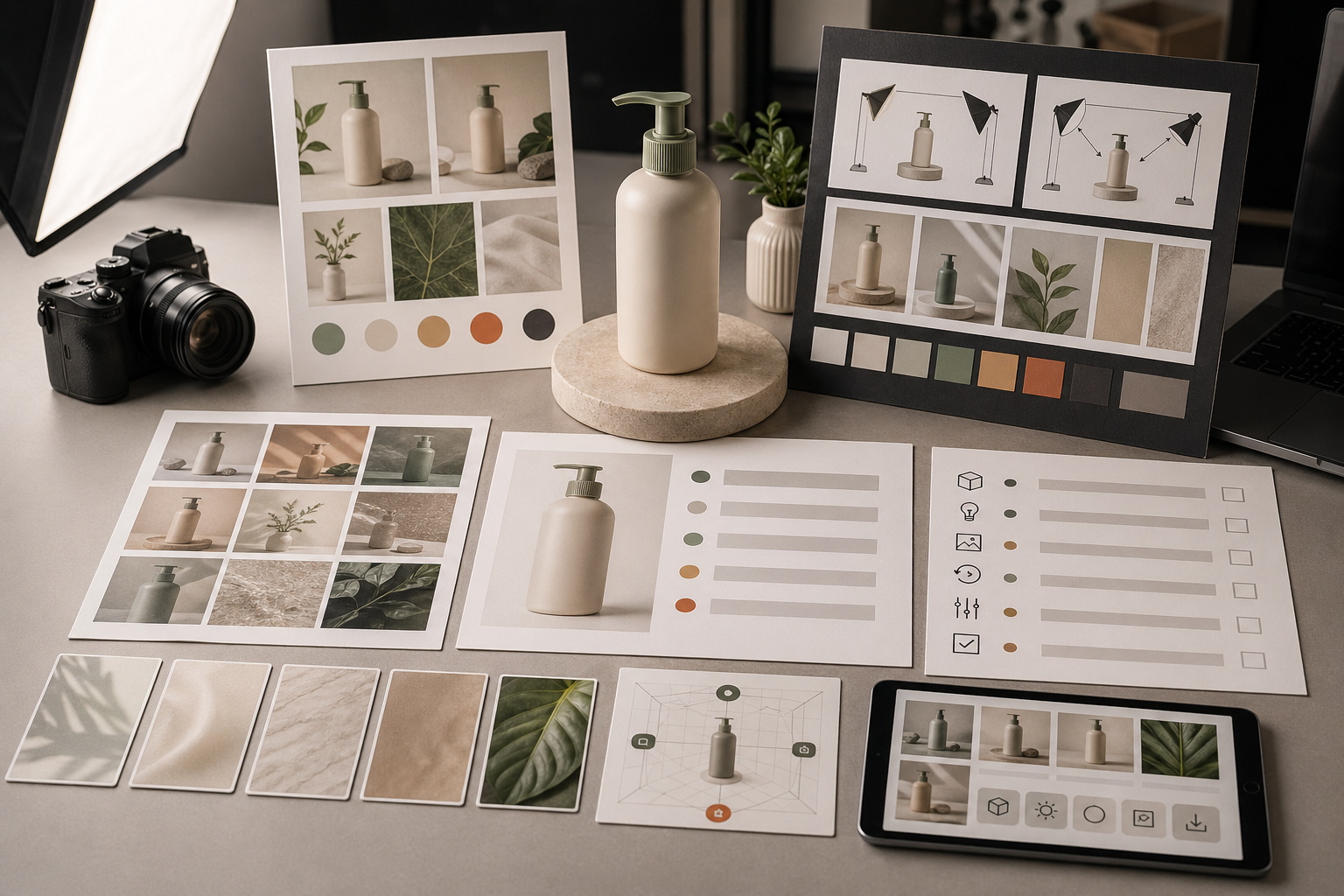
এটি একটি সংক্ষিপ্ত প্রোডাকশন নির্দেশনা। এতে Rivya জানতে পারে পণ্যটি দেখতে কেমন, ছবিটি কোথায় ব্যবহৃত হবে, রেফারেন্স ছবিগুলো কোন বিষয় নিয়ন্ত্রণ করবে এবং কোন ত্রুটি ফলাফলটিকে ব্যবহারের অনুপযোগী করে তুলবে।
এই নির্দেশিকাটি পণ্যের ছবি, ই-কমার্সের স্থিরচিত্র, পণ্যতালিকার উপকরণ এবং নিয়ন্ত্রিত পণ্যভিত্তিক ভিজ্যুয়ালের জন্য।
কোথা থেকে শুরু করবেন বুঝতে না পারলে এই কাঠামো ব্যবহার করুন:
[পণ্য]-এর জন্য [উপকরণের ধরন] তৈরি করুন।
পণ্যটি হলো [উপাদান, রং, আকৃতি, প্যাকেজিং, দৃশ্যমান গুরুত্বপূর্ণ বৈশিষ্ট্য]।
ছবিটি [ব্যবহারের স্থান]-এ ব্যবহৃত হবে, তাই [পটভূমি / পৃষ্ঠ / আলো] ব্যবহার করুন।
[যে বৈশিষ্ট্য অক্ষুণ্ণ রাখতে হবে] স্পষ্ট রাখুন।
[যে বিষয় ছবিটিকে অনুপযোগী করবে] এড়িয়ে চলুন।
উদাহরণ:
ম্যাট ব্ল্যাক ইনসুলেটেড পানির বোতলের জন্য পরিচ্ছন্ন ই-কমার্স পণ্যছবি তৈরি করুন।
বোতলটিতে সরু ঢাকনা, সূক্ষ্ম খাড়া গ্রিপের টেক্সচার এবং সামনে ছোট লেবেল বসানোর জায়গা আছে।
ছবিটি পণ্যতালিকার পাতায় ব্যবহৃত হবে, তাই নরম ছায়াসহ হালকা ধূসর স্টুডিও পটভূমি ব্যবহার করুন।
বোতলটি মাঝখানে রাখুন এবং লেবেলের জায়গাটি দৃশ্যমান রাখুন।
অতিরিক্ত উপকরণ, হাত, পানির ছিটা এবং অতিনাটকীয় আলো এড়িয়ে চলুন।
এতে Rivya কাজ, পণ্য, পরিবেশ এবং পর্যালোচনার মানদণ্ড—সবই স্পষ্টভাবে পায়।
“প্রীমিয়াম”, “সিনেমাটিক”, “আধুনিক” বা “সুন্দর”—এ ধরনের শৈলীর শব্দ দিয়ে শুরু করবেন না।
আগে পণ্যের তথ্য লিখুন:
পণ্যের ধরন
উপাদান
রং
আকৃতি
প্যাকেজিং
দৃশ্যমান লোগো বা লেবেলের প্রয়োজন
যে গুরুত্বপূর্ণ বৈশিষ্ট্যটি স্পষ্ট থাকতে হবে
পরে শৈলী প্রম্পটকে সমর্থন করতে পারে, কিন্তু শৈলী কখনো পণ্যের বর্ণনার বিকল্প নয়।
পটভূমি শুধু সাজসজ্জা নয়। এটি ছবিটি কী কাজ করবে, সেই উদ্দেশ্যও বোঝায়।
ব্যবহার করতে পারেন:
অনলাইন বাজারের পণ্যতালিকায় স্পষ্টতার জন্য সাদা বা হালকা ধূসর পটভূমি
প্রীমিয়াম পণ্যছবির জন্য পরিচ্ছন্ন পৃষ্ঠ
ক্রেতার ব্যবহারের প্রেক্ষাপট দরকার হলে বাস্তবধর্মী পরিবেশ
ব্র্যান্ডের নিজস্ব ভিজ্যুয়াল ব্যবস্থায় সমর্থন থাকলেই ব্র্যান্ডের রঙের পটভূমি
ব্যবহার, আকার বা লক্ষ্য-দর্শক বোঝাতে সহায়তা করলেই সাধারণ অতিরিক্ত উপকরণ
পটভূমি যদি পণ্যের চেয়ে বেশি মনোযোগ কেড়ে নেয়, তাহলে ছবিটি সম্ভবত পণ্য ফটোগ্রাফির উদ্দেশ্য থেকে সরে যাচ্ছে।
আলো পণ্যটির প্রতি ক্রেতার আস্থাকে প্রভাবিত করে।
সাধারণ কয়েকটি বিকল্প:
পণ্য স্পষ্ট দেখাতে নরম স্টুডিও আলো
আকৃতি বোঝাতে একদিকে পড়া ছায়া
জীবনযাপনের প্রেক্ষাপট দেখাতে প্রাকৃতিক দিনের আলো
কেবল উপযুক্ত ব্র্যান্ডের ক্ষেত্রেই বেশি বৈপরীত্য
শুধু cinematic lighting না লিখে আলোটি কী করবে তা লিখুন, যেমন soft studio light with a small shadow under the bottle।
পণ্যের পরিচয়, কম্পোজিশন বা ব্র্যান্ডের দিকনির্দেশ গুরুত্বপূর্ণ হলে রেফারেন্স ছবি সহায়ক।
রেফারেন্স ছবি ব্যবহার করুন:
আসল পণ্যের আকৃতি ধরে রাখতে
প্যাকেজিংয়ের অনুপাত বজায় রাখতে
নির্দিষ্ট রং ধরে রাখতে
পছন্দের কোণ অনুসরণ করতে
আগের ভিজ্যুয়াল ব্যবস্থা বজায় রাখতে
সম্পর্কিত পণ্যছবির একটি সামঞ্জস্যপূর্ণ সেট তৈরি করতে
ভূমিকা না জানিয়ে রেফারেন্স ছবি আপলোড করবেন না। লিখুন use this for product shape, not background অথবা use this for lighting and composition only।
পণ্যভিত্তিক রেফারেন্স নির্দেশিকার জন্য Rivya-তে ইমেজ রেফারেন্স পড়ুন।
দুর্বল প্রম্পট:
একটি প্রীমিয়াম পণ্যছবি বানান: পানির বোতল, সিনেমাটিক, সুন্দর, পেশাদার ও উন্নত মানের।শক্তিশালী প্রম্পট:
সরু ঢাকনা ও সূক্ষ্ম গ্রিপের টেক্সচারসহ ম্যাট ব্ল্যাক ইনসুলেটেড পানির বোতলের জন্য পরিচ্ছন্ন স্টুডিও পণ্যছবি তৈরি করুন।
হালকা ধূসর পটভূমি, নরম স্টুডিও আলো এবং ছোট স্বাভাবিক ছায়া ব্যবহার করুন।
বোতলটি মাঝখানে, সোজা এবং লেবেলের জায়গা দৃশ্যমান রাখুন।
হাত, অতিরিক্ত উপকরণ, পানির ছিটা বা ব্যস্ত পটভূমি ব্যবহার করবেন না।
শক্তিশালী সংস্করণটি শুধু ভালো শোনানোর জন্য বড় হয়নি; এটি বড় হয়েছে কারণ এতে পর্যালোচনা করা যায় এমন নির্দিষ্ট সীমা রয়েছে।
এগুলো এড়িয়ে চলুন:
একটি ছবিতে খুব বেশি কোণ চাওয়া
একটি প্রম্পটে ক্যাটালগ, জীবনযাপন ও বিজ্ঞাপনের ধারণা মিশিয়ে ফেলা
দৃশ্যমান বস্তুটি নির্দিষ্ট না করে অস্পষ্ট পণ্যের বর্ণনা লেখা
পণ্যের তথ্যের আগে শৈলীর শব্দ ব্যবহার করা
রেফারেন্স ছবি কী নিয়ন্ত্রণ করবে তা না বলে তার ওপর নির্ভর করা
শেষ ব্যবহারের স্থান ভুলে যাওয়া, যেমন Amazon, ল্যান্ডিং পেজ বা অর্থপ্রদত্ত বিজ্ঞাপন
প্রম্পট যদি ফলাফলে কী যাচাই করতে হবে তা বলতে না পারে, তাহলে সেটি অতিরিক্ত অস্পষ্ট।
পণ্যের ছবি ব্যবহার বা পরিমার্জনের আগে যাচাই করুন:
পণ্যটি কি এখনও নির্ধারিত বস্তুর সঙ্গে মেলে?
লেবেল, লোগো এবং প্যাকেজিংয়ের বিবরণ গ্রহণযোগ্য কি না
কোণটি পাতা বা পণ্যতালিকার প্রয়োজনের সঙ্গে মানানসই কি না
পটভূমি বিক্রির প্রেক্ষাপট বোঝাতে সহায়তা করছে কি না
প্রান্ত, হাত, প্রতিফলন বা লেখার আশপাশে ত্রুটি আছে কি না
ছবিটি ব্র্যান্ড ও বাণিজ্যিক ব্যবহারের প্রত্যাশার সঙ্গে মানানসই কি না
পণ্য বদলে গেলে পণ্যের তথ্য বা রেফারেন্স ছবি ঠিক করুন। মেজাজ ভুল হলে আলো ও পটভূমি সামঞ্জস্য করুন। সবকিছু একসঙ্গে বদলাবেন না।
একটি ব্যবহারিক Rivya পথ:
তৈরি করার জন্য প্রস্তুত হলে Rivya-তে Image Studio ব্যবহার করুন।
রেফারেন্স ছবি কেবল তখনই আপলোড করুন, যখন সেগুলো কাজের অংশ।
বিকল্প সংস্করণ তৈরির আগে ফলাফল পর্যালোচনা করুন।
দরকারি ফলাফল Rivya-র ইতিহাস-এ সংরক্ষণ করুন।
বাণিজ্যিক যাচাইয়ের জন্য Rivya-তে মালিকানা ও বাণিজ্যিক ব্যবহার পড়ুন।
প্রম্পট এখনও বেশি বিস্তৃত মনে হলে Rivya-তে প্রম্পট লেখার প্রাথমিক নিয়ম ব্যবহার করুন।
স্টুডিও স্থিরচিত্র, রেফারেন্স-নির্ভর শুট এবং প্রধান দৃশ্যের মধ্যে বেছে নিতে হলে AI পণ্য ফটোগ্রাফি জেনারেটর পড়ুন।
কাজটি অনলাইন বাজারের পণ্যতালিকার জন্য হলে Amazon-এর জন্য AI পণ্য ফটোগ্রাফি পড়ুন।
এখনও মডেলের পথ বেছে নিতে হলে ২০২৬ সালের সেরা AI ইমেজ জেনারেটর পড়ুন।


