Prompt library پر واپس
Prompt libraryVideo Prompt

neon doodle storm animation بریف

neon doodle storm animation کے لیے reusable video prompt بنائیں، editable scene beats، camera path، motion continuity، اور review checks کے ساتھ۔

DoodleNeonAnimation
Preview

Video Prompt

Recommended model

Grok Imagine Video

Output format

ویڈیو prompt template

Preview

Video Prompt

8-10s
8-10s

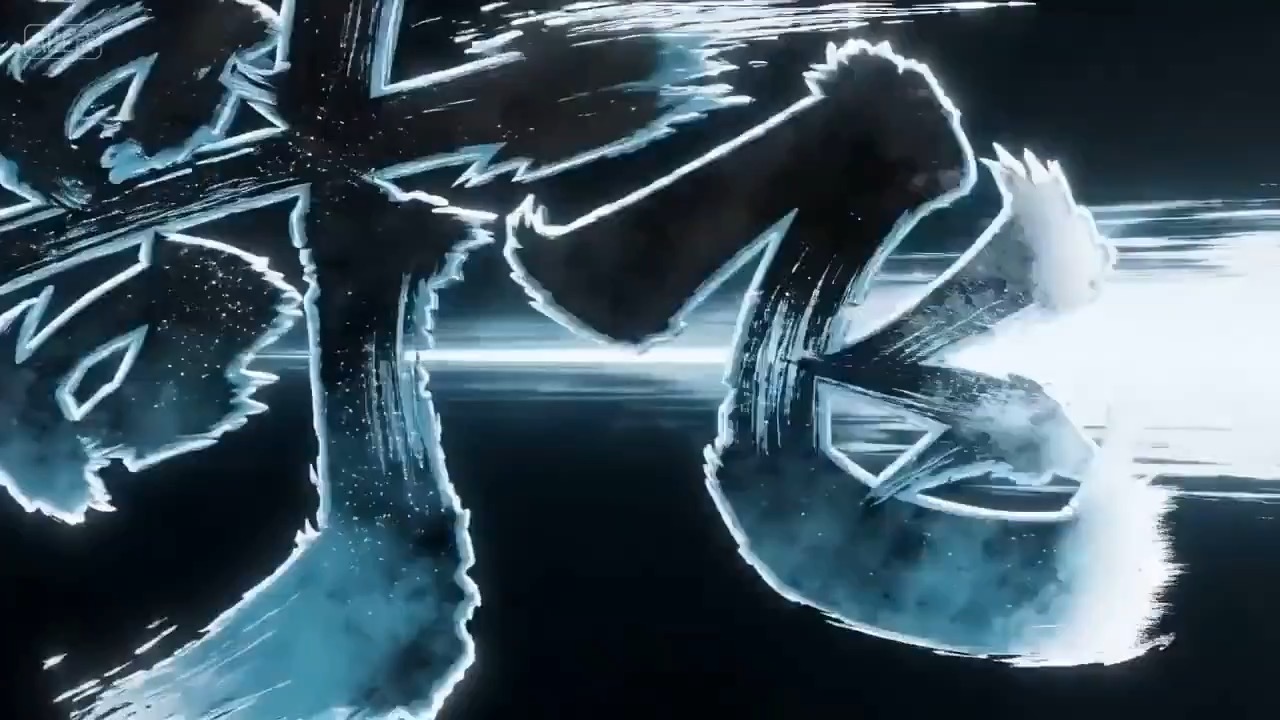
Neon doodle storm animation preview جو motion rhythm، subject continuity، camera direction، اور final hero frame دکھاتا ہے۔

neon doodle storm animation کا preview، scene setup، camera path، motion continuity، editable details، اور final hero frame پر مرکوز۔

Full prompt

neon doodle storm animation بریف

editable beats، camera path، motion continuity، hero ending، اور brand-safe constraints کے ساتھ Neon doodle storm animation prompt۔

Recommended model: Grok Imagine VideoOutput format: ویڈیو prompt template
Full prompt
Video Prompt
neon doodle storm animation پر مرکوز 8-10 second video prompt generate کریں۔ اسے تین concrete beats کے ساتھ reusable video brief کے طور پر بنائیں: subject، setting، اور visual promise establish کرتے ہوئے شروع کریں؛ clear camera path کے ساتھ main action، transformation، یا reveal میں جائیں؛ stable hero frame پر ختم کریں جو landing page preview، product showcase، یا social cutdown کے لیے کام کر سکے۔ surreal یا stylized idea کو concrete beats، controlled camera motion، consistent scale، اور ایسے visual rules کے ذریعے grounded رکھیں جو random symbols کو concept پر حاوی ہونے سے روکیں۔ pacing، lens feel، camera distance، lighting، motion blur، اور continuity rules specify کریں تاکہ output readable رہے۔ تمام subjects، props، locations، text، اور logos editable رکھیں۔ real brand names، celebrity references، fixed IP، ایسی readable signage جو بدلی نہ جا سکے، unsafe action، sudden teleport cuts، inconsistent scale، warped anatomy، اور unrelated extra scenes سے بچیں۔

Usage notes

چلانے سے پہلے subject، setting، props، camera move، motion beat، duration، delivery channel، اور editable text یا logo area بدلیں۔

Prompt FAQ

یہ prompt استعمال کرنے سے پہلے

Inputs، model fit اور template adapt کرنے کے طریقے کو جلد check کریں تاکہ result کمزور نہ ہو۔

مجھے سب سے پہلے کیا customize کرنا چاہیے؟

subject، setting، props، camera move، motion beat، duration، delivery channel، اور editable text یا logo area بدلیں۔

video output کا review کیسے کرنا چاہیے؟

motion readability، subject continuity، camera stability، brand safety، usable final frame، اور یہ check کریں کہ generated text یا signage کو cleanup کی ضرورت ہے یا نہیں۔

کیا میں یہ prompt کسی دوسرے model کے لیے adapt کر سکتا ہوں؟

ہاں۔ beat structure اور constraints برقرار رکھیں، پھر Rivya میں منتخب model کے مطابق detail density، aspect ratio، اور duration adjust کریں۔

اس mode میں مزید prompts

product motion، light direction، camera path، اور final frame دکھاتا cinematic perfume launch video preview۔
8-10s

product motion، light direction، camera path، اور final frame دکھاتا cinematic perfume launch video preview۔

cinematic perfume لانچ ویڈیو بریف: setup / product reveal / camera path / continuity / clear final frame / review checks

dark reflective surface، light sweep، close dial detail، اور clean product hero frame کے ساتھ luxury watch macro reveal video preview۔
8-10s

dark reflective surface، light sweep، close dial detail، اور clean product hero frame کے ساتھ luxury watch macro reveal video preview۔

ویڈیو بریف: premium watch / macro detail / controlled light sweep / slow push-in / commerce hero frame

UGC Product Demo Video video preview جس میں motion rhythm، subject continuity، camera direction، اور final hero frame دکھائی دیتا ہے۔
8-10s

UGC Product Demo Video video preview جس میں motion rhythm، subject continuity، camera direction، اور final hero frame دکھائی دیتا ہے۔

ugc product demo ویڈیو ویڈیو بریف: setup / main motion / camera path / continuity / hero ending / review checks